How to Write AI Prompts: Complete Guide with Examples
Formulas, templates, and 10 ready-to-use examples with real results
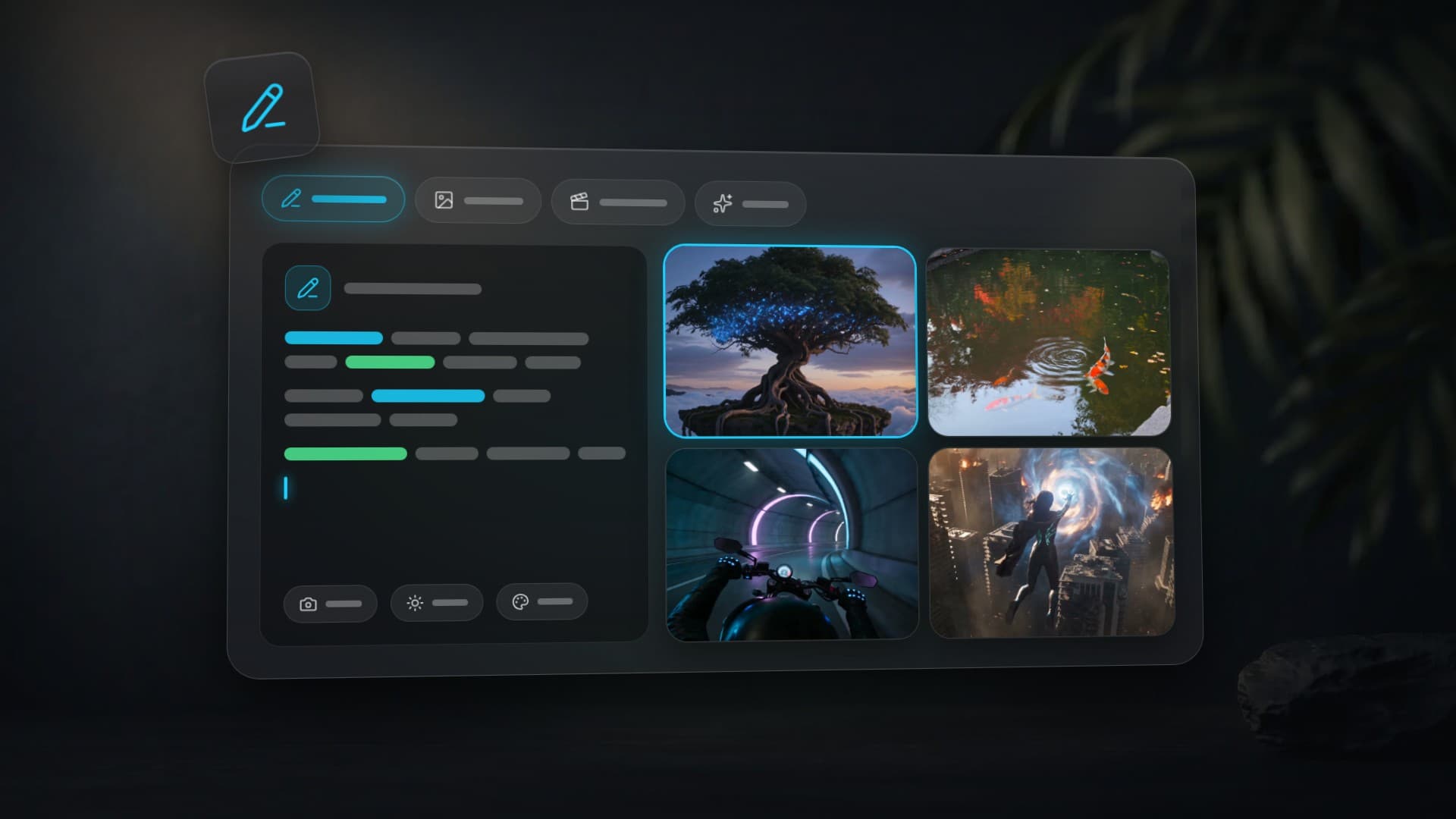
To write a good AI prompt, describe six things in one sentence: subject, action, environment, style, lighting, and technical details. Instead of "beautiful sunset," write "a lone surfer paddling out at golden hour, glassy waves, warm rim light, cinematic photography, shallow depth of field." A vague phrase is an intention; a prompt is an instruction — the more specific it is, the closer the result. This guide gives copy-ready prompt formulas for images and video, real examples with results, and the five mistakes to avoid — all ready to paste into Clipia.ai right now.
Use the prompt in the current Clipia studio
Open Text to image or Text to video, choose a model and paste the description. With an existing source frame, use Image to video → Single image and focus the prompt on movement.
Review model settings and the price on “Create image” or “Generate”. After launching, find the result in “My tasks”. Change one detail for the next attempt; use “Edit photo” to revise a finished image.
What Is a Prompt and Why It Determines 80% of the Result
When you launch a generation, the model reads your text and creates an image or video that matches it. A prompt is an instruction. The more precise the instruction, the more precise the result.
Most disappointments with AI generation come down to one thing: the user wrote "beautiful sunset" and expected a cinematic frame. They got a stock image with an orange sky. The model isn't at fault — it did exactly what was written. "Beautiful sunset" isn't an instruction, it's an intention.
In this guide — practical formulas, real examples with results, and a breakdown of common mistakes. Everything can be copied and used right now in Clipia.ai's image generator or video generator.
What Makes a Good AI Prompt? The 6-Element Formula
| Element | What It Describes | Example |
|---|---|---|
| Subject | Who or what is in the center | a young woman with red hair, a mechanical watch |
| Action/Pose | What's happening | walking, slowly rotating, leaping |
| Environment | Where it happens | ancient forest, neon-lit city, white studio |
| Style | Visual direction | photorealistic, oil painting, cinematic |
| Lighting | Type and mood of light | golden hour, dramatic rim light, soft diffused |
| Details | Camera, quality, nuances | shallow depth of field, 4K, macro lens |
Not all elements are required every time, but the more you add, the more predictable the result.
Example. Initial desire: "Girl in a forest."
After applying the formula:
About the demonstrations: previously published examples retain their original prompts, model labels and run annotations. Prices in older annotations are historical, not a current price list; check the selected model form for a new run.
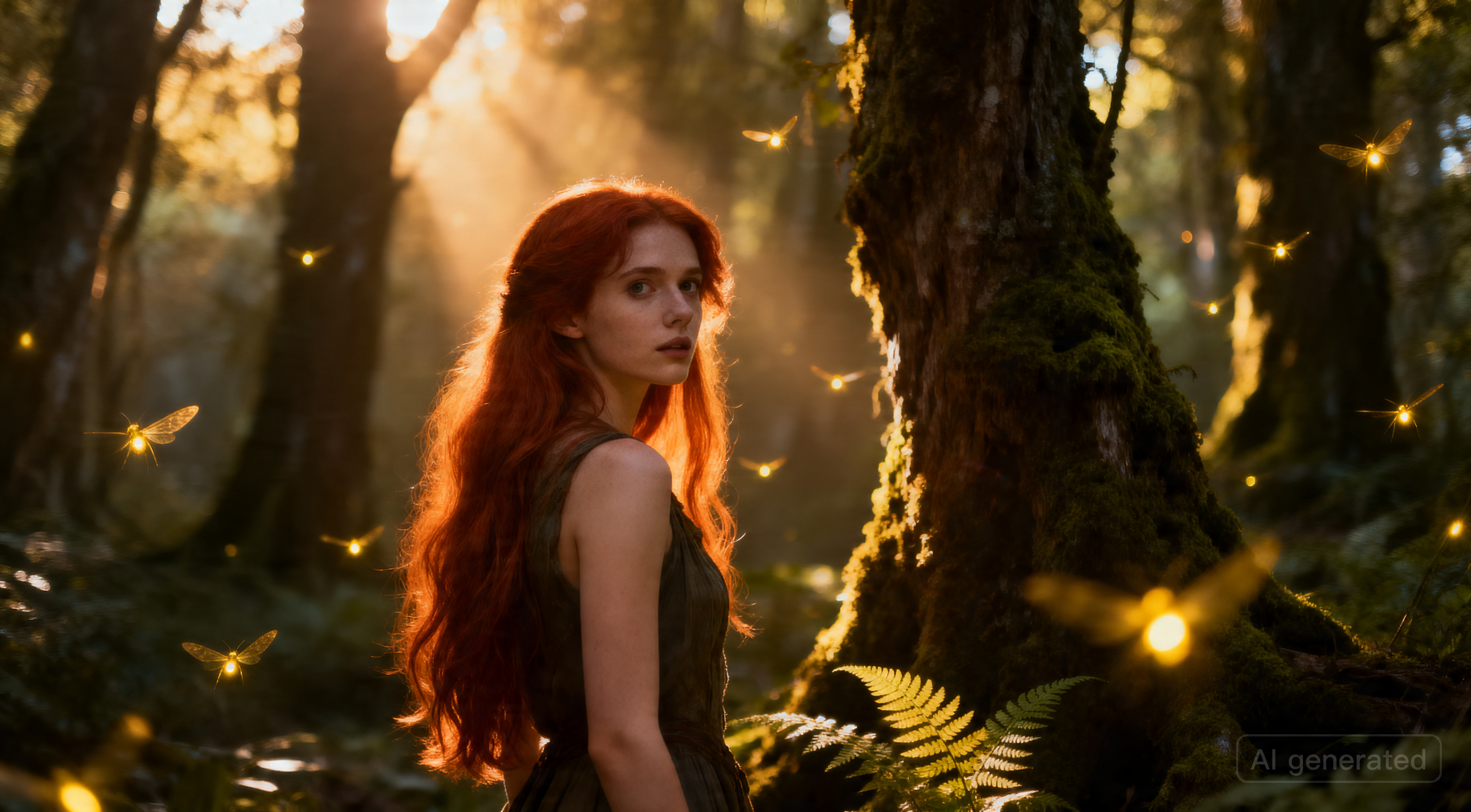 SeedDream V4
A young woman with long red hair, standing in an ancient forest, looking over her shoulder with a mysterious expression, surrounded by glowing fireflies, cinematic lighting with soft god rays through the canopy, photorealistic, 8K, shallow depth of fieldWhat changed: a specific subject (long red hair), pose (looking over her shoulder), environment (ancient forest, fireflies), style (photorealistic), lighting (god rays), and a technical detail (shallow depth of field).
How to Write Image Prompts: 5 Formulas
Five reliable formulas for the most common image tasks. Every model shown runs on Clipia.ai from a single account, so you can test each one without switching tools.
1. Portrait
Formula: [Age] [person] with [features], wearing [clothing], [emotion], [background], [lighting], [style]
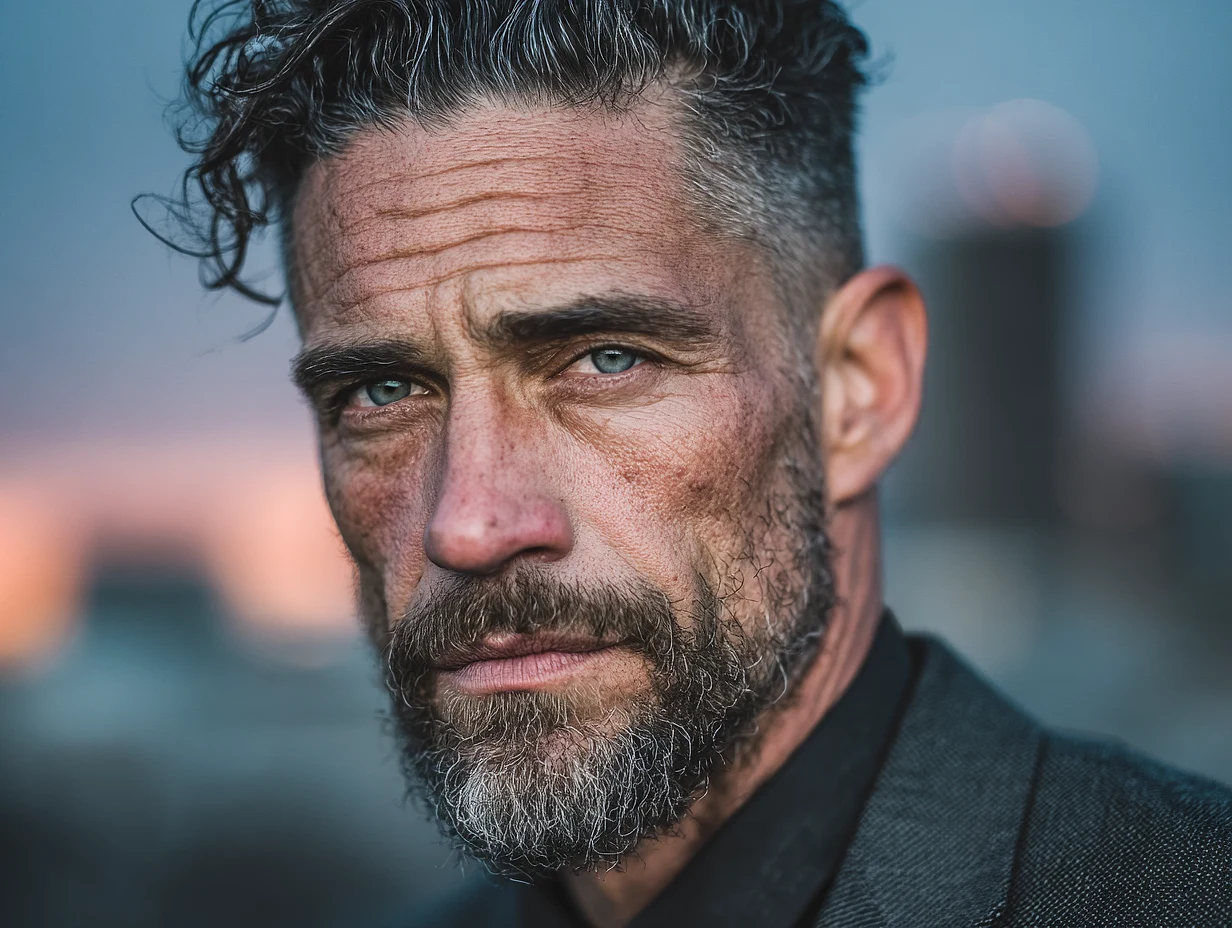 Midjourney V7
A 35-year-old businessman with sharp features and salt-and-pepper stubble, wearing a tailored charcoal suit, confident expression, blurred city skyline at dusk background, dramatic rim lighting, editorial photography style, high contrast, 4KModel: Midjourney V7 — the best choice for portraits with artistic character.
2. Landscape
Formula: [Location] at [time of day], [weather], [atmosphere], [style], wide angle
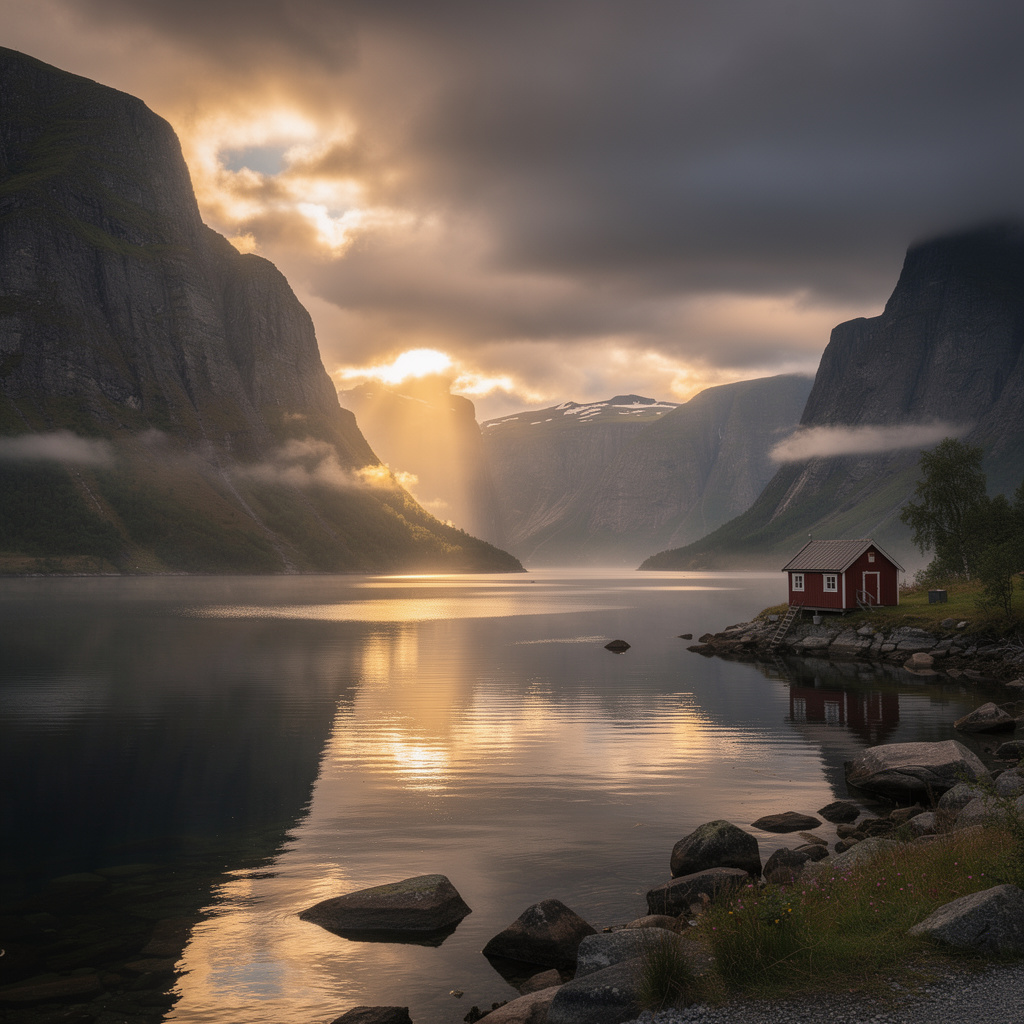 FLUX 2 Pro
Norwegian fjords at golden hour, dramatic storm clouds clearing, shafts of sunlight breaking through, reflections on still water, small wooden cabin on the shore, epic landscape photography, ultra wide angle, high dynamic range, cinematicModel: FLUX 2 Pro — accurately reproduces complex compositions and text on images.
3. Product Photography
Formula: [Product] on [surface], [angle], studio lighting, commercial photography, [background]
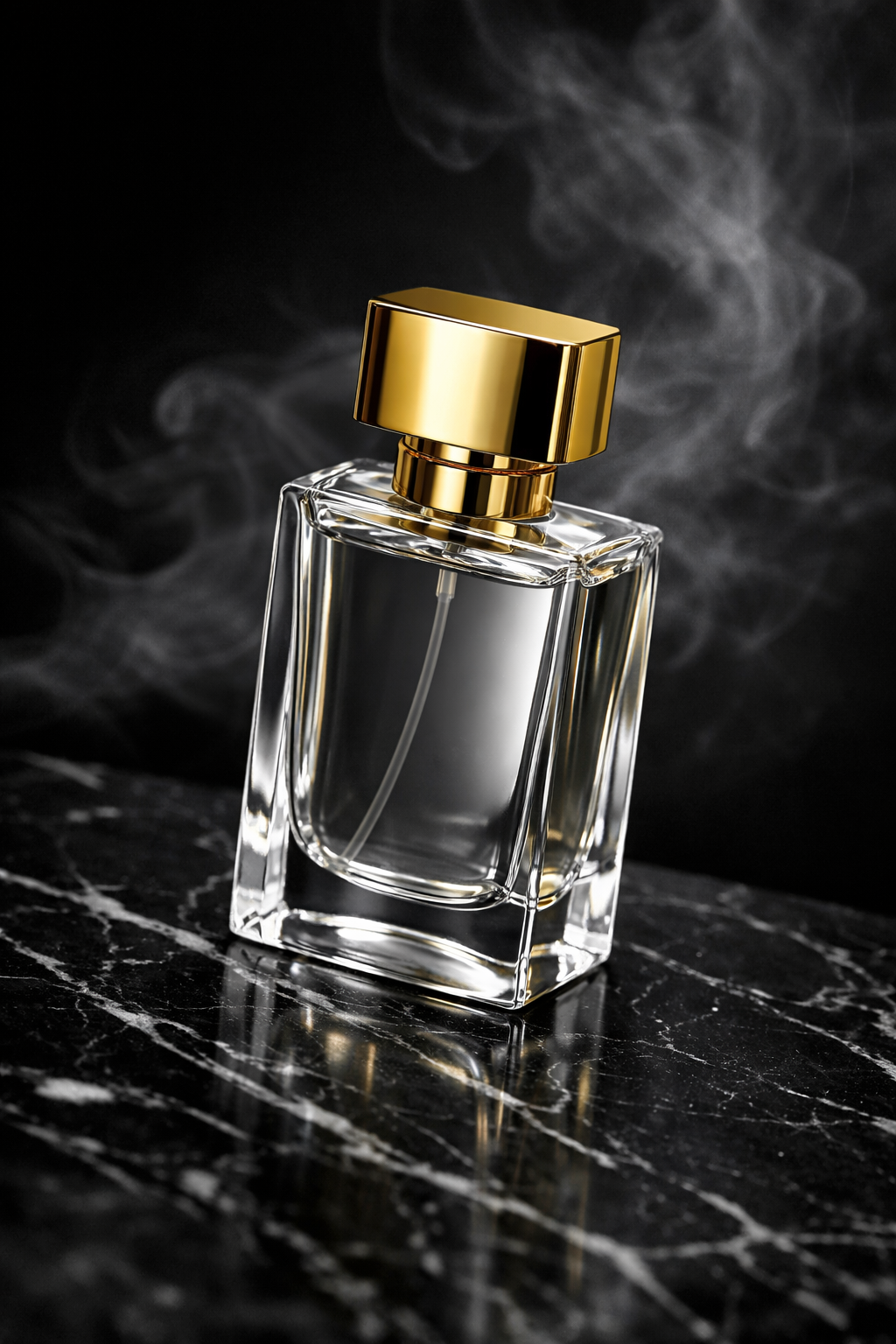 GPT Image 1.5
Premium glass perfume bottle with gold cap, placed on black marble surface, 45-degree angle shot, studio lighting with soft diffused key light and subtle rim light, luxury product photography, dark background with smoke wisps, ultra-sharp focusModel: GPT Image 1.5 — excellent detail, works with uploaded photos (editing).
4. Fantasy & Art
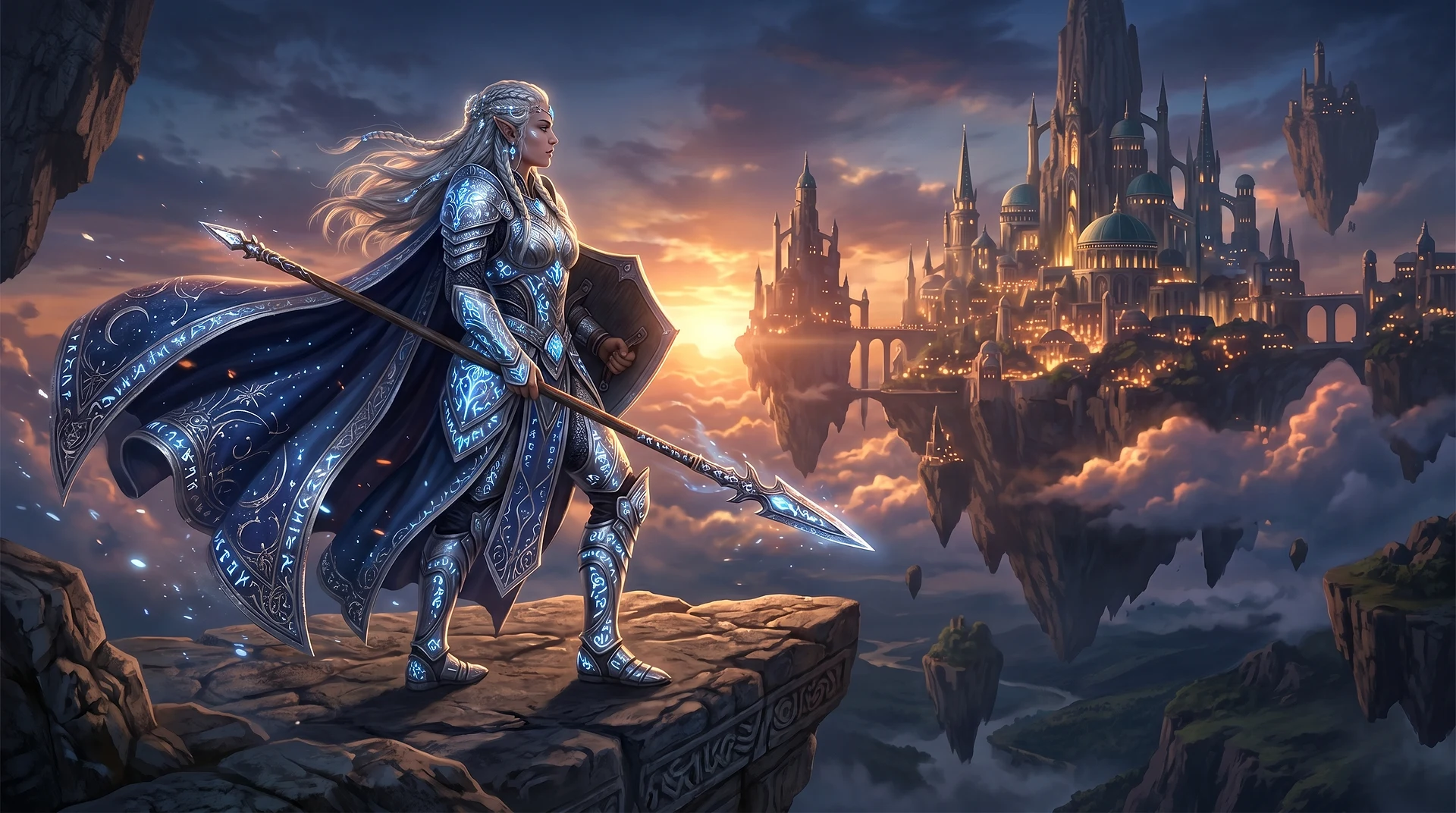
Formula: [Character] in [fantastical world], [action/pose], digital art, detailed, dramatic lighting
 Nano Banana 2
Ancient elven warrior queen in silver armor covered in glowing runes, standing at the edge of a floating island city at twilight, her cape flowing in the wind, dramatic backlight, epic fantasy digital art, highly detailed, cinematic compositionModel: Nano Banana 2 — photorealistic images from 4 credits at 1K. Perfect for art and concepts.
5. Design & UI
Formula: [Design type], [style], [color palette], minimalist, [use case], clean, 4K
 Imagen 4
Mobile app UI design, dark mode fintech dashboard, deep navy and electric blue color palette, clean card-based layout, data visualization charts, minimalist interface, crisp typography, modern design system, 4K resolutionModel: Imagen 4 — sharp lines, precise typography, excellent for mockups.
How to Write Video Prompts: 5 Formulas
For video, add movement to the scene description — camera, objects, or characters. Run the same prompt through several models and compare the results.
1. Cinematic Action
Epic cinematic tracking shot of a young woman warrior with glowing cyan tattoos leaping off a crumbling skyscraper rooftop in a futuristic destroyed city. Mid-air she summons a massive swirling vortex of electric blue and molten gold energy between her hands, hurling it downward at a colossal shadow creature climbing the building below. The impact creates a shockwave explosion of bright teal sparks and golden debris radiating outward in slow motion. The camera follows her fall in a vertical dolly drop then swoops around 180 degrees capturing the destruction behind. Marvel meets Akira cinematography, anamorphic lens flares, 2KModel: Seedance 2.0 — leader in texture detail and smooth camera movement.
Useful camera commands: slow push-in, tracking shot, crane shot rising up, orbital shot circling, handheld slight shake, dolly drop.
2. Fantasy Epic
A colossal ancient tree at the center of a floating island, its massive roots dangling into the clouds like wooden waterfalls, thousands of bioluminescent butterflies rising from the glowing canopy into the twilight sky, the camera slowly ascending from the base upward, revealing an endless vista of floating islands connected by vine bridges stretching beyond the horizon, epic orchestral fantasy, a sense of wonder and discoveryModel: Kling 3.0 — a strong choice for large-scale fantasy scenes. It supports 720p and 1080p, selectable 3, 5, 8, 10, or 15-second durations, Multi-Shot, and optional sound.
3. Nature Timelapse
A timelapse of a gathering thunderstorm over an endless sunflower field, dark dramatic clouds swirling and thickening, the first lightning bolt slicing across the sky, heavy rain beginning to fall on golden flowers swaying in the wind, the storm passing to reveal a vivid double rainbowModel: the demo above was rendered on Veo 3 (a Google benchmark). On Clipia, Hailuo 02 Standard — from 7 credits — suits this kind of atmospheric timelapse.
4. Atmospheric Video
Autumn leaves falling in a peaceful Japanese garden, koi pond reflecting maple trees, gentle breeze, golden afternoon light filtering through branches, slow-motion footage, serene atmosphere, 4K nature documentary styleModel: Kling 3.0 — flagship with precise camera control, ideal for cinematic atmospheric scenes.
5. Product/Commercial Video
A motorcycle racing through a neon-lit tunnel at night, motion blur on the surroundings, the rider leaning into the curve, fast tracking shot keeping pace with the bike, cyberpunk city visible at the tunnel exit, dynamic and intense, cinematicModel: Seedance 2.0 — T2V rankings leader, strong physics and motion dynamics.
What Language Should You Write Prompts In?
Short answer: English works better for virtually all models. Training data is predominantly in English — models understand English descriptions of styles, lighting, and techniques more precisely.
Russian works for simple queries. But for precise control over style and detail — English is more reliable.
“Translate to English” beside the description field is a separate action. Translation costs 1 credit per request, in addition to generation.
“Enhance” adds scene, lighting and style details for the selected model. Read the revision and remove unwanted changes before running it. Example:
| Before | After |
|---|---|
| girl in a cafe in autumn | A young woman sitting by a rain-streaked window in a cozy coffee shop on an autumn afternoon, warm ambient lighting, steam rising from her cup, yellow and orange leaves visible outside, soft focus background, film photography aesthetic, kodak portra 400 |
| mountains at sunset, beautiful | Dramatic alpine mountain range at sunset, peaks bathed in warm orange and pink light, snow-capped summits, foreground wildflower meadow, epic landscape photography, wide angle, golden hour, cinematic color grading |
| coffee on table | Freshly brewed espresso in a small white ceramic cup, dark wooden cafe table, steam rising in swirls, morning light from nearby window, bokeh background of cozy cafe interior, food photography, warm tones |
5 Common AI Prompt Mistakes to Avoid
1. Too Short
Bad: cat — you'll get an averaged "standard" cat with no character, mood, or style. The model fills in every gap it can.
Good:
A fluffy orange tabby cat curled up on a sunlit windowsill, rain streaking the glass behind it, soft morning light, cozy and warm, shallow depth of field, photorealistic
2. Contradictions
Realistic cartoon character, vintage futuristic style — the model can't do two opposite things simultaneously. Choose one direction.
3. Overloaded
A 400-word prompt isn't an instruction, it's chaos. The model loses priorities. Optimal length: 50–150 words.
4. No Style
A few style words dramatically change the result: photorealistic, oil painting, anime style, watercolor, cinematic, concept art.
5. Ignoring Negative Prompts
Universal negative prompt to combat artifacts:
blurry, low quality, pixelated, distorted, watermark, text, signature, extra limbs, bad anatomy, deformed hands, ugly, overexposed, underexposed, noise
For portraits add: asymmetrical face, crossed eyes, extra fingers, missing fingers, bad teeth, unnatural skin texture.
Which Prompts Work Best for Each AI Model?
| Model | Strength | What to Add to Your Prompt |
|---|---|---|
| Kling 3 | Camera control | slow dolly forward, crane shot ascending, orbit around subject |
| Midjourney V7 | Artistic styles | impressionist, baroque, art nouveau, ukiyo-e, brutalist |
| FLUX 2 Pro | Precision & text | Specific descriptions: serif gold typography, not nice font |
| GPT Image 1.5 | Editing | Describe the desired result, not the process of change |
| GPT Image 2 | Text in frame | Wrap the exact wording in quotes: a sign reading "Open 24/7" |
| Grok Imagine | Portraits, lighting | Name the light source and its direction: soft window light from the left |
| Kling 3.0 | Physics | slow motion, time-lapse, descriptions of water, fire, fabric movement |
| Seedance 2.0 | Textures, camera | Detailed texture descriptions + two camera movements in one prompt |
Every model in this table runs on Clipia.ai from one account — so you can match the model to the genre without juggling separate subscriptions.
Need Ready-to-Use Prompts?
Now that you know the theory, the fastest way to practice is to run a template and modify it. Grab 10 cinematic video prompts — each comes with a real video result, model recommendation, and formula breakdown. Best starting point for experimentation.
More on AI Generation
- 10 AI Generation Ideas with Ready-to-Use Prompts
- AI Video Generation: The Complete Guide
- Getting Started: Your First AI Generation in 2 Minutes
Frequently Asked Questions
How do you write a good AI prompt?
Describe six elements in one clear sentence: subject (who or what), action or pose, environment, visual style, lighting, and technical details (camera, resolution). For example: "a 35-year-old businessman in a charcoal suit, confident expression, blurred city skyline at dusk, dramatic rim lighting, editorial photography, 4K." Skip vague words like "beautiful" — the model needs specifics, not intentions. All the formulas and examples in this guide work directly on Clipia.ai.
What language should I write prompts in?
English gives more precise results, especially for styles and lighting. Use “Translate to English” when needed (1 credit per request), or “Enhance” to add details for the model. These are separate actions; review the text before generation.
How long should a prompt be?
50–150 words for most tasks. Less — the model fills in the gaps. Over 200 — precision decreases. Exception: complex scenes may require up to 300 words.
What is a negative prompt?
A list of elements to exclude: blurry, watermark, extra limbs, low quality. Not always necessary, but noticeably improves portraits and detailed scenes.
How do I get a consistent style across a series?
Save the "tail" of your prompt as a style template and add it to each generation. Change the subject and scene, but keep the style block unchanged. FLUX Kontext and GPT Image 1.5 are best at maintaining consistency.
Why doesn't the result match my prompt?
Three reasons: (1) contradictions in the description, (2) a key element is described too abstractly, (3) the model isn't optimal for the task. Try a different model or simplify the prompt. The table above will help you choose a model for the genre.
What's the cheapest model for experiments?
For images, try Nano Banana 2 (4 credits at 1K) or FLUX 2 Pro (4 credits at 2K). GPT Image 1.5 Medium costs 6 credits. These configurations were checked on October 14, 2026; the launch button shows the current price for the selected settings. For video, choose by task and check the exact duration and resolution price first.
Try it yourself on Clipia
60+ models for video and image generation. One account, transparent pricing.