
AI for restaurants and food photography
Turn a regular phone shot of a dish into an appetizing photo for your menu, delivery and ads — and build a dish video. No photographer, no studio shoot, in a couple of minutes.
- 1 photo
- of the dish as input
- 10+
- plating styles
- photo + video
- for menu and delivery
Why does a dish look less appetizing in a photo than in real life?
An appetizing dish photo lifts orders on your menu and delivery — guests choose with their eyes, and a tasty frame sells better than a description.
Appetizing frame from a phone shot
Upload a regular photo of a dish — AI adds light, juiciness and plating while keeping the dish itself and the plate's contents.
Photos for menu and delivery
The same frame — for your menu, delivery apps and social media, in one appetizing style.
Dish video
Build a short clip with steam, dripping sauce and macro — for reels, stories and a delivery card.
Any plating and background
Dark background, wooden table, restaurant serving — show the dish in different plating to match your venue.
More orders
Appetizing visuals engage the guest and lift clicks and orders on the menu and delivery.
Save on shooting
No on-site food photographer or studio — refresh your menu and promo cheaper and faster.
One dish — an appetizing frame
A dull phone shot turns into appetizing food photography for your menu and delivery. The dish itself and the plate's contents are preserved — only the light, plating and background change.
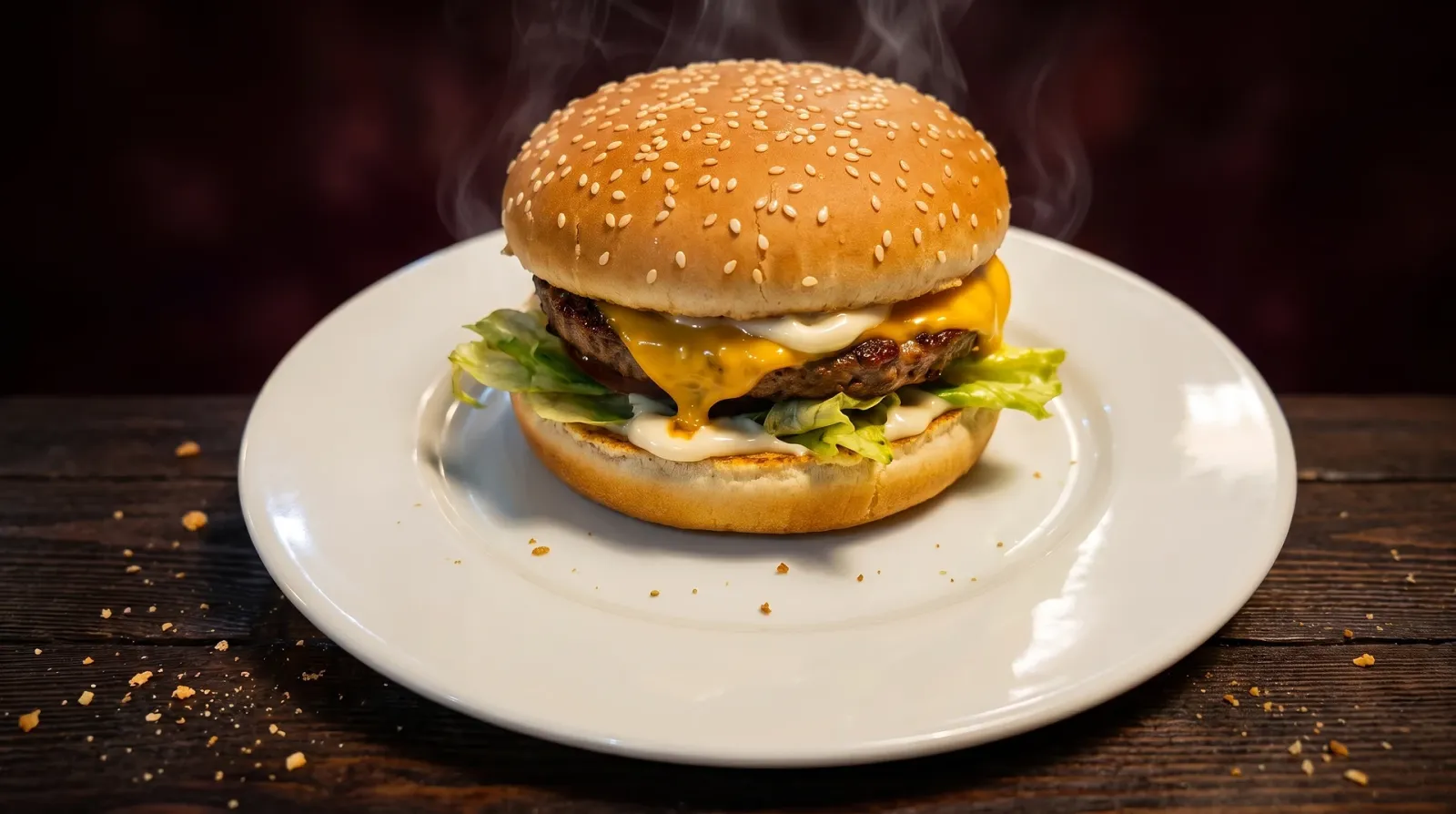 Before: phone photoAfter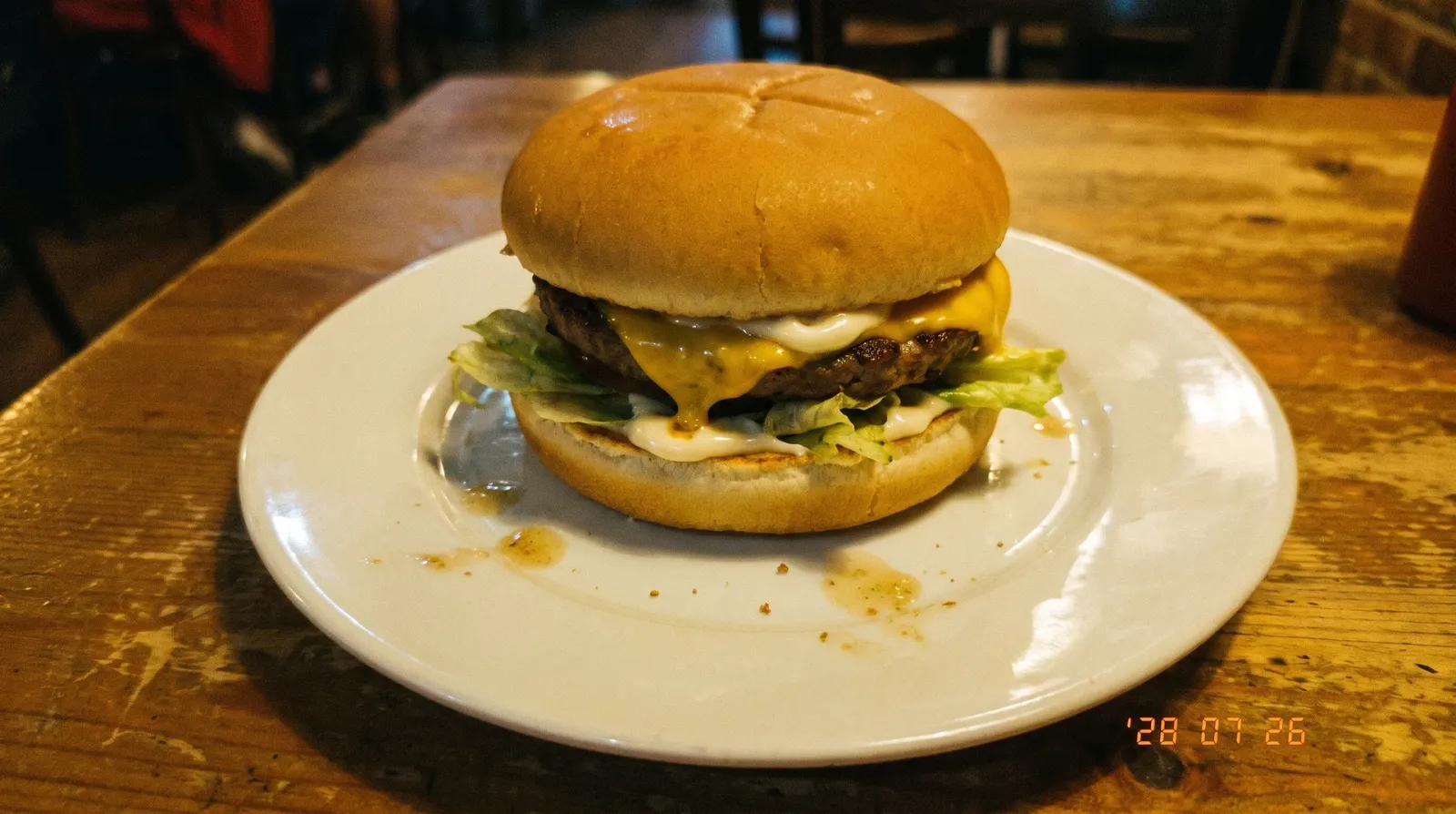
Steam over the dish, dripping sauce and macro close-up — ready for delivery and social media.
Make a dish photoNot just main courses
Desserts, drinks and delivery photos — AI makes an appetizing frame for any menu item from a single photo.


All your venue visuals in one place
From a photo of one dish to a finished menu, promo and delivery video.
Food photography from a phone shot
Make an appetizing dish frame from a regular photo — light, juiciness and plating without a studio.
Dish photos for the menu
Bring every menu item into one style — from photos, without a shoot for each dish.
Dish video
Animate a frame into a short clip with steam and macro for reels, stories and delivery.
Photos for delivery
Prepare cards for delivery apps — an appetizing frame lifts clicks and orders.
Change plating and background
Swap the background, serving and plating style, try several options on a single dish.
Ads and promo
Banners, posts and covers for offers and social media in your venue's style — from a prompt.
How to make an appetizing dish photo: three steps
No studio or food photographer needed — just a phone with a photo of the dish.
- 01
Upload a dish photo
A regular shot of the plate from your phone — no studio or professional light.
- 02
Pick the plating
Background, style and mood of the frame — or describe your wishes in words.
- 03
Get photo and video
Receive an appetizing dish frame and, if you want, a short video for menu and delivery.
Who is AI for restaurants for?
One tool covers visuals across different roles in food service and delivery.
Restaurants and cafes
Refresh menu photos and promo offers without an on-site shoot for every new dish.
Delivery services
Appetizing cards for delivery apps and social media lift clicks and orders.
Food trucks and street food
Make vivid dish photos and promo for your spot without a studio or photographer.
Confectioners and bakeries
Show cakes, desserts and pastries in close-up for your display and social media.
Bars and coffee shops
Striking shots of cocktails, coffee and drinks for the menu and stories.
Food bloggers
Appetizing photos and videos of dishes for reels, stories and venue reviews.
A tool you can rely on
Not a single-purpose service, but access to strong image and video generation models in one place.
AI for restaurants, cafes and food photography
Clipia gives you access to strong image and video generation models in one place. Upload a phone photo of a dish — and get an appetizing frame for your menu, delivery and ads. AI creates a selling visual from your shot or description, so the tasks of a restaurant, cafe and delivery service are covered without a food photographer or a studio shoot.
AI for restaurants
AI for restaurants covers all of a venue's visuals in one place: dish photos for the menu, promo offers and delivery video. Upload a phone shot of a dish — and get an appetizing frame with no on-site shoot.
Dish photos with AI
AI can improve the lighting, background and presentation of an ordinary phone photo of a dish. Because generation may change ingredients and small details, compare the result with the real serving before adding it to a menu.
Food photography: editing food photos
Food photography with AI is the editing of food photos that turns an ordinary shot into an appetizing one. AI evens out the light, removes clutter in the frame and boosts the texture and plating of the dish.
Dish video for delivery and social media
Dish video with AI is built from a single frame: steam over the plate, dripping sauce and a macro close-up. Such a clip brings the delivery card to life and stands out in reels and stories feeds.
Frequently asked questions
About food photography, menus, delivery and working with dish photos
You can make an appetizing dish photo with AI in a couple of minutes from a single phone shot. Step 1: photograph the finished dish under regular light so the whole plate is in the frame, and upload the shot to Clipia.
AI for menus works on a simple principle: you upload photos of dishes and get appetizing frames in one style. Photograph each item on your phone — AI evens out the light, boosts the juiciness and plating and brings all the photos to one look so the menu feels cohesive.
It depends on your plan: Basic is for personal, non-commercial use, Standard covers publishing on websites, social media and in ads, while Pro and Ultima include an extended commercial license. You must also hold the necessary rights to source material, brands and identifiable people.
AI creates an appetizing visual based on your shot or description — it's an advertising, illustrative frame, not an exact documentary photo of a specific portion. It keeps the dish itself and the plate's contents but boosts the light, juiciness and plating, so the food looks its best.
Upload a phone shot of the dish and choose an appetizing plating — AI prepares the frame for a delivery-app card: even light, a clean background and juicy texture. Such photos stand out in the selection feed and lift clicks and orders.
Yes. From a dish photo AI builds a short clip — steam over the plate, dripping sauce or a slow macro close-up.
Yes. AI works with more than main courses: cakes, croissants and macarons in close-up, coffee and lemonades with texture, cocktails for the bar.
No. You don't need a studio, professional light or food-shooting experience — a regular phone photo of the dish is enough.
Generation is paid with your Clipia account credits — you pay for specific images and videos, without a subscription to a separate service. See the tariffs page for current pricing.
Make an appetizing dish photo
Upload a photo of a dish and get a frame for your menu, delivery and ads today.