AI Video Generation: Complete Guide to Models & Modes
10 AI models for video creation in 2026 — with demos and prompts
August 2026 update: Seedance 2.5 generates videos from text or images up to 30 seconds long, with native audio and up to 30 reference images. See capabilities, examples and current pricing on the Seedance 2.5 page.
AI video generation creates a finished clip from a text prompt or photo without a camera or actors. Leading models offer selectable resolutions and durations, optional sound, motion transfer, and multi-scene workflows. On Clipia.ai, the current estimate is shown before generation.
AI Video in 2026: A Production Tool, Not an Experiment
AI video generation has moved beyond the lab. Commercial spots in an hour instead of a week. Character animation without actors or studios. Storyboard visualization before the first day of shooting. Brands are cutting production budgets 5-10x. Content creators are closing monthly plans in a day.
In 2026, AI video generators deliver up to 2K resolution, create native audio, sync lips in 8 languages, transfer motion from video references, and shoot multi-camera stories across multiple scenes. The question is no longer "does it work" but which model to choose for your specific task.
This guide covers 10 models, each with a video demo, prompt, and price. Copy the prompts, watch the results, pick your model.
How to use the new Clipia video studio
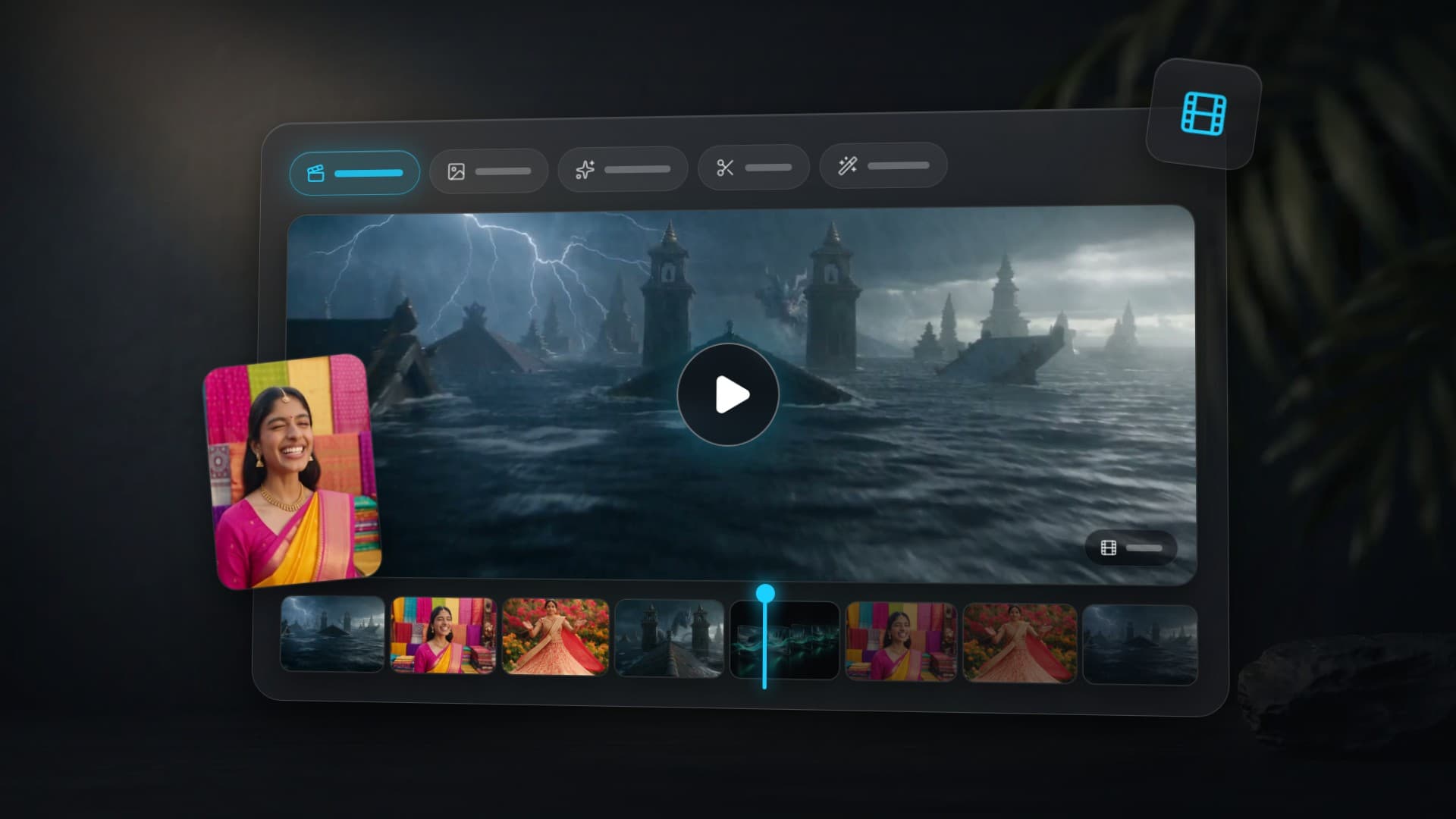
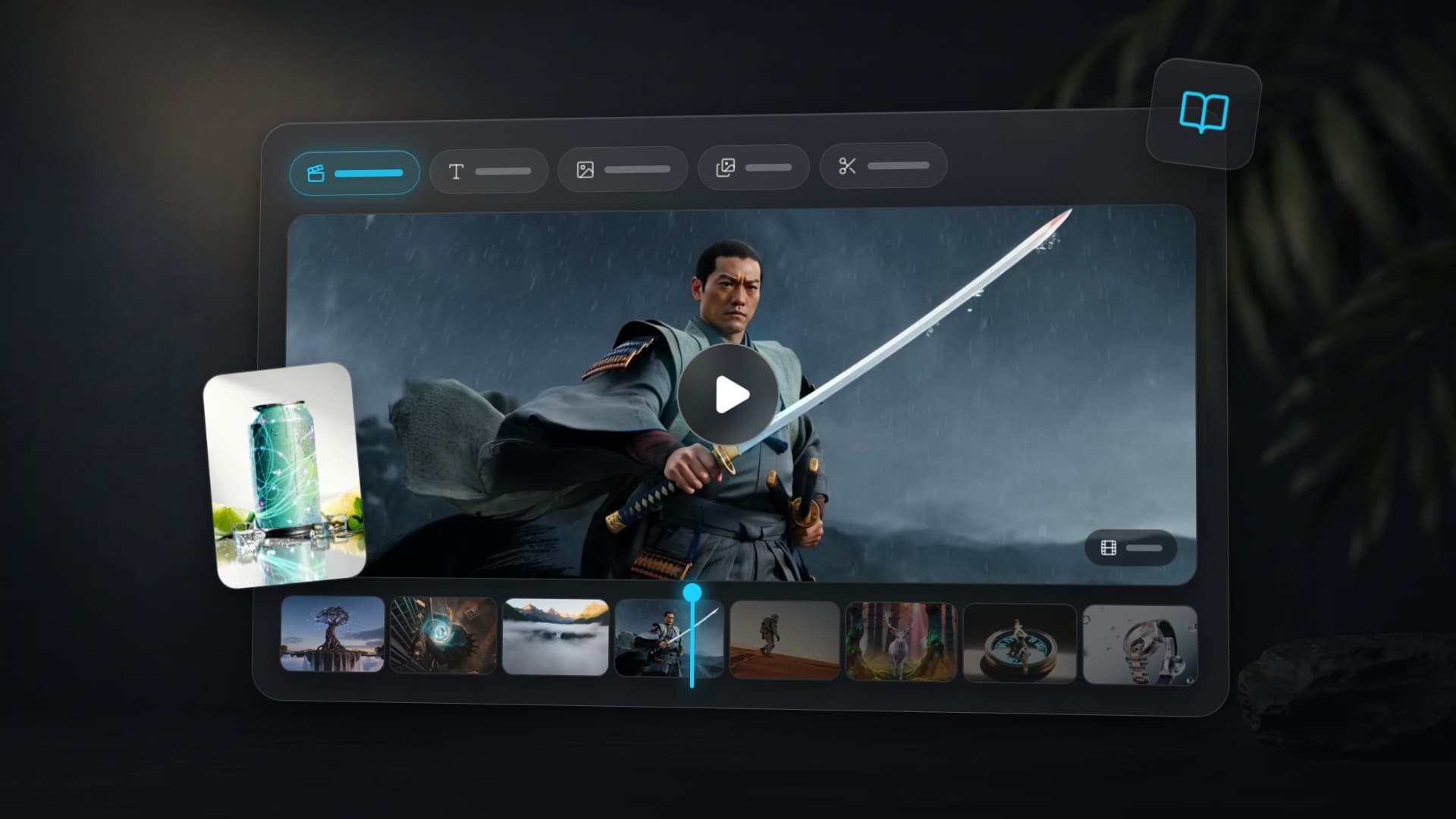
Open the video studio and choose a task tab. Text to video builds a scene from a description; Image to video accepts a single image, first and last frame, or references; Animate a photo provides motion presets and a talking-photo mode. Use Edit video for changes to an existing clip, Upscale video for enhancement, and Motion control to transfer motion from a clip to a character.
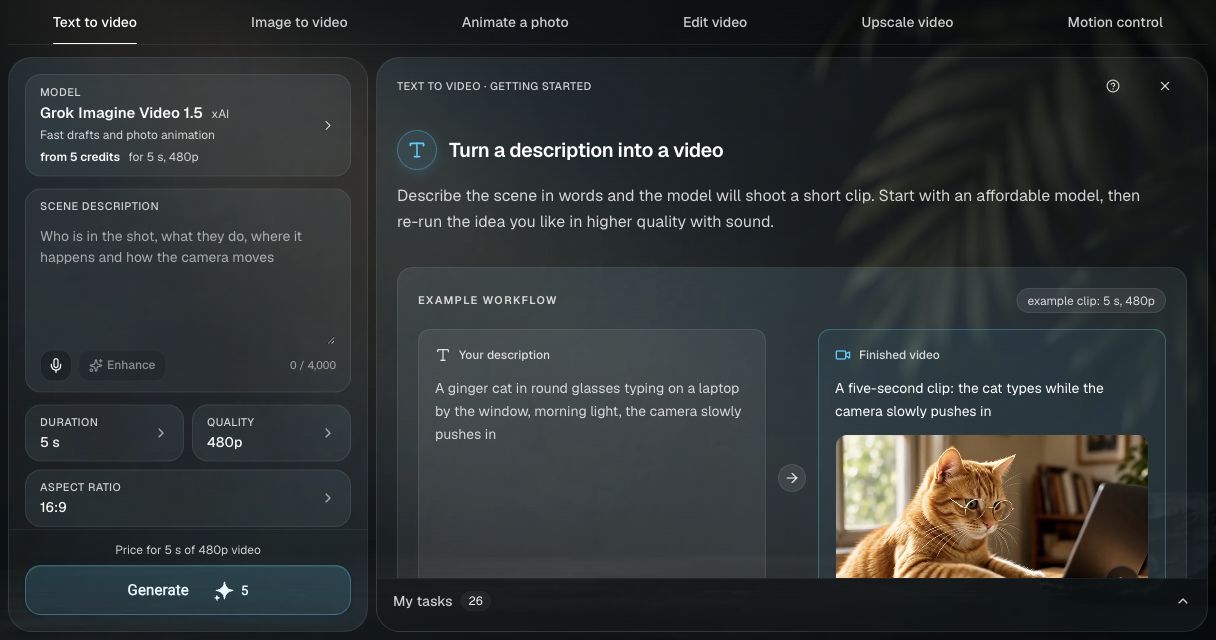
- Click the Model field. In Choose a model, compare the cards; the list matches your current tab and input mode.
- Fill Scene description, or upload source files and fill What happens. Select the available Duration, Quality and Aspect ratio options. Sound appears where the model supports it.
- Check the price on the Generate button, then start the task. Progress and the finished clip appear in the same studio and in My tasks. Open the result and choose Download → MP4 video. Waiting time depends on the model, settings and queue.
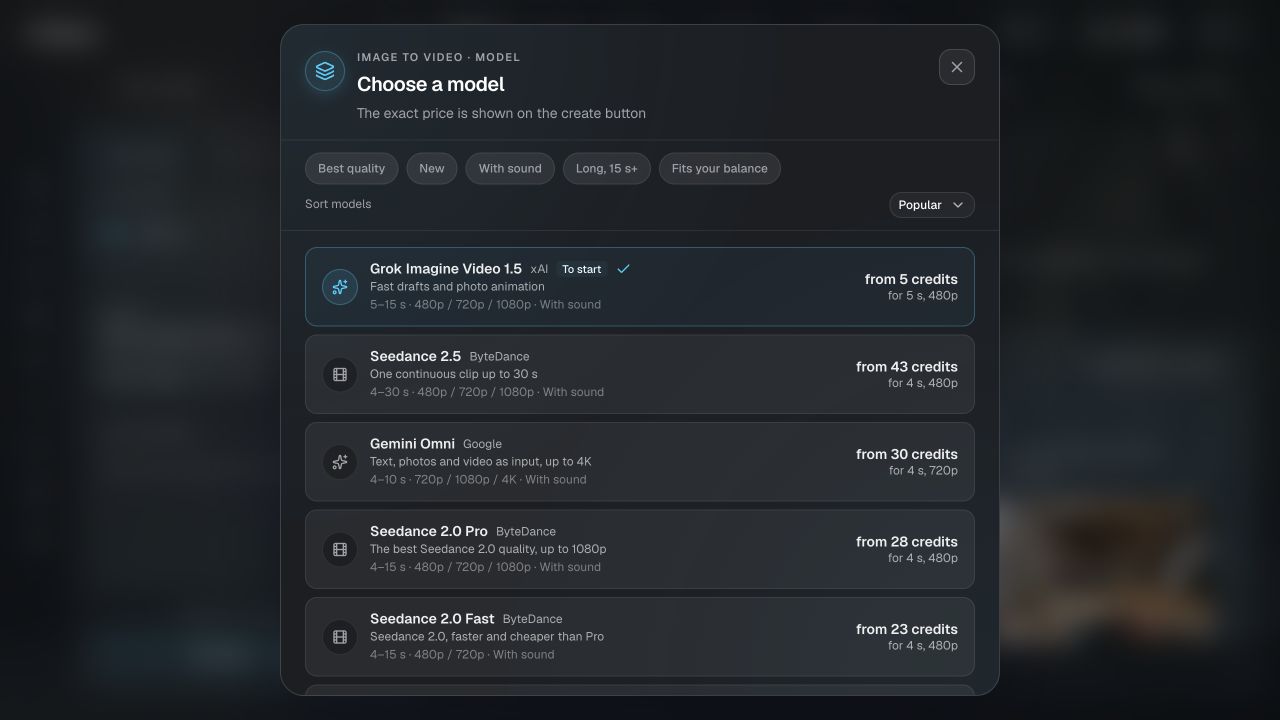
Advanced settings, such as What to avoid, depend on the model. Models are selected within a task mode rather than from a separate tab for each model name.
How Does AI Video Generation Work? The 5 Modes
Text-to-Video (T2V)
Describe a scene in text — the AI creates a video from scratch. The most universal mode. Great for ad concepts, idea visualization, background videos, social media content.
Image-to-Video (I2V)
Upload a photo, describe the motion — the model animates it. A portrait starts blinking. A landscape comes alive with waves. A product rotates on a table. Great for portrait animation, product marketing, landing pages.
Motion Control
Upload a video with the motion pattern you want — the model transfers it to new content. Choreography, gesture transfer, camera movement replication. Available in Kling 2.6 and Kling 3.0.
Lip Sync
Character photo plus an audio track can create video with lip animation for localization, virtual speakers, and avatars. Open Animate a photo → Talking photo, upload a face image and an audio recording, and check the file limits shown in the form.
Multi-Shot — Multi-Scene Stories
New mode in Kling 3.0. Describe multiple scenes with separate prompts and durations — the model generates a cohesive video with transitions. Perfect for short films, narrative ads, storytelling.
The 10 Best AI Video Models in 2026
Kling 3.0 — Flagship with AI Director and Multi-Shot
A colossal ancient tree at the center of a floating island, its massive roots dangling into the clouds like wooden waterfalls, thousands of bioluminescent butterflies rising from the glowing canopy into the twilight sky, the camera slowly ascending from the base upward, revealing an endless vista of floating islands connected by vine bridges stretching beyond the horizon, epic orchestral fantasy, a sense of wonder and discoveryKling 3.0 supports 720p and 1080p, selectable 3, 5, 8, 10, or 15-second durations, Motion Control, Multi-Shot, and optional sound.
Price: the current estimate is shown before generation and depends on duration, resolution, and optional sound.
Best for: cinema, advertising, connected Multi-Shot stories, and controlled motion.
Veo 3.1 (Google) — Realistic Physics in Two Modes
A master glassblower in a dimly lit Venetian workshop, molten glass glowing orange-red on the blowpipe, sparks flying with each breath, the artisan's weathered hands working with precise movements, dramatic warm side light revealing intense concentration on his face, the glass slowly taking the shape of an elegant swan, documentary cinematography, warm amber color gradingTwo modes — Fast for prototyping and Quality for maximum detail. Realistic physics: water, fire, fabric, smoke, glass. Audio support. Choose 4, 6 or 8 seconds where supported by the selected mode. Current Veo variants are available through the Model field in the Clipia video studio; duration, quality and price depend on the variant and mode.
Best for: natural scenes, realistic physics, budget-friendly quality video.
Seedance 2.0 — Multimodal Record-Holder
Epic cinematic tracking shot of a young woman warrior with glowing cyan tattoos leaping off a crumbling skyscraper rooftop in a futuristic destroyed city. Mid-air she summons a massive swirling vortex of electric blue and molten gold energy between her hands, hurling it downward at a colossal shadow creature climbing the building below. The impact creates a shockwave explosion of bright teal sparks and golden debris radiating outward in slow motion. Marvel meets Akira cinematography, anamorphic lens flares, 2KAccepts text + up to 9 images + video + audio simultaneously. The current studio offers 480p, 720p and 1080p, up to 15 seconds. Lip sync in 8+ languages. Unique @image1–@image9 syntax for referencing uploaded images directly in prompts.
Price: from 28 credits (4 sec) to 102 (15 sec); a 5-second clip is 34 credits, 10 seconds — 68.
Best for: complex projects with references, multilingual content, music videos.
Kling 2.6 — Camera Effects and Predictability
A breathtaking drone aerial shot over a misty mountain valley at dawn, clouds slowly parting to reveal a hidden waterfall plunging hundreds of meters into an emerald glacial lake, the camera descending through the fog, golden morning light painting the peaks, flocks of birds taking flight from the treetopsA reliable workhorse. 8 camera modes: pan, zoom, orbit, tilt and their combinations. 1080p, 5-10 seconds. Excellent result predictability. I2V and Motion Control.
Price: from 20 credits (5 sec) to 40 (10 sec). Sound adds 20-80 credits.
Best for: camera effects, predictable results, commercial content.
Seedance 1.5 Pro — Sound and Lip Sync at Minimum Cost
A tracking shot following a lone astronaut walking across the vast rust-red Martian desert, a tiny blue Earth reflected in his visor in the distance, fine red dust particles floating in the thin golden atmosphere, footprints trailing across untouched sand, the setting sun casting an impossibly long shadow, contemplative and emotionally profound, Interstellar-style cinematographyThe most affordable model with sound on the platform. Native audio and lip sync. 480p-720p, 4-12 seconds. T2V and I2V. At 480p — just 3 credits for 4 seconds of video.
Price: from 3 credits (4 sec, 480p) to 17 (12 sec, 720p). Sound is a paid add-on (+3–17 credits): a 4-second clip with audio starts at 6 credits.
Best for: budget video content with sound, social media, bulk generation, idea testing.
Hailuo — Three Models for Different Budgets
The camera slowly orbits a luxurious mechanical watch floating in zero gravity, water droplets drifting around it, each droplet catching the light and splitting into tiny prisms and rainbows, an extreme close-up reveals the intricate tourbillon, pulling back to a wider shot as the watch begins to rotate, cinematic studio lightingThree options: Hailuo 02 Standard — most affordable (from 7 credits, 512p). Hailuo 2.3 Fast — balance of price and quality (from 11 credits, 1080p). Hailuo 2.3 Pro — maximum stylization quality (from 17 credits, 1080p). I2V in all variants.
Best for: stylization, product videos, commercial clips with high detail.
Wan 2.5 — Instant Prototyping
A majestic white stag with branching antlers slowly emerging from morning mist in an enchanted forest, sunbeams piercing through ancient tree canopies, each step lifting a cloud of golden spores and luminous particles, moss on the trunks shimmering with emerald light, the stag turns its head toward the camera, dawn reflected in its eyes, cinematic camerawork, depth of fieldFast model for iterations. 720p-1080p, 5-10 seconds. Two variants: standard and Fast. I2V supported.
Price: from 20 credits (5 sec, 720p) to 65 (10 sec, 1080p).
Best for: quick prompt testing, drafts, iterations before final generation on a premium model.
Grok Video (xAI) — A Different Visual Voice
A samurai slowly drawing a gleaming katana during a torrential downpour, every raindrop frozen in time and illuminated by a flash of lightning, the camera orbiting 180 degrees around the warrior, his robes billowing, ink wash painting style merging with reality, dramatic and hypnoticT2V and I2V. 6-10 seconds. A distinct visual style — useful for A/B testing and experiments. One of the most affordable I2V options on the platform.
Price: from 10 credits (6 sec) to 15 (10 sec) — same rate for T2V and I2V.
Best for: style experiments, A/B testing, budget I2V animation.
Kling 3.0 Multi-Shot — Multi-Scene Stories
Close-up of an ancient compass on a stone altar, the needle begins to spin, runic symbols on the casing ignite with warm golden light An explorer pushes through dense jungle, following the glowing compass in hand, sunbeams piercing through tropical foliage A majestic entrance to a hidden temple emerges from the overgrowth, covered in centuries-old moss and vines, the compass pulsing brightly before the ancient stone gatesPrice: see the current estimate in the generator before launch.
Best for: narrative ads, trailers, short films.
Archive example: Higgsfield DoP
The camera slowly pushes in on the subject, with subtle parallax depth creating a cinematic 3D feel, gentle ambient lighting shifts reveal new details and textures, atmospheric particles float softly in the foreground, smooth and dreamlike motion, professional cinematography
This archive example shows cinematic motion and a depth effect from a still image. For a new task, open Image to video and choose a model available in the studio’s current list.
Availability: Higgsfield DoP is not offered for new runs; its former modes and prices do not describe the current studio.
Best for: photo animation with 3D effect, social media content, live wallpapers.
AI Video Models: Full Comparison Table
| Model | Max Duration | Max Resolution | Sound | I2V | Motion Control | Lip Sync | Credits from |
|---|---|---|---|---|---|---|---|
| Kling 3.0 | 15 sec | 1080p | Yes (+) | Yes | Yes | 5 languages | 22 |
| Veo 3.1 Fast (Google) | 8 sec | 4K | Depends on mode | Yes | No | No | See generator |
| Veo 3.1 Quality (Google) | 8 sec | 4K | Depends on mode | Yes | No | No | See generator |
| Seedance 2.0 | 15 sec | 1080p | Yes | Yes | Yes | 8+ languages | 28 |
| Kling 2.6 | 10 sec | 1080p | Yes (+) | Yes | Yes | No | 20 |
| Seedance 1.5 Pro | 12 sec | 720p | Yes | Yes | No | Yes | 3 |
| Hailuo 2.3 Pro | 6-10 sec | 1080p | No | Yes | No | No | 17 |
| Hailuo 2.3 Fast | 6-10 sec | 1080p | No | Yes | No | No | 11 |
| Hailuo 02 Standard | 6-10 sec | 768p | No | Yes | No | No | 7 |
| Wan 2.5 | 10 sec | 1080p | No | Yes | No | No | 20 |
| Grok Video | By model | By model | By model and mode | Yes | No | No | 10 |
| Kling 3 Multi-Shot | multi-scene | 720p/1080p | Optional | No | No | No | See generator |
"Yes (+)" — sound available as a paid add-on. Prices shown for the minimum configuration on Clipia.ai. The selected configuration’s parameters and final cost appear in the video studio before launch.
Which AI Video Model Should You Use?
Maximum Quality
Kling 3.0 — AI Director, Motion Control, Multi-Shot. Covers 90% of professional tasks.
Limited Budget
Seedance 1.5 Pro — from 3 credits (with sound — from 6). Grok Video — from 10 credits. Hailuo 02 Standard — from 7.
Need Sound
Seedance 1.5 Pro — from 6 credits with the audio add-on. Veo 3.1 — native sound. Kling 3 and 2.6 — sound as a paid add-on.
Animate a Photo
For photo animation, open Image to video. Compare the available models on one short movement, check face preservation and review the selected configuration’s price.
Lip Sync / Voice-over
For lip animation, open Talking photo and upload a face image plus audio. You can prepare a voiceover separately in the audio studio.
Multi-Scene Video
Kling 3 Multi-Shot creates connected scenes from separate prompts in one workflow. Check the live estimate before generation.
Social Media Content
Seedance 1.5 Pro (from 3) or Hailuo 02 Standard (from 7) — maximum content for minimum credits. Use 9:16 format for Reels/TikTok.
How Do You Write a Good Video Prompt?
Effective Prompt Structure
A good video prompt describes four things: what happens, how the camera moves, what lighting/style, and what mood.
Formula: Subject + Action + Camera movement + Lighting/style + Mood
Camera Movement
slow zoom in— creates intimacycamera orbits 180 degrees— reveals the form of the subjectdrone aerial shot descending through fog— drone descending through fogtracking shot following the subject— camera follows the charactervertical dolly drop— vertical camera drop (action)pull back to reveal— pull back revealing scale
Physics and Materials
water droplets splitting into tiny prisms— droplets refract lightsparks flying with each breath— sparks with each exhalefine red dust particles floating— fine particles floating in airfabric rippling in the wind— cloth waving in the windgolden spores and luminous particles— glowing particles (atmosphere)
Cinematic Style
cinematic color grading— professional color correctionanamorphic lens flares— cinema-style lens flaresshallow depth of field, f/1.4 bokeh— shallow DOFdocumentary cinematography— documentary styleMarvel meets Akira cinematography— mixing styles (creates unique results)
Tips
- Start with 5 seconds — shorter videos are cheaper and faster for prompt testing
- Write specific instructions in your preferred language; after translation or enhancement, check that the meaning is preserved
- Describe specific actions: "blinks slowly and turns head to the right" instead of "movement"
- Specify camera style — models, especially Kling 3, follow camera instructions well
- Use Clipia's "Enhance prompt" feature — it automatically adds cinematic details
- Test on budget models (Seedance 1.5, Grok), finalize on Kling 3 or Veo 3.1
Generation Parameters
Duration — Kling 3 offers 3, 5, 8, 10, or 15 seconds. Choose a shorter duration for iteration and confirm the live estimate before generation.
Resolution — use 720p for drafts and 1080p for more detailed shots. The maximum depends on the model and mode: the current studio offers up to 1080p for Seedance 2.0 and up to 4K for Veo 3.1 Fast and Quality with compatible settings. Check the quality options and price change in the form.
Format — 16:9 for YouTube and horizontal video. 9:16 for Reels, TikTok, Stories. 1:1 for Instagram feed. Most models support all three formats.
Sound — support and cost depend on the model and mode; check the Sound setting and final price. For lip animation in Talking photo, upload a face image and an audio file.
Summary
For first experiments — Seedance 1.5 Pro (from 3 credits) or Grok I2V (from 10). For serious work — Kling 3.0 (AI Director, all modes). For scenes with multiple references — Seedance 2.0; check the available resolution in the form.
Clipia.ai brings video models and generation modes into one account; compare the live estimate for the selected settings before launch.
More on AI Video Generation
- 3 Best AI Video Generators 2026: Seedance 2.0 vs Kling 3.0 vs Veo 3.1 (Tested)
- How to Create Video from Photo with AI: 5 Best Methods in 2026
- 10 Prompts for AI Video Generation That Deliver Cinematic Results
Frequently Asked Questions
What is AI video generation?
AI video generation creates video from a text description or photo. The model interprets the prompt and renders motion, lighting, and physics; available sound settings and the current estimate are shown in the generator.
How much does video generation cost?
Generation cost depends on the model and settings. For Kling 3 and Multi-Shot, use the live estimate shown before launch.
What is the maximum resolution?
The maximum resolution depends on the model and mode. The current studio offers up to 4K for Veo 3.1 Fast and Quality with compatible settings, and up to 1080p for Seedance 2.0. Select a model and inspect the quality field before starting; 720p is usually enough for a draft.
Which models generate video with sound?
Yes. Video-generation modes for Veo 3.1, Seedance 2.0 and Grok support audio; Kling 3.0 also offers a sound option. Availability depends on the specific model and mode. Before generating, check the Sound setting and final price in the form. You can also add music, narration and effects separately while editing.
How long does generation take?
From 30 seconds to 5 minutes. Fast models (Wan 2.5 Fast, Veo 3.1 Fast) — 30-90 seconds. Heavy tasks in Kling 3 at 1080p or Multi-Shot — up to 5-10 minutes. Seedance 2.0 — up to 15-25 minutes (complex multimodal requests).
How do I animate a photo?
Open Image to video → Single image, upload a photo and describe one movement. Select an available model and review the settings before starting.
Can I create multi-scene videos?
Yes. Kling 3 Multi-Shot lets you describe multiple scenes with separate prompts and creates a cohesive video with transitions. The current estimate is shown before generation.
What language should I write prompts in?
English. All models are primarily trained on English data and understand English prompts better. Clipia has an "Enhance prompt" feature that automatically expands and translates your prompt for better results.
Which model for commercial video?
Kling 3.0 — for camera effects and maximum quality. Veo 3.1 Quality — for realistic scenes with physics. For bulk content (social media) — Seedance 1.5 Pro for the best price/quality ratio.
Try it yourself on Clipia
60+ models for video and image generation. One account, transparent pricing.