10 Best AI Video Prompts in 2026 (Copy-Paste + Real Results)
Proven formulas with video examples — copy, adapt, generate
The best AI video prompts follow one formula: Action + Subject + Environment + Light + Camera, written in English in 30–100 words. This article gives you 10 copy-paste prompts built on that formula — cinematic action, fantasy epics, nature timelapses, documentary, product commercials, and multi-scene short films — each paired with a real video result and the model that renders it best. All 10 were tested on Clipia.ai, where every model below runs from a single account, from 7 credits per video.
New to prompt writing? This article gives you 10 ready-to-use templates. If you want to craft your own — read our complete prompt-writing guide first: it covers the theory behind every template below.
How to use these prompts in the new video studio
- Copy a prompt and open Text to video. Paste it into Scene description.
- Open Model and choose a text-to-video model. For a model that only accepts images, prepare a source frame first, then use Image to video → Single image.
- Select the available duration, quality and aspect ratio; check Sound if the model offers it.
- Check the price on the Generate button, then start the task. Progress and the finished clip appear in the same studio and in My tasks. Open the result and choose Download → MP4 video. Waiting time depends on the model, settings and queue.
For a multi-scene clip, choose a model whose form offers a scene editor. Do not assume that scene markup pasted into an ordinary prompt field will work identically across all models.
Formula: 5 Elements of a Cinematic Prompt
80% of your generation result depends on the prompt. A bad prompt gives you a blurry shot with jerky camera. A good one gives you a frame worth rewatching.
Here is a formula that works across all models:
| Element | What It Describes | Example |
|---|---|---|
| Action | What happens in the frame | leaping off a rooftop, slowly emerging from mist |
| Subject | Who or what is the focus | a warrior with glowing tattoos, a white stag |
| Environment | Where the action takes place | futuristic destroyed city, enchanted forest |
| Light | Lighting type and atmosphere | golden hour, dramatic warm side light |
| Camera | Movement and angle | tracking shot, slow drone orbit, macro |
Below are 10 prompts, each with a real video result. Copy, adapt, generate.
Which AI Video Model Should You Use for Each Genre?
Every model below runs on Clipia.ai from a single account. Match the genre to the model — prices are live credit rates (September 2026):
| Genre | Best Model | Cost |
|---|---|---|
| Cinematic action | Seedance 2.0 | 34 credits for five seconds at 480p |
| Fantasy epic | Kling 3.0 | 36 credits for five seconds at 720p |
| Nature, timelapse | Hailuo 02 Standard | from 7 credits |
| Documentary cinematography | Seedance 2.0 | 34 credits for five seconds at 480p |
| Atmosphere, magical realism | Wan 2.5 | from 20 credits |
| Product/commercial video | Hailuo | from 17 credits |
| Multi-scene short film | Kling 3 Multi-Shot | 155 credits |
1. Cinematic Action
Epic cinematic tracking shot of a young woman warrior with glowing cyan tattoos leaping off a crumbling skyscraper rooftop in a futuristic destroyed city. Mid-air she summons a massive swirling vortex of electric blue and molten gold energy between her hands, hurling it downward at a colossal shadow creature climbing the building below. The impact creates a shockwave explosion of bright teal sparks and golden debris radiating outward in slow motion. The camera follows her fall in a vertical dolly drop then swoops around 180 degrees capturing the destruction behind. Marvel meets Akira cinematography, anamorphic lens flares, 2KModel: Seedance 2.0 — leads in texture detail and smooth camera movement. Available on Clipia 34 credits per five-second 480p clip.
Formula breakdown: - Action: rooftop leap → energy vortex summon → shockwave impact - Subject: warrior with glowing cyan tattoos — strong visual anchor - Environment: destroyed futuristic city — creates scale contrast - Light: neon reflections, lens flares, volumetric fog - Camera: vertical dolly drop → 180° orbit — two movements create momentum
2. Fantasy Epic
A colossal ancient tree at the center of a floating island, its massive roots dangling into the clouds like wooden waterfalls, thousands of bioluminescent butterflies rising from the glowing canopy into the twilight sky, the camera slowly ascending from the base upward, revealing an endless vista of floating islands connected by vine bridges stretching beyond the horizon, epic orchestral fantasy, a sense of wonder and discoveryModel: Kling 3.0 — best for large-scale fantasy scenes with complex geometry.
Formula breakdown: - Action: butterflies rising from canopy, camera reveals panorama - Subject: colossal ancient tree — powerful compositional center - Environment: floating islands, vine bridges, clouds - Light: twilight sky, bioluminescence — dual light sources - Camera: slow ascending shot — classic reveal that builds wonder
3. Nature Timelapse
A timelapse of a gathering thunderstorm over an endless sunflower field, dark dramatic clouds swirling and thickening, the first lightning bolt slicing across the sky, heavy rain beginning to fall on golden flowers swaying in the wind, the storm passing to reveal a vivid double rainbowModel: Veo 3.1 Fast rendered the demo above and is now available on Clipia for 22 credits per clip (4, 6 or 8 sec, 720p). For a cheaper take on this kind of atmospheric timelapse, use Hailuo 02 Standard — from 7 credits.
Formula breakdown: - Action: storm builds → lightning → rain → rainbow — four phases in one video - Subject: sunflower field — familiar, emotional object - Environment: open space, endless field - Light: dramatic dark clouds contrasting with golden field - Camera: not specified → model chooses static wide shot, ideal for timelapse
4. Documentary Cinematography
A master glassblower in a dimly lit Venetian workshop, molten glass glowing orange-red on the blowpipe, sparks flying with each breath, the artisan's weathered hands working with precise movements, dramatic warm side light revealing intense concentration on his face, the glass slowly taking the shape of an elegant swan, documentary cinematography, warm amber color gradingModel: Veo 3.1 Quality rendered this demo and is available on Clipia for 92 credits per clip at 720p (94 at 1080p). For a budget take, Seedance 2.0 (34 credits for five seconds at 480p) delivers comparable documentary-grade cinematics.
Formula breakdown: - Action: glassblower works → glass takes the shape of a swan - Subject: artisan with weathered hands — details create authenticity - Environment: dimly lit Venetian workshop — classic documentary setting - Light: dramatic warm side light — emphasizes textures - Camera: not specified, but "documentary cinematography" sets the style
5. Magical Realism
A majestic white stag with branching antlers slowly emerging from morning mist in an enchanted forest, sunbeams piercing through ancient tree canopies, each step lifting a cloud of golden spores and luminous particles, moss on the trunks shimmering with emerald light, the stag turns its head toward the camera, dawn reflected in its eyes, cinematic camerawork, depth of fieldModel: Wan 2.5 — excellent price-to-quality ratio for atmospheric scenes, from 20 credits.
Formula breakdown: - Action: stag emerges from mist → turns head toward camera - Subject: white stag with branching antlers — mythological imagery - Environment: enchanted forest, morning mist - Light: sunbeams through canopy, golden spores, emerald moss glow - Camera: "cinematic camerawork, depth of field" — general cues, model decides
6. Product Commercial
The camera slowly orbits a luxurious mechanical watch floating in zero gravity, water droplets drifting around it, each droplet catching the light and splitting into tiny prisms and rainbows, an extreme close-up reveals the intricate tourbillon, pulling back to a wider shot as the watch begins to rotate, cinematic studio lightingModel: Hailuo 02 rendered this demo (from 21 credits). For new product videos, try the same prompt in Hailuo 2.3 — from 17 credits.
Formula breakdown: - Action: camera orbits watch → close-up of tourbillon → pull back - Subject: luxury mechanical watch in zero gravity — premium positioning - Environment: zero gravity, floating water droplets — striking context - Light: studio lighting, prismatic rainbows from droplets - Camera: orbit → extreme close-up → pull back — three movements create visual rhythm
7. Samurai Cinematography
A samurai slowly drawing a gleaming katana during a torrential downpour, every raindrop frozen in time and illuminated by a flash of lightning, the camera orbiting 180 degrees around the warrior, his robes billowing, ink wash painting style merging with reality, dramatic and hypnoticModel: Grok Video — most budget-friendly model with solid motion quality.
Formula breakdown: - Action: samurai slowly draws katana — tension through deceleration - Subject: samurai in rain — iconic imagery - Environment: torrential downpour — natural detail generator - Light: lightning flash freezes raindrops — cinematic technique - Camera: 180° orbit — rotation around subject amplifies drama
8. Drone Aerial
A breathtaking drone aerial shot over a misty mountain valley at dawn, clouds slowly parting to reveal a hidden waterfall plunging hundreds of meters into an emerald glacial lake, the camera descending through the fog, golden morning light painting the peaks, flocks of birds taking flight from the treetopsModel: Kling 2.6 rendered this demo (from 20 credits). For large-scale landscapes at maximum quality, run the same prompt in Kling 3.0 or Seedance 2.0.
Formula breakdown: - Action: clouds part, revealing waterfall → birds take flight - Subject: mountain valley, hidden waterfall — reveal moment - Environment: misty mountains at dawn — epic scale - Light: golden morning light — golden hour is automatically beautiful - Camera: drone aerial → descending through fog — perspective creates immersion
9. Stop-Motion Animation
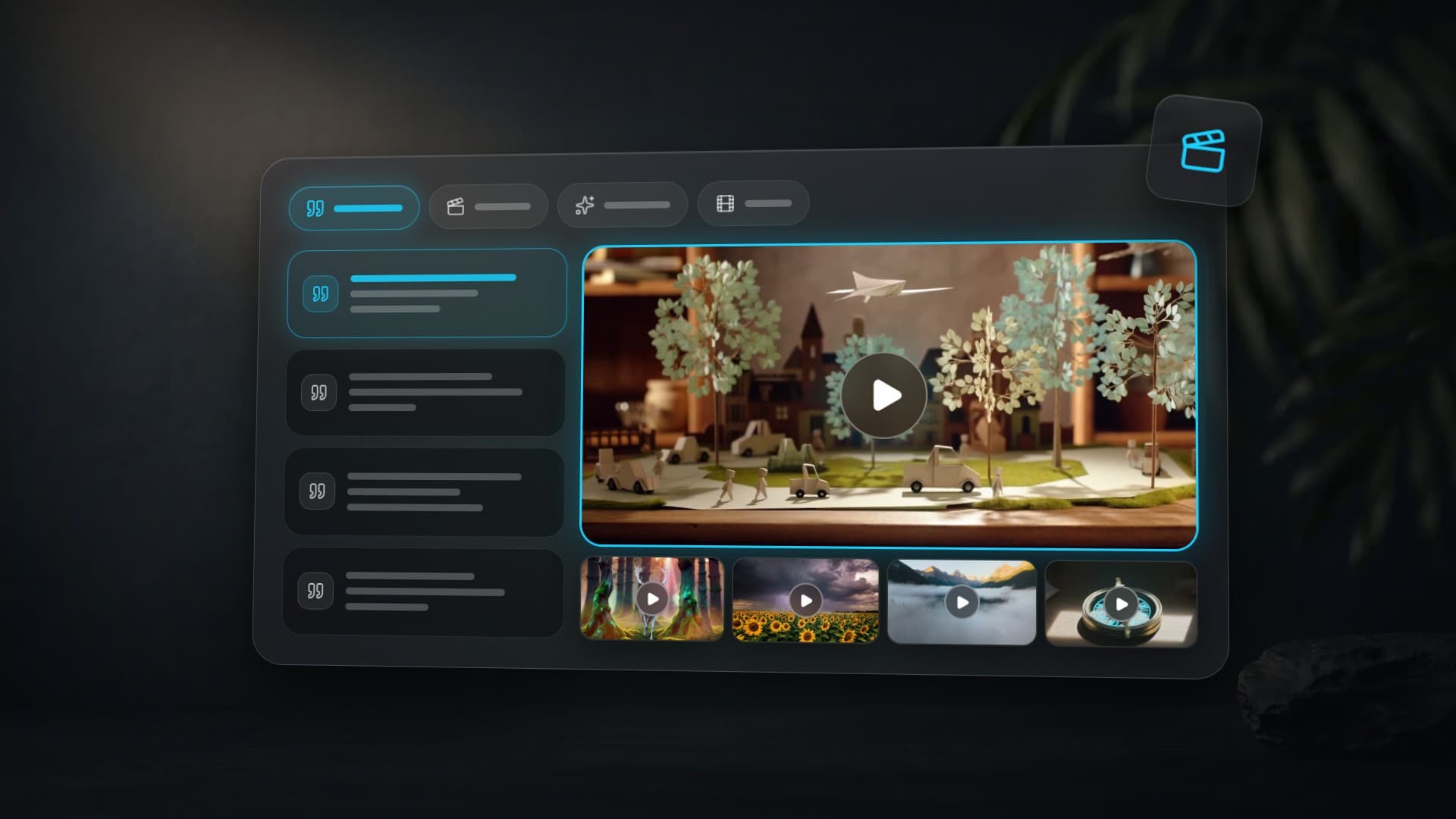
A miniature paper city coming to life in stop-motion style, tiny origami people walking along paper streets, paper cars driving by, paper trees swaying, a paper airplane gliding overhead, the camera slowly pulls back revealing the entire charming world on a wooden table, cute and whimsical, warm soft lightingModel: Hailuo 02 Standard — solid choice for stylized and creative videos, from 7 credits.
Formula breakdown: - Action: paper city comes to life — origami people walk, cars drive - Subject: miniature world made of paper — unusual scale - Environment: wooden table — contrast of real and paper - Light: warm soft lighting — cozy, storybook feel - Camera: pull back — reveal from details to full scene
10. Multi-Scene Short Film
Close-up of an ancient compass on a stone altar, the needle begins to spin, runic symbols on the casing ignite with warm golden light An explorer pushes through dense jungle, following the glowing compass in hand, sunbeams piercing through tropical foliage A majestic entrance to a hidden temple emerges from the overgrowth, covered in centuries-old moss and vines, the compass pulsing brightly before the ancient stone gatesKling 3 Multi-Shot generates two to five scenes in a single request. You write a separate prompt for each scene:
Model: Kling 3.0 Multi-Shot — multiple connected scenes in one workflow.
Why it works: each scene is a complete shot with its own action, but all three are connected by one object (the compass) and escalating tension. The final scene is the reveal — the climax.
5 Techniques That Improve Any Prompt
- Specify camera movement. "Tracking shot", "dolly-in", "crane shot", "handheld" — without it, the model defaults to a static frame.
- Add particles. "Floating dust motes", "drifting embers", "swirling petals", "rising sparks" — particles add depth and life to any shot.
- Name the camera style. "Shot on ARRI Alexa", "Hasselblad quality", "Super 8mm film" — models are trained on real footage and understand camera characteristics.
- Set an emotional tone. "A sense of wonder", "tension building", "peaceful serenity", "dramatic and hypnotic" — the closing phrase defines the mood.
- Write in English. All models are primarily trained on English data. English prompts produce more predictable, higher-quality results.
How Much Does AI Video Generation Cost on Clipia?
Prices below are live Clipia.ai credit rates (September 2026):
| Model | 5 sec | 10 sec | 15 sec |
|---|---|---|---|
| Grok Video | — | 15 | — |
| Hailuo | — | 33 | — |
| Wan 2.5 | 20 | 39 | — |
| Seedance 2.0 | 34 | 68 | 102 |
| Kling 3.0 (720p, no sound) | 36 | 72 | 131 |
The Basic plan ($10/mo) includes 240 credits — enough for 7 Seedance 2.0 clips (5 sec) or roughly 34 Hailuo 02 Standard clips.
Try all 10 prompts from this article on Clipia.ai — open the video generator and choose a model through the Model field.
More on AI Video Generation
- Seedance 2.0 vs Kling 3.0 vs Veo 3.1: Side-by-Side Tests
- AI Video Generation: Complete Guide to Models & Modes
- 10 AI Generation Ideas with Ready-to-Use Prompts
FAQ
What are the best AI video prompts?
The best AI video prompts combine five elements — Action, Subject, Environment, Light, and Camera — in 30 to 100 words of English. For cinematic action, Seedance 2.0 delivers the most detail; for fantasy epics, Kling 3.0; for quick nature and timelapse shots, Hailuo 02 Standard. All 10 prompts in this article are copy-paste ready and tested on Clipia.ai, from 7 credits per video.
Should I write prompts in English or my native language?
English produces the best results. All models are primarily trained on English-language data. Other languages are supported but may produce less accurate interpretation of details. For maximum quality, write in English.
What is the optimal prompt length for video?
30 to 100 words. Too short (5-10 words) does not give the model enough context. Too long (200+ words) may cause the model to ignore some instructions. The sweet spot is 2-4 sentences covering all 5 formula elements.
Can I use the same prompt across different models?
Yes, and it is a great way to compare results. Each model interprets prompts differently. Seedance 2.0 gives maximum detail, Kling 3.0 delivers better dynamics, Veo 3.1 produces the most cinematic look. Try the same prompt in 2-3 models and pick the best result.
How do I make videos longer than 15 seconds?
Kling 3.0 supports 720p and 1080p with 3, 5, 8, 10, or 15-second durations. For multi-scene content, use Kling 3 Multi-Shot or stitch several generations in an editor. Sound is optional. Seedance 2.5 generates up to 30 seconds in a single request.
What if the result does not match my prompt?
Try simplifying the prompt (remove secondary details), moving key elements to the beginning, and adding specific camera instructions. Generation is stochastic: the same prompt can produce different results. Run 2-3 generations and pick the best one.
Try it yourself on Clipia
60+ models for video and image generation. One account, transparent pricing.