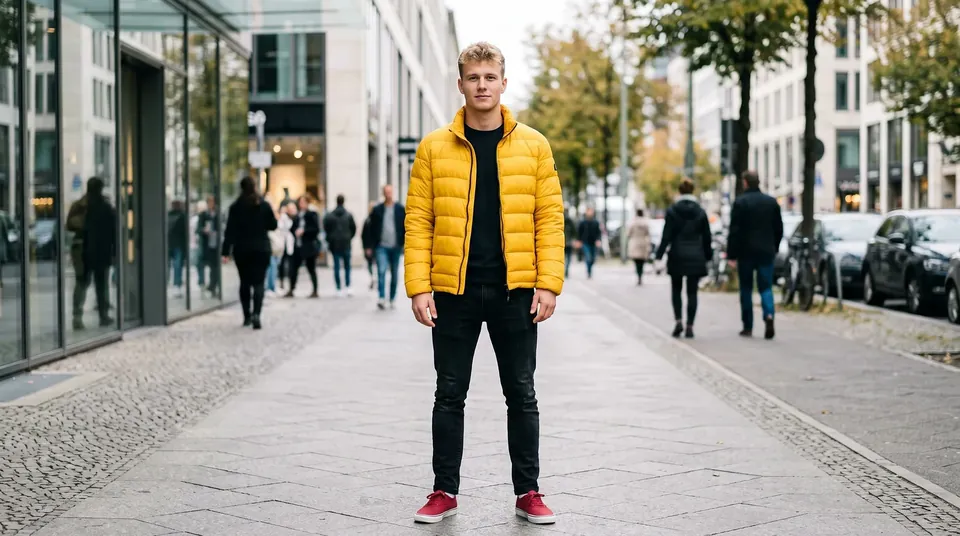
AI motion transfer from video to photo
To transfer motion from a video to a photo, upload a picture of your character and a motion clip of 3 to 30 seconds — Kling Motion Control makes the person in the photo repeat the dance, gestures and poses. The result is as long as the video.
What is motion control in AI video?
Motion transfer, or motion control, generates a video in which the character from your photo repeats the moves of a person from another clip. It is how people make dancing videos from photos and recreate trends and gestures. Clipia.ai has a Motion control tab with Kling 3.0 Motion Control and Kling 2.6 Motion Control by Kuaishou. You need a photo of the character showing the head, shoulders and torso, and a video of one person from 3 to 30 seconds long. The orientation can follow the video or the photo, and the optional note field lets you set details such as the background.
How to do it
Upload a photo of the character
The head, shoulders and torso must be in the frame, and the photo at least 300 px.
Add a motion video
A clip of 3 to 30 seconds with one person, up to 20 MB.
Set up the result
Choose the orientation, As in the video or As in the photo, and optionally add details such as the background.
Start the generation
The price in credits is shown on the button before you start and depends on the video length. Click Transfer motion.
Tips for better results
- Pick a photo where the pose is close to the first pose in the video — this reduces distortion.
- The motion video should show one person.
- The As in the photo orientation works for videos of up to 10 seconds.
- If the face matters most, choose Kling 3.0 Motion Control; to save credits, choose Kling 2.6 Motion Control.
How much does motion transfer cost?
The price in credits is shown on the button before you start and depends on the clip duration and quality. Plans start from $10 per month. Try it for free — 5 credits on sign-up.
Frequently asked questions
How do I make a photo dance with AI?
Upload a photo of the person and a dance clip in the Motion control tab and click Transfer motion. The AI repeats the dance on your photo.
How do I transfer motion from a video to a photo?
You need a photo showing the head, shoulders and torso and a video of one person from 3 to 30 seconds. Kling Motion Control transfers the moves from the video to the person in the photo.
What is motion control in AI video?
Motion control is a mode where the motion is set by a reference video instead of text. The character from the photo repeats the poses, gestures and dance of the person in the clip.
How long will the video be?
As long as the motion video: from 3 to 30 seconds.