Combine several photos into one with AI
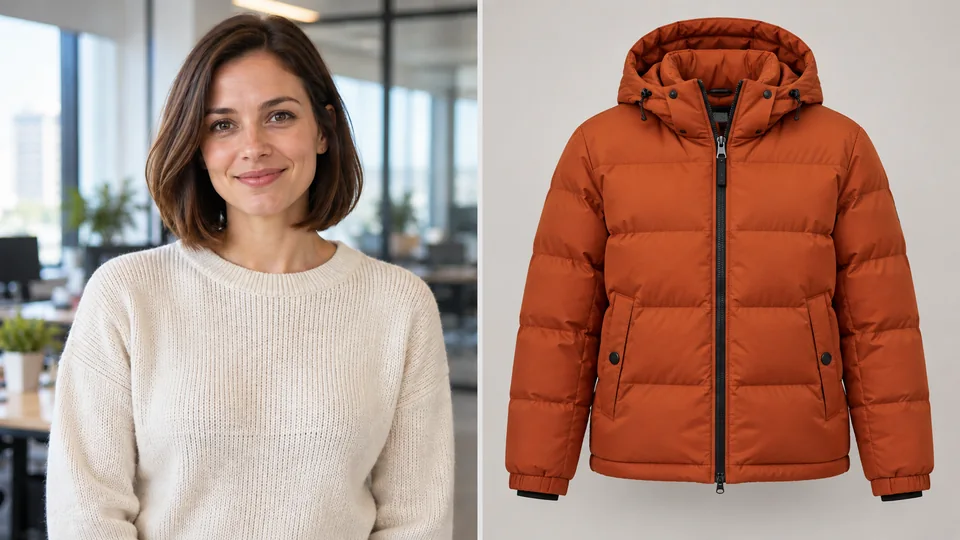
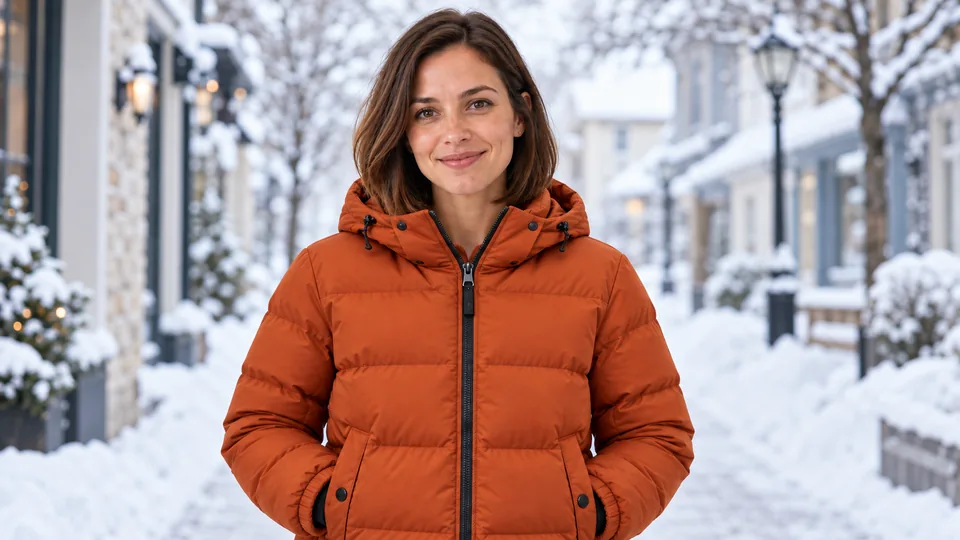
To combine photos into one with AI, upload 2 to 8 pictures and describe the shot you want: the model brings people, objects, background and style together in one scene. It is not a stitched collage but a new, coherent image.
How does AI combine photos?
In the Combine photos tab you upload 2 to 8 pictures of people, objects, a background or a style reference, then describe the shot in the “What to get” field. The model does not glue images side by side; it draws a new scene where elements from different photos appear together. You can put two people in one shot, place a product in an interior or carry the style of one picture onto another. Combining models include Nano Banana 2 and Nano Banana Pro by Google, GPT Image 2 by OpenAI, Seedream 5.0 by ByteDance, FLUX 2 by Black Forest Labs and Wan 2.7 Image by Alibaba.
How to do it
Upload 2 to 8 photos
Add pictures of people, objects, a background or a style reference: each photo becomes part of the final shot.
Describe the result
In the “What to get” field, say who goes where, for example “the woman from photo 1 sits in the cafe from photo 2, evening light”.
Pick a model and format
Choose the model and the aspect ratio. The price in credits is shown on the button before you start.
Get the shot
Click Combine photos. The result appears in My works, and you can refine it in the Edit photo tab.
Tips for better results
- Refer to photos by order: “the person from photo 1”, “the background from photo 3”.
- Use pictures with similar lighting and angles for a more natural scene.
- For a recognisable face, upload a sharp front-facing photo without heavy filters.
- If you only need the style of a photo, say so: “take only the colours and look from the last photo”.
- Only upload photos of people with their consent.
How much does it cost to combine photos?
The price in credits is shown on the button before you start. Plans start from $10 per month. Try it free — 5 credits on sign-up.
Frequently asked questions
How do I combine two photos into one?
Upload both pictures to the Combine photos tab and describe the shot you want. The AI draws a new scene where elements from both photos appear together.
Can AI blend two photos together?
Yes. Instead of placing pictures side by side, the model creates one new image with shared lighting and perspective.
How do I put someone in a photo?
Upload a photo of the person and a photo of the place, then write where they should be, for example “the person from photo 1 stands by the window in photo 2”. The model places them into the scene as part of one shot.
How many photos can I merge at once?
From 2 to 8 photos per run. The number of photos does not change the price.
Which AI models can combine photos?
On Clipia.ai, photos are combined by Nano Banana 2 and Nano Banana Pro, GPT Image 2, Seedream 5.0, FLUX 2 and Wan 2.7 Image. You pick the model in the tab before you start.