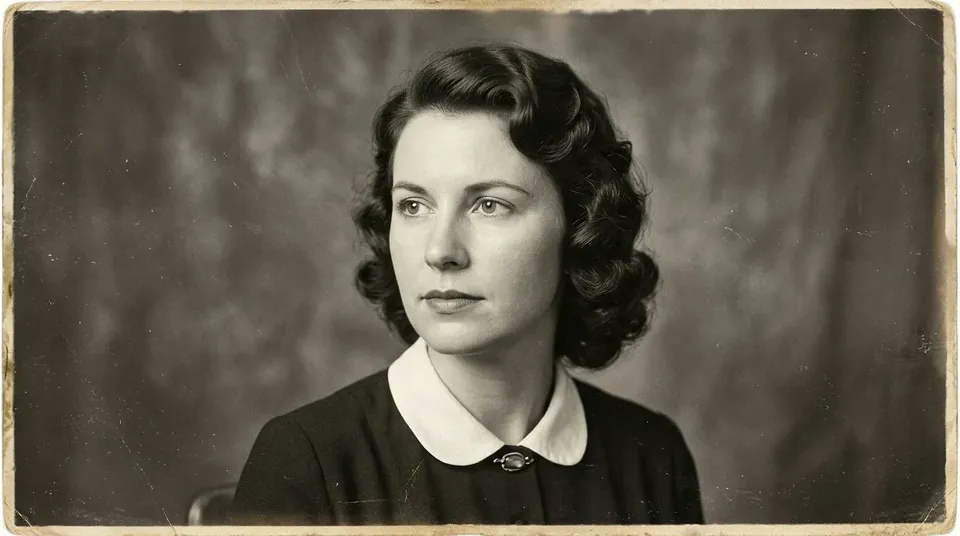
Animate a photo with AI
To animate a photo, upload it, pick a ready-made motion — a smile, a blink or a head turn — and click Animate photo: the AI turns the portrait into a short video. For old and black-and-white photos there is a Keepsake clip mode.
What does it mean to animate a photo with AI?
Photo animation turns a still picture into a short clip where the person smiles, blinks, turns their head and the wind moves their hair. Clipia.ai has an Animate a photo tab with ready-made motions: smile, blink, nod, head turn, glance away and back, tilt and smile, light breeze and camera push-in. You can also describe your own motion. The Keepsake clip switch sets a calm motion without speech, which suits old and family photos. Kling, Hailuo, Seedance, Veo and other models do the generation.
How to do it
Upload a photo
Any image up to 10 MB works, HEIC included. Old and black-and-white photos are fine.
Pick a motion
Smile, blink, nod, head turn, light breeze, or describe your own motion.
Turn on Keepsake clip if needed
It gives a calm motion without speech — for old and family photos.
Start the generation
The price in credits is shown on the button before you start. Click Animate photo.
Tips for better results
- The sharper the face in the photo, the more natural the expression.
- For an old photo, choose gentle motions: a blink, a soft smile, a breeze.
- If facial expression matters most, try Hailuo 2.3 Fast — the studio marks it for this task.
- Only animate photos of other people with their consent; celebrity photos are rejected.
- To make the photo talk, switch to the Talking photo sub-mode.
How much does it cost to animate a photo?
The price in credits is shown on the button before you start and depends on the clip duration and quality. Plans start from $10 per month. Try it for free — 5 credits on sign-up.
Frequently asked questions
How do I animate a picture with AI?
Upload the image in the Animate a photo tab, pick a ready-made motion or describe your own and click Animate photo. The AI turns the photo into a short video.
How do I animate old photos?
Upload the scan and turn on Keepsake clip — it sets a calm motion without speech. Gentle motions such as a blink, a smile or a light breeze suit them well.
Which AI models animate photos?
Clipia.ai offers Kling, Hailuo, Seedance, Veo, Wan and other models. You can switch between them in the same form.
Can I animate a photo with a voice?
Yes, in the Talking photo sub-mode upload a portrait and a speech audio file — the lips in the video will move with the voice.
Can I animate a photo of a celebrity?
No, such photos are rejected. Photos of other people can only be animated with their consent.