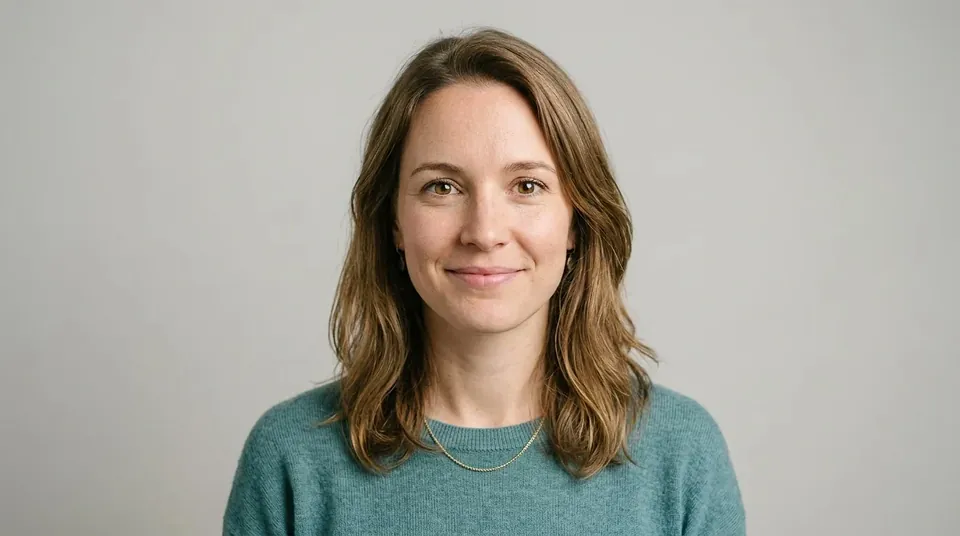
Talking photo AI: make a photo talk
To make a photo talk, upload a front-facing portrait and type what the person says: the HeyGen Video model voices the text in its language and matches the lips and expression to the speech. Have your own voice recording of up to 3 minutes? Pick Own file.
What is a talking photo and lip sync AI?
A talking photo is a video in which the person in the picture says your text or the words from your recording. The technology is called lip sync: the AI matches lip movement and facial expression to the speech. On Clipia.ai, talking photos are made in a sub-mode of the Animate a photo tab, and you set the speech in one of two ways. Text: the HeyGen Video model voices what you write in the language of the text, no recording needed; the clip lasts 5 to 15 seconds and comes out in 768p or 1080p. Own file: the Kling Lip Sync model by Kuaishou matches the lips to your recording in MP3, WAV, OGG or AAC from 3 seconds to 3 minutes long, and the video comes out in 720p. Either way, you need a front-facing portrait.
What you can do with a talking photo
A greeting or birthday message
A portrait says a birthday message or a greeting for your channel. All you need is a photo and a short text.
Talking head for clips
An expert or host speaks your text on camera without a shoot: explanations, answers to questions, short tips.
Talking avatar
A portrait becomes the face of a channel, school or brand: the same host reads new texts without new shoots. Only use a photo with the person’s consent.
Voiceover in your own voice
Upload your recording: Kling Lip Sync matches the lips to speech of up to 3 minutes. The clip lasts as long as the recording.
Full-body photos and several people
For a full-length shot or several people in the frame there is OmniHuman 2.0: it works with a voice recording from 4 seconds to 3 minutes.
How to do it
Upload a portrait
A front-facing photo where the mouth is clearly visible.
Type what the person says
Up to 15 seconds of speech, spoken in the language of the text. You can describe the voice and delivery in Advanced settings. Have a recording? Pick Own file and upload MP3, WAV, OGG or AAC, 3 seconds to 3 minutes and up to 40 MB.
Choose the length and quality
The clip lasts 5 to 15 seconds and is never shorter than the speech: a longer text raises the length on its own. Pick 768p or 1080p in Advanced settings. With your own recording, the clip matches the audio length.
Start the voice-over
The price in credits is shown on the button before you start and depends on the clip length and quality. Click Make it talk.
Tips for better results
- Choose a photo where the face looks straight at the camera and the mouth is clearly visible.
- Write the text in the language the person should speak: the speech follows the language of the text.
- For your own recording, use clean speech without music or background noise and trim silence at the start and the end: the clip lasts as long as the audio.
- Only use photos of other people with their consent; celebrity photos are rejected.
Text examples for a talking photo
Channel greeting
Hello! Great to see you on our channel. Today we will show you how to make a video from one photo.
Birthday message
Dear Mom, happy birthday! Thank you for all your warmth and care.
Ad
The sale on the whole collection ends on Sunday. Visit our store, the link is in the description.
Expert tip
Three minutes of stretching before work will ease tension in your back. Try it today.
Character reply
Hi! I am your assistant. I will show you how to place an order in one minute.
Voice and delivery
Low male voice, calm, with a slight smile
Which AI models make talking photos
HeyGen Video voices your text by itself, and Kling Lip Sync matches the lips to your recording. The full list of models, including OmniHuman 2.0 for full-body photos, and the price in credits are in the model picker before you start.
HeyGen Video
To startHeyGen
First clips with sound and speech
5–15 s · 768p / 1080p · With sound
- Sound and speech at no extra cost
- Clips from 5 to 15 s, 768p and 1080p
Kling Lip Sync
Your recordingKuaishou
Lips and face synced to your voice-over
audio up to 180 s · 720p · With sound
- A photo with a face and your audio
- Audio up to 180 s
How much does a talking photo cost?
The price in credits is shown on the button before you start: with text it depends on the clip length and quality, with your own recording on the audio duration. Plans start from $10 per month. New users get 5 credits at sign-up.
Frequently asked questions
How do I make a photo talk with AI?
Open the Talking photo sub-mode, upload a portrait, type what the person says and click Make it talk. HeyGen Video voices the text and syncs the lips with it.
What is lip sync AI?
Lip sync AI matches lip movement to speech. It adjusts the facial expression of the person in the photo to the words — from your text or from a recording.
How do I make a photo talk without a voice recording?
You don't need one: type the text in the What the person in the photo says field, and HeyGen Video speaks it in the language of the text. You can describe the voice and delivery in Advanced settings.
Can I make a photo talk with my own voice?
Yes, pick Own file and upload an MP3, WAV, OGG or AAC recording from 3 seconds to 3 minutes and up to 40 MB — Kling Lip Sync matches the lips to your voice. The clip lasts as long as the recording.
How long can a talking photo video be?
With text, 5 to 15 seconds: the clip is never shorter than the speech. With your own recording, 3 seconds to 3 minutes — as long as the audio.
Can I use a talking photo as a talking head?
Yes, it works well for short talking-head clips: greetings, explainers, replies from a character. One clip lasts up to 15 seconds with text and up to 3 minutes with your own recording.
Which AI makes a talking photo?
HeyGen Video voices your text by itself, no recording needed. Kling Lip Sync matches the lips to your recording of up to 3 minutes. OmniHuman 2.0 by ByteDance suits full-body photos and several people in the frame and works with a recording from 4 seconds to 3 minutes.
What language will the photo speak?
The language of the text: write the line in Spanish and the person speaks Spanish. With your own recording, the recording sets the language.
What if the lips do not match the speech?
Use a sharper photo: the face should look into the camera and the mouth should be clearly visible. For your own recording, use clean speech without music or noise.