Remove background from a photo online
To remove the background from a photo online, upload it to the “Remove background” tab: AI separates the subject and returns a PNG with a transparent background at the source size. Nothing to configure.
How does AI remove the background from a photo?
The “Remove background” tab takes one photo up to 10 MB: JPG, PNG, WebP, HEIC, AVIF, TIFF, BMP or GIF. AI finds the main subject — a person, a pet, a product — and makes everything else transparent. Hair, fur and glass edges are kept, and the size stays the same as the source. There is no model to pick and no sliders to move. The result is a PNG with a transparent background: place it on any background or use it in a design, a deck or a product card. The same result can also be downloaded as a JPG on a white background and as an SVG — no credits are charged for the other formats. If processing fails, the credits are returned to your balance.
Examples: photos before and after background removal
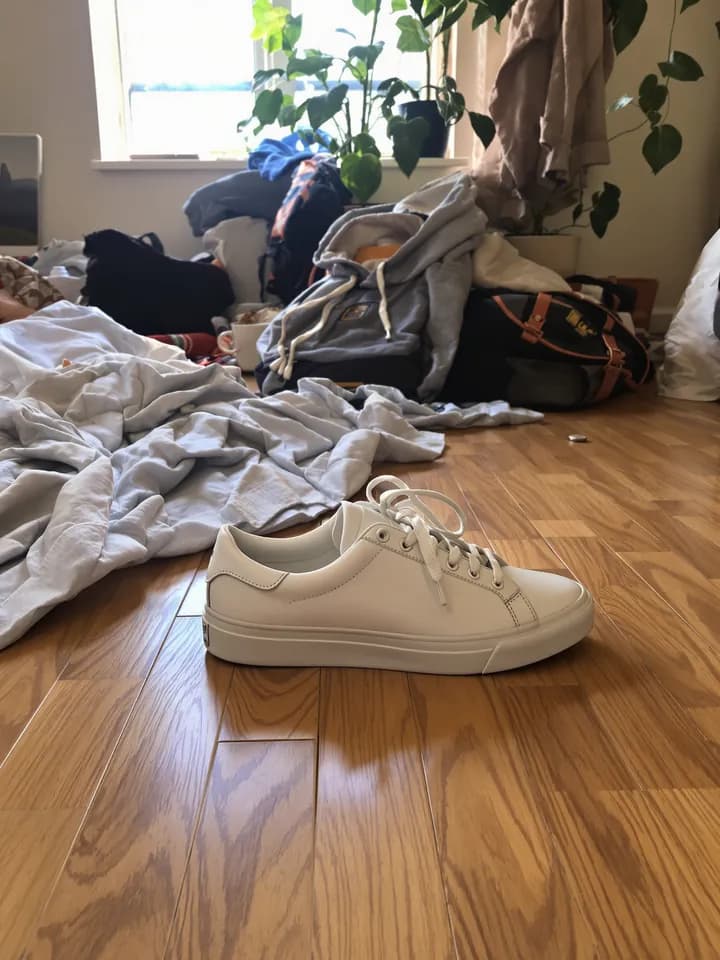
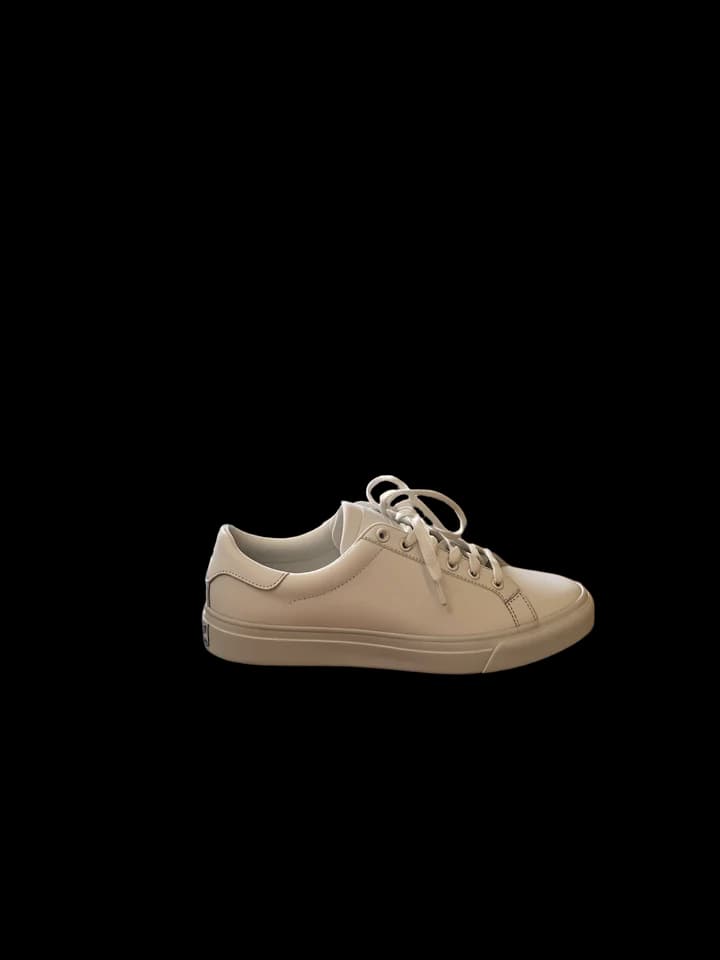
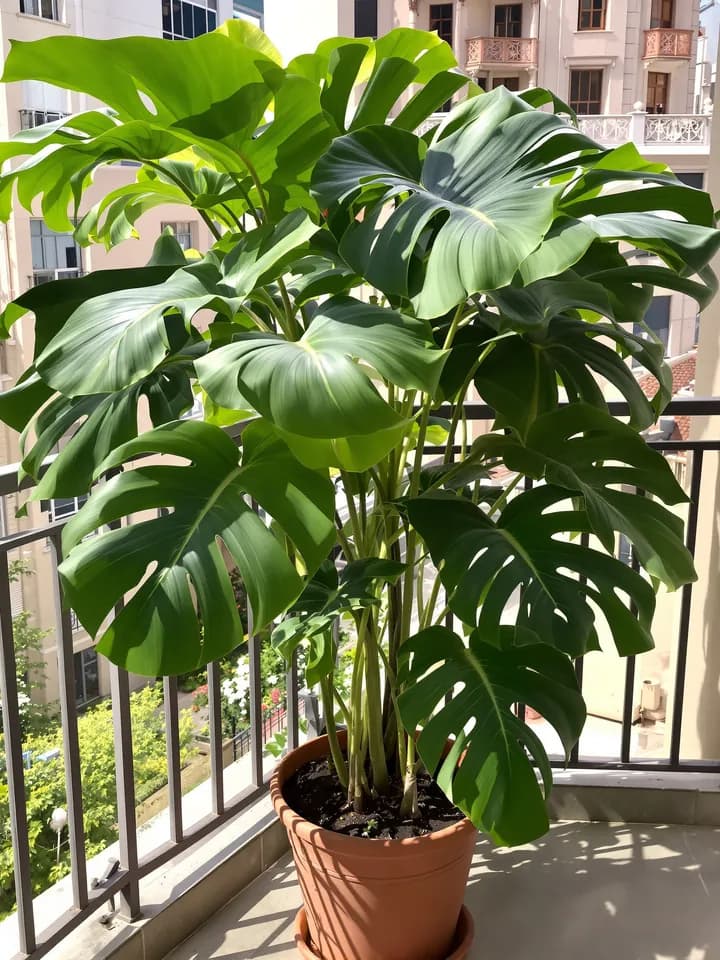
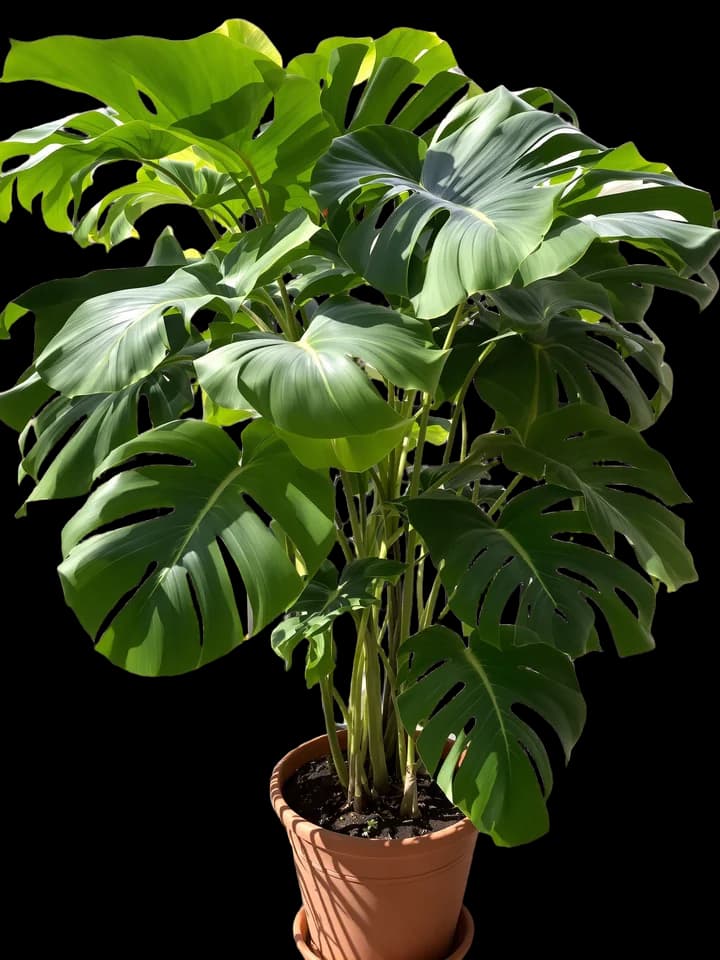
Left: the original photo. Right: what the tab returned, with no manual retouching. The checkerboard is the transparent background. The source photos are AI-generated.
Product for a marketplace
A sneaker on a cluttered floor. The background, clothes and shadow are gone; the laces and the sole edge stay intact.


Portrait with windblown curls
A street shot with passers-by and signs. Loose strands are kept; in the finest ones the old background shows through slightly.


Fluffy dog
A Samoyed on the grass. The fur edge stays soft, without a hard cut-out outline.
Plant with see-through gaps
A monstera on a balcony: the railings and buildings seen between the leaves and through their splits are removed too.
How to do it
Upload a photo
One image up to 10 MB: JPG, PNG, WebP, HEIC, AVIF, TIFF, BMP or GIF.
Check the price
The price in credits is fixed and shown on the button before you start.
Remove the background
Press “Remove background”: AI separates the subject and makes the background transparent.
Download the result
A PNG with a transparent background, a JPG on a white background or an SVG. The photo is saved in “My works”, and you can send it to other studio tabs.
Tips for better results
- Upload the original file, not a screenshot or a recompressed copy from a messenger.
- Keep the subject fully in frame and in a colour that stands out from the background.
- Need a new background? Send the result to “Edit photo” and describe it.
- Upload iPhone HEIC photos as they are, no conversion needed.
How much does it cost to remove a background?
The price in credits is fixed and shown on the button before you start. Plans start from $10 per month. Try it free — 5 credits on sign-up.
Frequently asked questions
How do I remove the background from a photo online?
Upload a shot to the “Remove background” tab and press the start button. A PNG with a transparent background appears in a few seconds.
How do I make an image background transparent?
Remove the background and download the result: it is a PNG, a format that keeps transparency. Place it on any background in an editor.
Can I remove a background for free?
You can try it for free: you get 5 credits on sign-up, enough to remove the background from your first photos. After that you need a plan from $10 per month; the exact price of each photo is on the button before you start.
Are hair and fur kept?
Yes, AI separates strands of hair and fur. On a very busy background, check the edges zoomed in.
Which photo formats can I upload?
JPG, PNG, WebP, HEIC, AVIF, TIFF, BMP or GIF — one photo up to 10 MB at a time.
Can I download the cutout as an SVG?
Yes. The “SVG” button under the result offers three files. “Same as PNG” is an exact copy of the picture inside an SVG. “Poster” and “Logo” are vectors built from flat colour shapes: they work well for logos, icons, lettering and simple illustrations. Photos of people and animals get simplified in a vector, so “Same as PNG” suits them better.
How do I get a white background for a product card?
Remove the background and press “JPG on white”: the same photo downloads on a clean white background. No credits are charged for it.
What if the background was removed badly?
If processing fails, the credits return to your balance. For hard cases, upload the original in the best quality.