Skip to content
Clipia.
Sign In
  • Home

  • Create Video

  • Create Image

  • My Works

  • Models

  • Guides

  • Pricing

  • Settings

  • Support

Clipia.

Think differently — create the impossible.

Product

  • Create Image
  • Create Video
  • AI Models
  • Video Models
  • Image Models
  • Guides
  • Model Rankings
  • Balance

Support

  • About
  • Contact Us
  • Telegram Support

Legal

  • Terms of Service
  • Privacy Policy
  • Cross-Border Transfers
  • Acceptable Use
  • Cookie Policy
  • Content License
Company:IE Zakharov M. S.
TIN:361608356714
OGRNIP:324366800070377
Email:info@clipia.ai
Terms of Service·Privacy Policy·Cookie Policy·Acceptable Use
© 2026 Clipia.ai. All rights reserved.

Поверните устройство вертикально

Please rotate your device to portrait

  1. Home/
  2. Video Models/
  3. Kling 2.6
Kling 2.6 — Kuaishou

Kling 2.6 Professional Video

AI video generation by Kuaishou. Up to 1080p, 5-10 seconds, T2V and I2V. Camera control, realistic motion and professional quality

10 secduration
1080pquality
Full HDresolution
Prompt

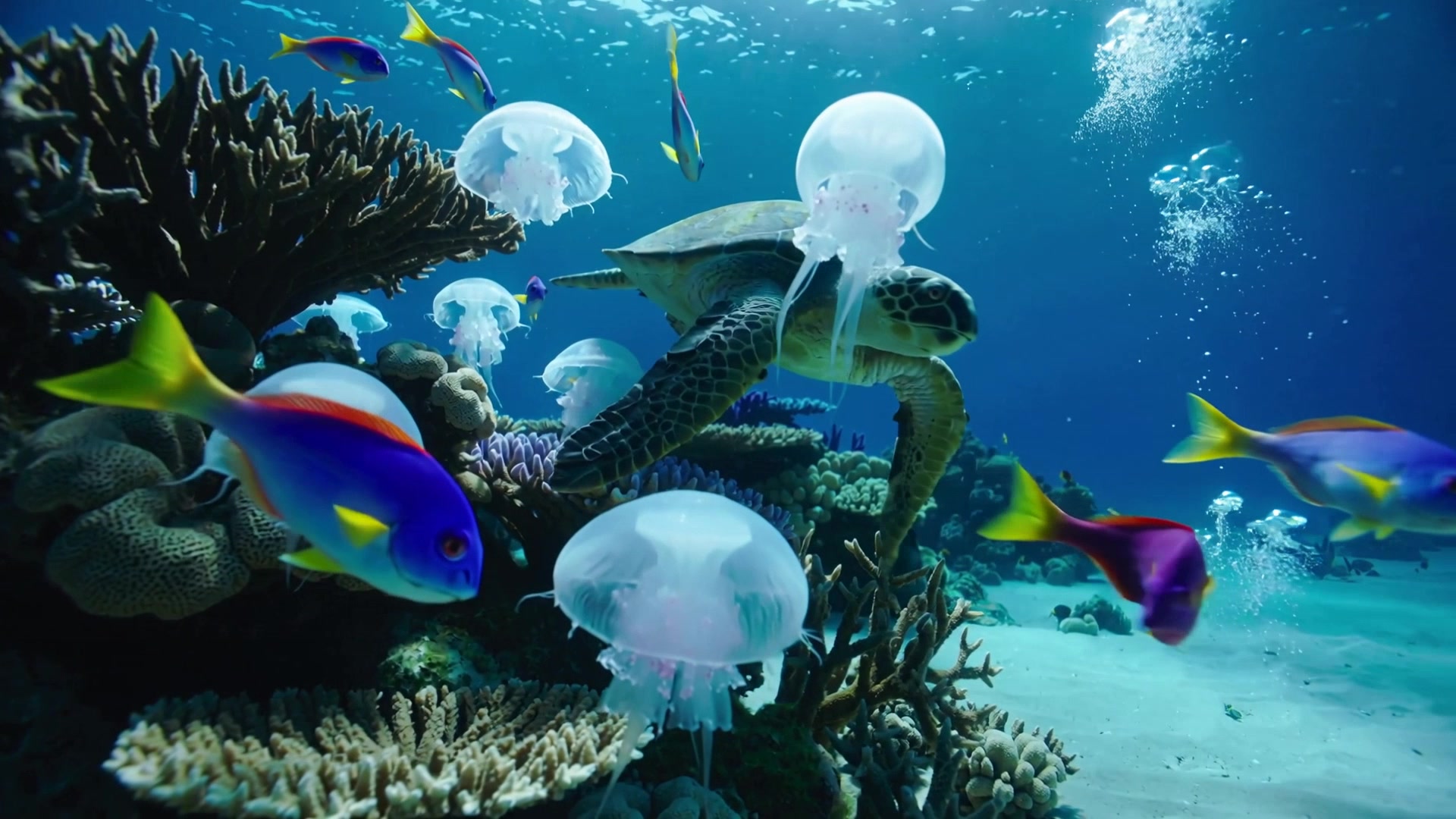
Underwater coral reef world, translucent jellyfish gracefully floating in blue water, sea turtle swimming past, soft sunlight filtering through the water, cinematic footage

Generating
AI
Result
AI video created with Kling 2.6

Prompt Tips

How to get the best results with Kling 2.6

Prompt Formula

Subject+Motion+Camera+Style+Lighting

Good Examples

  • Woman in red dress dancing on a skyscraper rooftop at sunset, cinematic style, orbital camera movement
  • Leopard running across savanna, dust rising from paws, slow motion, tracking camera
  • City alley in neon lights on a rainy night, reflections on wet asphalt, smooth zoom
  • Ocean wave crashing against rocks at sunset, dramatic lighting, slow upward camera movement

Avoid

  • Beautiful nature video — too abstract, no specific subject
  • Text on screen — the model doesn't generate readable text in video
  • Quick scene changes — the model creates one continuous scene
  • Multiple characters in complex interaction — difficult to control the result

Best Practices

✓Use camera control for cinematic results
✓Specify style: cinematic, anime, photorealistic
✓For 10-second videos, add more details to the prompt
✓Use negative prompts to exclude unwanted elements

Features of Kling 2.6

Professional video generation by Kuaishou with camera control

Professional Motion

Advanced algorithm for realistic human, animal, and object movement

5 and 10 Seconds

Choose 5 or 10 second duration depending on your needs

Full HD Resolution

Video generation up to 1080p with the highest detail

Image-to-Video

Bring any image to life with motion control and camera direction

Multiple Styles

Cinematic, anime, 3D render, photorealistic — dozens of generation styles

Camera Control

Control camera movements: pan, zoom, orbit, tilt — 8 camera modes

How It Works

4 simple steps to create video with Kling 2.6

1

Write a prompt or upload an image

Describe a scene with text for T2V or upload an image for I2V. Specify desired style.

2

Describe the desired result

Add details: style, mood, camera movements, and direction of action.

3

Configure settings

Choose duration (5 or 10 sec), resolution (720p/1080p), aspect ratio and sound toggle.

4

AI generates video

Kuaishou creates video with realistic motion and professional quality.

Use Cases

What Kling 2.6 is perfect for

Advertising Videos

Cinematic promo clips with camera control and 1080p quality

Cinematography

Dynamic visual stories with professional camera movements

Educational Content

Concept visualization with various styles and camera angles

Social Media Content

Professional clips for TikTok, Reels and YouTube Shorts

Product Videos

1080p product demos with orbital camera and zoom

Music Videos

Stylized music videos with effects and cinematic quality

Generation Cost

Transparent credit-based pricing with no hidden fees

Kling 2.6

5 seconds10 credits1080p, 8 camera modes
10 seconds20 credits1080p, max duration

Resolution: 720p — 1080p. Formats: 16:9, 9:16, 1:1

5 sec = 10 credits, 10 sec = 20 credits

Cost depends on your plan View plans

  • T2V + I2V generation
  • 8 camera control modes
  • Up to 10 second videos
  • 1080p resolution
  • Commercial use

Comparison with Competitors

Why Kling 2.6 is an excellent choice for professional video

ParameterKling 2.6Wan 2.5Veo 3.1Sora 2
Durationup to 10 secondsup to 5 secondsup to 8 secondsup to 20 seconds
Resolution1080p720p1080p1080p
Motion QualityExcellentGoodExcellentGood
Image-to-VideoYesYesNoNo
Camera Control8 modesLimitedNoNo
StylizationMultiple stylesBasic stylesPhotorealismMultiple styles
Native AudioNoNoYesNo
Pricingfrom 10 creditsfrom 6 creditsfrom 15 creditsfrom 20 credits

Frequently Asked Questions

Answers to common questions about Kling 2.6

Kling 2.6 is the flagship video generation model by Kuaishou. Creates videos up to 10 seconds at 1080p with 8 camera control modes, T2V and I2V.

Motion Control is a special Kling 2.6 mode for transferring movement from a reference video to a character. Standard Kling 2.6 generates video from text prompts or images.

Kling 2.6 supports 720p and 1080p. Formats 16:9, 9:16 and 1:1 are available.

Upload an image and describe the desired motion. Kling 2.6 will animate it with camera control and smooth transitions.

5 seconds = 10 credits, 10 seconds = 20 credits. 1080p resolution included.

Kling 2.6 generates 5 or 10 second videos. Choose the duration that fits your needs.

8 modes available: pan, zoom, orbit, tilt and more. Camera control lets you create cinematic videos.

Yes, all Kling 2.6 videos can be used in commercial projects without restrictions.

0+videos already created

Create Videos with Kling 2.6

Join creators generating professional video on Clipia

No credit card required

Kling 2.6 — Full HD AI Video with 8 Camera Modes | Clipia.ai