10 AI Generation Ideas with Ready-to-Use Prompts
Each idea comes with the best model, a ready-made prompt, and the exact price. Copy and run.
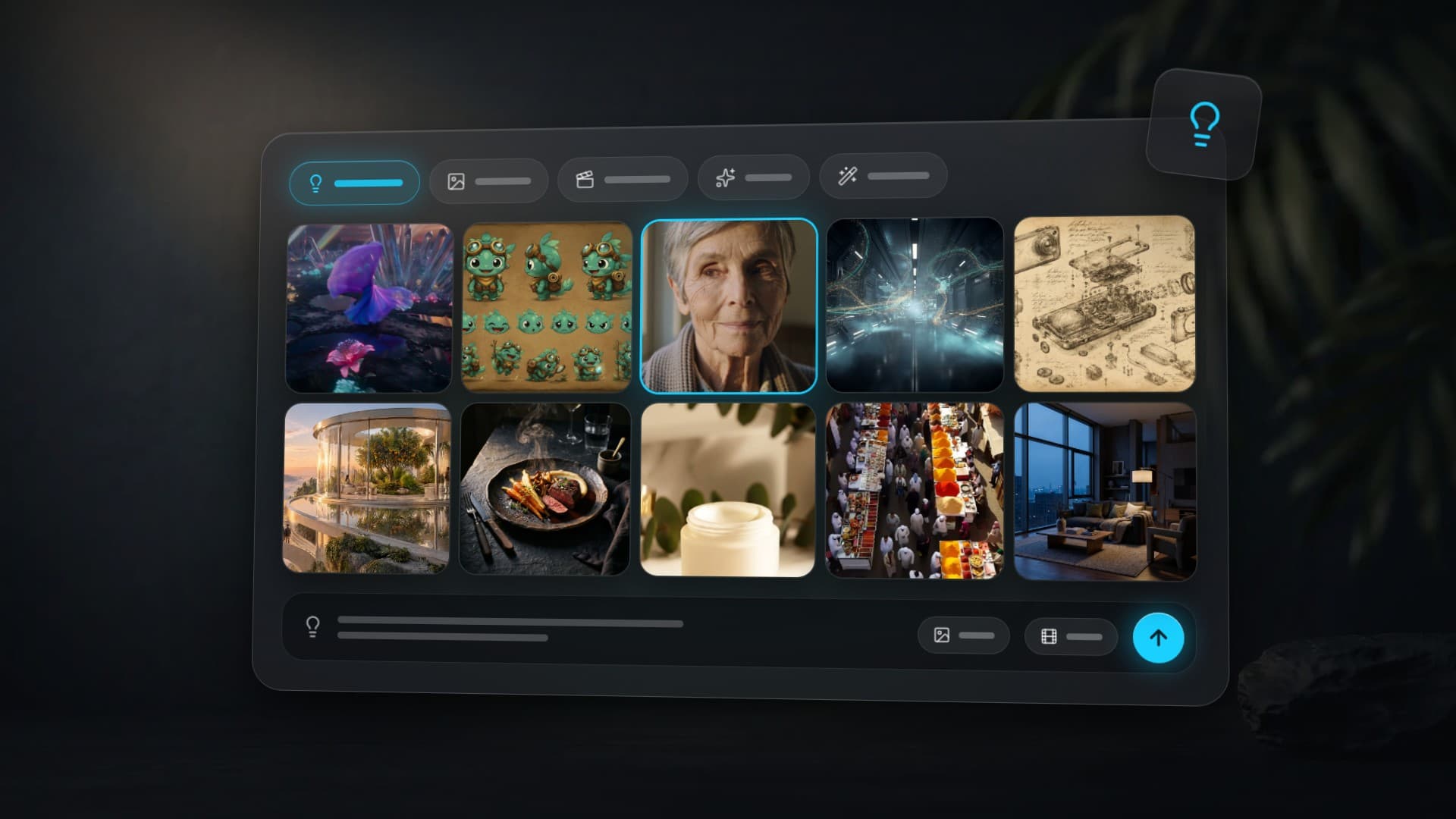
What can you create with AI? Practically any visual content — animate an old photo into a video, produce a product ad reel, design a clickable YouTube thumbnail, paint an art portrait, visualize an interior, or animate a logo. Below are 10 concrete ideas, each with a ready-to-use prompt and the best model for the job — all available on Clipia.ai from a single account, with the selected configuration’s price on the launch button.
Not "try it for fun." Real tasks, real models, real prompts. Each idea explains why the model was chosen. Copy the prompt, tweak the details, hit generate.
Looking for an in-depth breakdown of each model? See our AI image models guide for detailed comparison and pricing across 13 models.
Where to run these ideas in Clipia
For pictures, open Text to image. For a video from a description, use Text to video; for an old photo or logo, choose Image to video → Single image. Select a model, paste the prompt and check the price on “Create image” or “Generate”. Results appear in “My tasks”.
The demonstrations below are previously published examples with their original model labels and run annotations. Check the studio form for the current cost of a new run; separately stated prices below were checked on October 14, 2026.
1. Bring an Old Photo to Life
Family archives, school photos, a black-and-white portrait of your grandmother — upload the photo and watch the person start moving. They turn their head, blink, smile. Five seconds that give you chills.
Model: Kling 3 I2V — the best image-to-video model in 2026. Preserves facial features without distortion, adds natural micro-expressions.
The person in the photo slowly turns their head to the right, gentle smile gradually appears, eyes blink twice naturally, soft wind moves hair strands, warm golden hour lighting wraps around the face, shallow depth of field, cinematic film grain, 24fps natural motionCheck the selected model’s duration, resolution and price in the studio before starting.
Tip: upload photos at least 1024×1024. The more detailed the face in the source — the more realistic the motion.
2. Surreal Dance Clip
A dancer in an iridescent silk dress spins through a neon crystal garden with bioluminescent flowers. The camera smoothly orbits the scene. Seedance 2.0 is the model that best captures the dynamics of movement and fabric.
Model: Seedance 2.0 — unmatched motion dynamics. Fabric, hair, particles — everything behaves physically plausible.
A mesmerizing aerial tracking shot follows a dancer in a flowing iridescent silk dress spinning through a surreal neon-lit crystal garden at twilight. Bioluminescent flowers in vivid cyan, magenta, and gold pulse with light as she moves, sending trails of glowing particles swirling through the air. The camera slowly orbits around her in a smooth dolly circle, capturing reflections in shallow pools of water on the obsidian ground. Volumetric god rays pierce through translucent crystal structures, creating prismatic rainbows. Her dress transforms colors from deep violet to electric turquoise with each spin. Ethereal ambient music with soft chimes and a deep bass drop as she leaps. Cinematic shallow depth of field, anamorphic lens flares, 2K resolution, dreamlike atmosphere inspired by Blade Runner meets Fantasia.Check the selected model’s duration, resolution and price in the studio before starting.
Tip: Seedance 2.0 understands motion descriptions perfectly — "spinning", "leaping", "flowing". Add physical details about fabric and light — the model renders them with cinematic precision.
3. YouTube Thumbnail with Text
Surprised face + bold text + bright colors — the proven clickable thumbnail formula. Other models break letters. GPT Image 1.5 is the only one that renders text without errors.
Model: GPT Image 1.5 — perfectly renders text on images. No other model does this as well.
 GPT Image 1.5
YouTube thumbnail, split composition: left side shows a shocked young man with open mouth pointing at the right side, right side has a giant glowing holographic screen displaying bold white text “AI REPLACED MY PHOTOGRAPHER” with neon cyan glow, background gradient from deep purple to electric blue, dramatic rim lighting on the person, hyper-saturated colors, 16:9 aspect ratio, attention-grabbing compositionFor GPT Image 1.5, Medium is 6 credits and High is 24. Checked on October 14, 2026; the launch button shows the selected configuration’s current price.
Tip: put text in quotation marks inside the prompt. GPT Image 1.5 handles English text perfectly — for other languages, test with short phrases first.
4. Art Portrait in the Style of the Masters
Upload your photo — get a portrait in the style of Caravaggio, Van Gogh, Alphonse Mucha, or cyberpunk. For gifts, profile pictures, wall art. Midjourney V7 delivers artistic quality no other model can match.
Model: Midjourney V7 — unmatched artistic style. Oil texture, brushstrokes, atmosphere — everything looks like genuine painting.
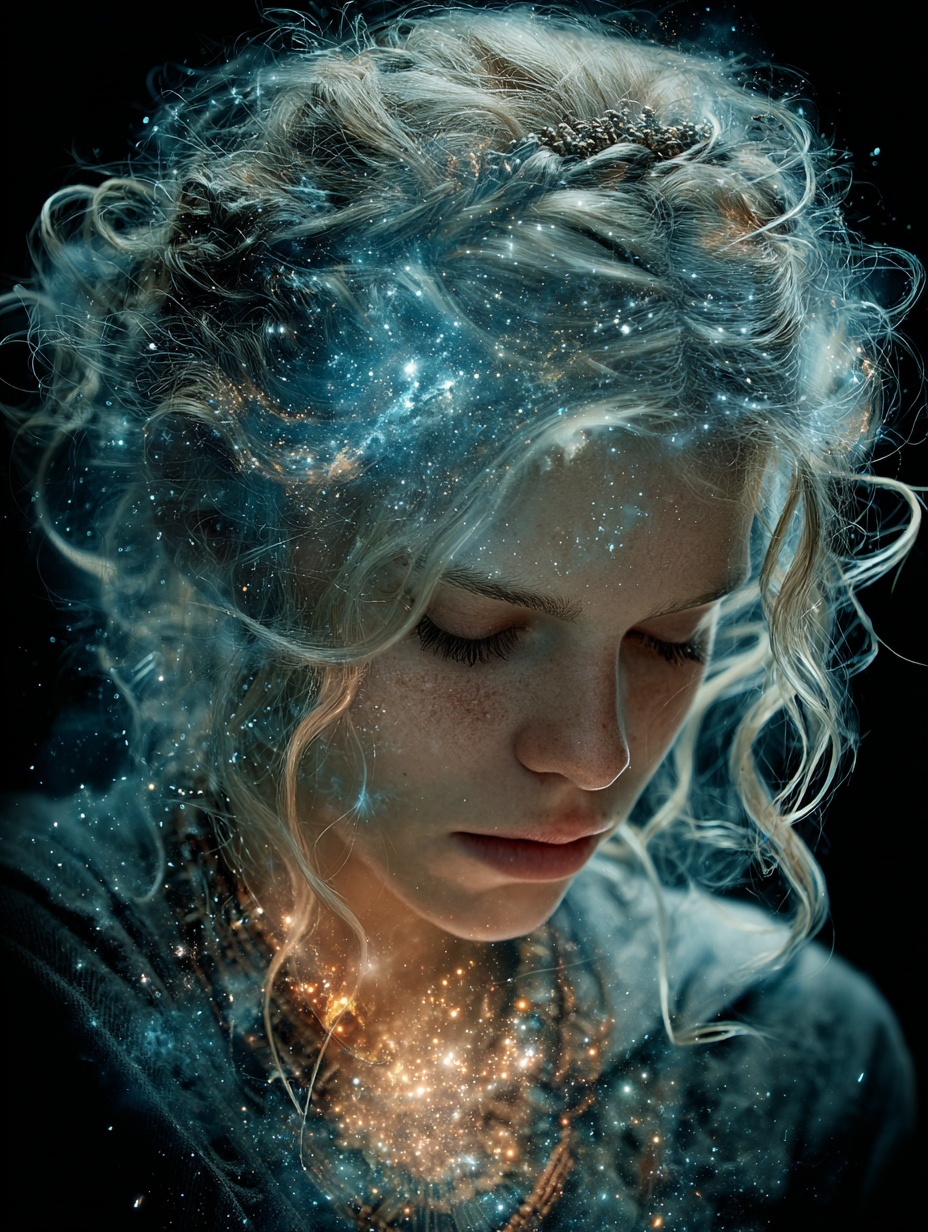 Midjourney V7
Masterful oil painting portrait of the person, Rembrandt lighting with single dramatic light source from upper left, rich chiaroscuro shadows, visible thick impasto brushstrokes, warm amber and sienna palette with deep blacks, ornate gilded baroque frame visible at edges, craquelure texture of aged canvas, museum gallery atmosphere --style raw --stylize 2008 credits
Tip: swap key phrases for different styles. "Alphonse Mucha Art Nouveau" for modern art, "ukiyo-e woodblock print" for Japanese style, "Basquiat neo-expressionism" for contemporary art.
5. Cinematic Intro for Your Channel
An intro for your YouTube channel, podcast, or presentation. Not a Canva template — a full cinematic shot with complex camera movement and a Hollywood-trailer atmosphere.
Model: Hailuo 2.3 — the smoothest camera movements and most cinematic visuals among all models. Long takes without artifacts.
Epic cinematic opening shot, camera slowly dollies forward through a dark corridor of floating holographic data streams and glowing particles, volumetric fog catches blue and cyan light beams, lens flare appears as camera emerges into a vast bright space, anamorphic widescreen look with subtle barrel distortion, Hans Zimmer atmosphere, IMAX quality, 2.39:1 aspect ratioCheck the selected model’s duration, resolution and price in the studio before starting.
Tip: Hailuo 2.3 understands cinematic terms perfectly — "dolly", "crane shot", "tracking shot", "whip pan". Specify the camera movement type for precise results.
6. Photoshoot Without a Photographer
Need professional photos for a lookbook, clothing catalog, or portfolio? Imagen 4 generates images indistinguishable from a real photoshoot. Any location, any lighting, any style.
Model: Imagen 4 — Google's photorealism. Skin, fabric, light — everything looks like a shot on a Hasselblad.
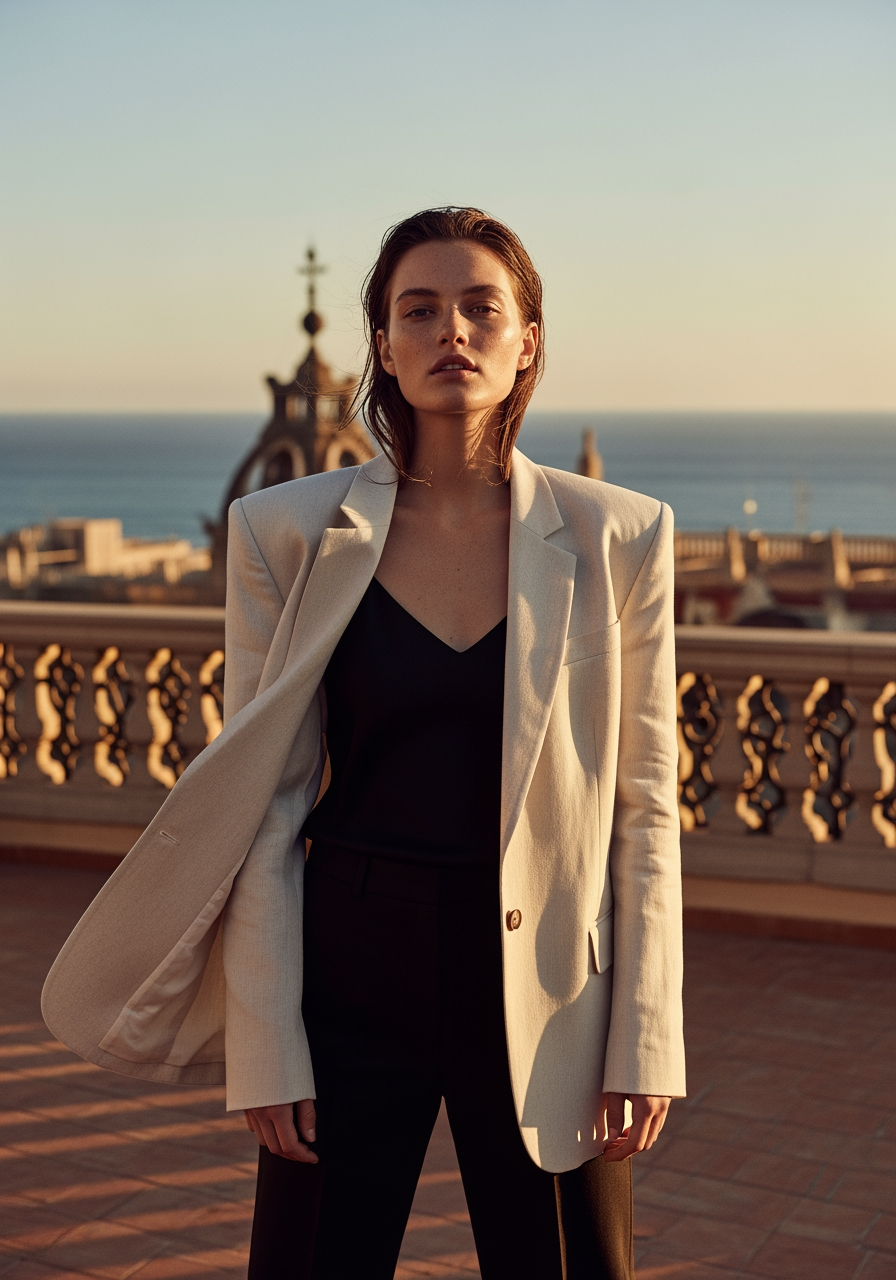 Imagen 4
High-end fashion editorial photograph, model wearing oversized cream linen blazer over black silk camisole, standing in golden hour light on a Barcelona rooftop terrace, Mediterranean sea visible in background, Vogue Italia aesthetic, shot on medium format camera, natural skin texture with subtle freckles, wind catching fabric, shallow depth of field f/1.8, warm color grading4 credits
Tip: specify a specific camera and lens in the prompt — "shot on Hasselblad X2D, 80mm f/1.9" — Imagen 4 accurately mimics the rendering characteristics of specific optics.
7. Ad Reel for Social Media
A vertical video with lifestyle aesthetics. Shows the product in action: hands interacting with the item, smooth camera movement, mood lighting. Previously this required a videographer + stylist + editor.
Model: on Clipia, use Seedance 2.0 or Hailuo 02 for vertical ad reels. The demo above was rendered on Veo 3, a Google benchmark.
Vertical 9:16, close-up of feminine hands slowly opening a luxury skincare jar, creamy texture visible inside, fingers gently scoop product, soft morning window light creates warm highlights, bathroom vanity with marble surface and eucalyptus sprigs in background, shallow depth of field, lifestyle Instagram aesthetic, smooth slow motion, professional color grading with warm tonesCheck the selected model’s duration, resolution and price in the studio before starting.
Tip: for vertical format, start your prompt with "Vertical 9:16" — the model adapts composition accordingly. For horizontal — "Cinematic 16:9".
8. Dream Interior Visualization
A designer can show a client not a sketch or a Pinterest reference, but a photorealistic render of the future space. Or just see what your room would look like in a new style — with image generation.
Model: FLUX 2 Pro — precise rendering of architectural details. Fast generation, consistent quality.
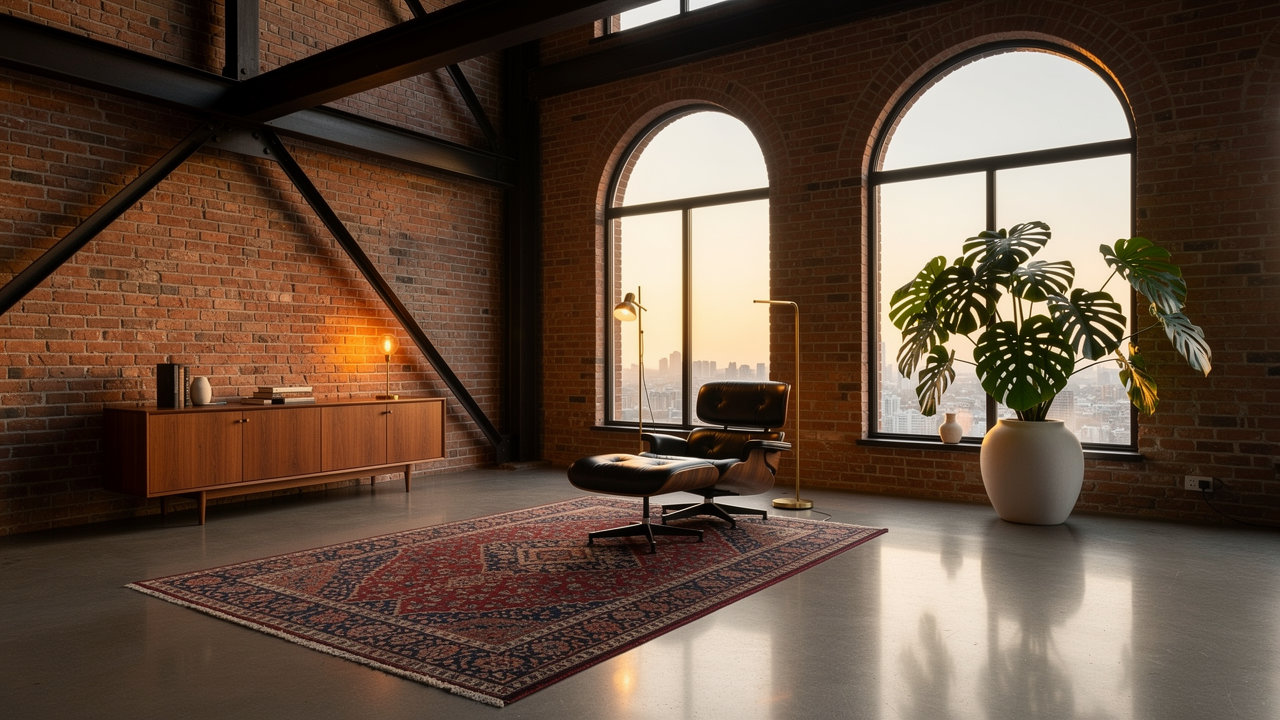 FLUX 2 Pro
Photorealistic interior of a modern loft apartment, 6-meter ceiling height, exposed brick wall with industrial steel beams, floor-to-ceiling arched windows flooding space with golden hour light, polished concrete floor with vintage Persian rug, mid-century modern furniture — Eames lounge chair, walnut credenza, brass floor lamp, monstera plant in ceramic pot, architectural digest photography, 4K, shot on tilt-shift lensCurrent pricing depends on the selected settings; check the studio estimate.
Tip: specify specific furniture pieces and materials — "Eames chair", "terrazzo floor", "brass fixtures". FLUX 2 Pro knows designer brands and styles well.
9. Logo Animation
Upload a static logo — get a motion version for your YouTube intro, website header, stories, or presentation. Particles, glow, 3D effect — all in a few clicks.
Model: Kling 2.6 I2V — stable graphic animation with minimal artifacts. Optimal price for motion design.
Logo materializes from thousands of tiny glowing cyan particles swirling in a vortex, particles gradually assemble into the final shape, metallic 3D extrusion effect with chrome reflections, dark matte background, dramatic rim lighting from behind, subtle lens flare, particles continue floating around the formed logo, professional motion graphics quality, smooth 60fps animationCheck the selected model’s duration, resolution and price in the studio before starting.
Tip: upload your logo on a transparent or black background (PNG). In the prompt, describe the process of appearance rather than the final state — the model animates transformations better.
10. Blog or Social Media Illustration
Articles, Telegram posts, card covers — you always need an image. Stock photos look lifeless. Nano Banana 2 generates stylish illustrations with the selected configuration’s price shown on the launch button.
Model: Nano Banana 2 — the fastest model with excellent stylization. Perfect for content production when you need volume and speed.
 Nano Banana 2
Isometric 3D illustration of a creative workspace, floating desk with holographic screens showing AI-generated art, robot assistant handing coffee cup, colorful geometric shapes orbiting around, soft gradient background from lavender to peach, clay render style with matte plastic materials, playful tech startup aesthetic, clean composition with plenty of negative spaceNano Banana 2: 4 credits at 1K; check the selected configuration in the studio.
Tip: Nano Banana 2 is perfect for iterations. Check the cost of your chosen resolution and budget for several variations.
This Is Just the Beginning
Each model reveals itself differently — the best results come on the third to fifth attempt. A prompt is a working tool, not a magic spell. Shift the emphasis, add details, remove what's unnecessary.
Learn more:
- How to Write Prompts: Complete Guide
- Video Generation: Models and Modes Guide
- Image Generation: How to Choose a Model
Universal starting point on Clipia: FLUX 2 Pro for images, Kling 3 for video. Want more style — Midjourney. Want faster and cheaper — Nano Banana 2.
Frequently Asked Questions
What can you create with AI on Clipia?
On Clipia.ai you can animate old photos into video, generate product ad reels, design YouTube thumbnails with legible text, create art portraits, visualize interiors, animate logos, and produce blog illustrations — using 13+ image and video models from a single account. Pricing depends on the model and settings, and every one of the 10 ideas in this article includes a ready-to-use prompt and the recommended model.
How much does it cost to try?
You get 5 welcome credits when you create a Clipia account. Compare your balance with the selected configuration: it can cover a first image but not every video. For regular work — subscriptions from $10/mo (240 credits monthly).
Can I use results commercially?
Before commercial use, check Clipia’s terms, the selected model and plan, and your rights to uploaded photos, logos and other materials.
Which model is the most versatile?
Video — Kling 3: text-to-video and image-to-video at 720p or 1080p, with 3, 5, 8, 10, or 15-second durations, Multi-Shot, and optional sound. Images — FLUX 2 Pro: consistent quality; the verified 2K price is 4 credits.
What language should I write prompts in?
Start with a clear description in English or your preferred language and compare the selected model’s results. For example, GPT Image 1.5 handles other languages well, especially for text on images.
What if I don't like the result?
Add more detail to your prompt. "Beautiful" is too abstract. "Soft golden hour light, shot on 35mm film, shallow depth of field" — that's the specificity models understand. More in our prompt writing guide.
Try it yourself on Clipia
60+ models for video and image generation. One account, transparent pricing.