Clipia launches an MCP server: generate images and video right inside Claude Code, Cursor and Codex
Claude Code, Cursor, Codex, claude.ai — one-command setup, RUB billing and eight compact tools for your AI agent.

June 20, 2026. Clipia.ai, a Russian AI image and video generation platform, has launched a remote MCP server at https://mcp.clipia.ai/mcp. AI agents — Claude Code, Cursor, Codex, Claude Desktop and the claude.ai web app — can now generate images and video straight from a conversation: no wrapper service, no hand-written HTTP calls, no glue code. Setup is a single command. Auth is a plain API key. And, unusually for the audience, billing works with Russian bank cards in RUB.
TL;DR
- What: a remote MCP server at
mcp.clipia.ai/mcp— image and video generation from inside an AI agent. - Where it runs: Claude Code, Cursor, Claude Desktop, and the claude.ai web app.
- Setup: one command in Claude Code, or a few lines in a Cursor config. ~2 minutes.
- 8 compact tools the model can call: generate, wait, model catalog, balance, and search across 3,500+ prompt templates.
- Transparent cost: every call returns its price in credits before anything is charged. Images start at 3 credits.
- Sandbox, no charge:
clipia_test_*keys return correct mock responses — debug integrations and CI without spending credits. - Built for Russia: Russian-language UI and support, payments by Russian bank card in RUB.
What Clipia MCP is
Clipia MCP is a remote MCP server from the Russian platform Clipia.ai that connects AI agents to image- and video-generation models directly from a conversation. It implements the Model Context Protocol (MCP) — Anthropic's open standard for connecting assistants to external tools — and runs stateless over Streamable HTTP, with no local install required.
The protocol idea is simple. Previously, to let an agent create images you'd write a wrapper around a REST API, describe it to the model as a tool, maintain the schema by hand, parse responses, decode base64 and surface a link. Now you just connect the server and the agent can generate immediately — it pulled the tool schemas itself.
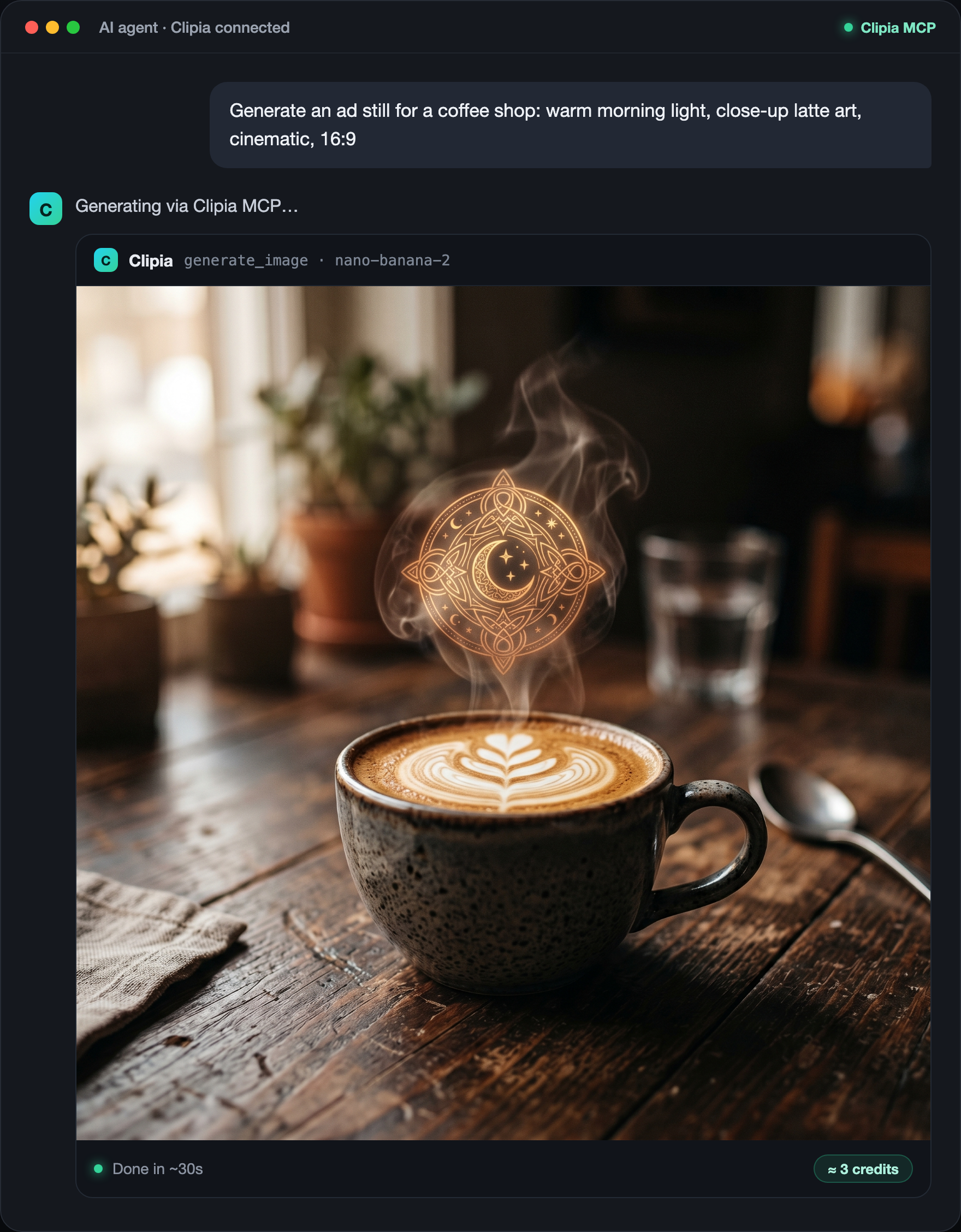
The interesting part is that the agent sees the result. generate_image returns not only a link to the finished file but a compressed JPEG preview right in the tool result. For a vision-capable model that means it literally looks at what it produced, judges it, and decides whether to keep it or refine the prompt — a "generate → look → adjust" loop without a human on every iteration.
How to connect in two minutes
First, create an API key: clipia.ai → Developer Console → API keys. The key is shown once — save it immediately. For debugging, create a sandbox key with the clipia_test_ prefix next to it.
Claude Code — one command in the terminal (it adds the server across all your projects):
claude mcp add --transport http clipia https://mcp.clipia.ai/mcp \
  --header "Authorization: Bearer YOUR_KEY"
After that, Claude Code knows eight new tools and is ready to generate.
Cursor — add the server to .cursor/mcp.json:
{
  "mcpServers": {
    "clipia": {
      "url": "https://mcp.clipia.ai/mcp",
      "headers": { "Authorization": "Bearer YOUR_KEY" }
    }
  }
}
Codex CLI — add a block to ~/.codex/config.toml and export the key into your environment:
[mcp_servers.clipia] url = "https://mcp.clipia.ai/mcp" bearer_token_env_var = "CLIPIA_API_KEY"in your shell:
export CLIPIA_API_KEY="YOUR_KEY"
Codex injects Authorization: Bearer from the CLIPIA_API_KEY variable automatically.
Claude Desktop connects with the same endpoint and key via the mcp-remote utility. The claude.ai web app and ChatGPT (Developer mode) connect as a Custom Connector with OAuth (Settings → Connectors → Add custom → https://mcp.clipia.ai/mcp). Ready-made configs for VS Code, Windsurf and Gemini CLI are at clipia.ai/mcp.
One detail that matters if you live in a terminal or CI: there is no mandatory browser OAuth. In Claude Code and Cursor the key goes in a header, so the connection works headless — on a GUI-less server, in a Docker container, in a CI runner. Three key schemes are supported: Authorization: Bearer clipia_* (recommended), Authorization: Key <key> and X-Api-Key: <key>.
What the agent can do: eight tools, not thirty
When we designed the server we kept one metric in mind — how many context tokens the tool descriptions consume. Thirty tools with bloated schemas easily eat 10–12K tokens before you've written a word. We kept eight compact ones.
generate_image— text-to-image and image-to-image; usually returns the finished image in one call plus a JPEG preview (the agent sees the result and iterates).generate_video— text-to-video and image-to-video (animage_urlswitches to an i2v model); returnsrequest_idand cost immediately.wait_generation— waits for a video to finish (long-poll up to 30s per call).get_generation— instant status or result by ID.list_models— catalog: model, type, capabilities, price in credits.get_model— input schema and price for a specific model.get_balance— credit balance and 30-day usage for the key.search_templates— hybrid search across 3,500+ ready-made prompt templates (RU/EN).
search_templates is a quiet edge: the agent doesn't invent a prompt from scratch, it pulls a working template for the task. For video models, where prompts are fiddly, that saves time and credits.
The catalog currently holds 60+ models for images and video — Nano Banana 2 and Pro, Imagen 4 Ultra, Seedance, Seedream and more. Defaults are nano-banana-2 for images and seedance-2-fast for video. The current list with prices always comes from list_models.
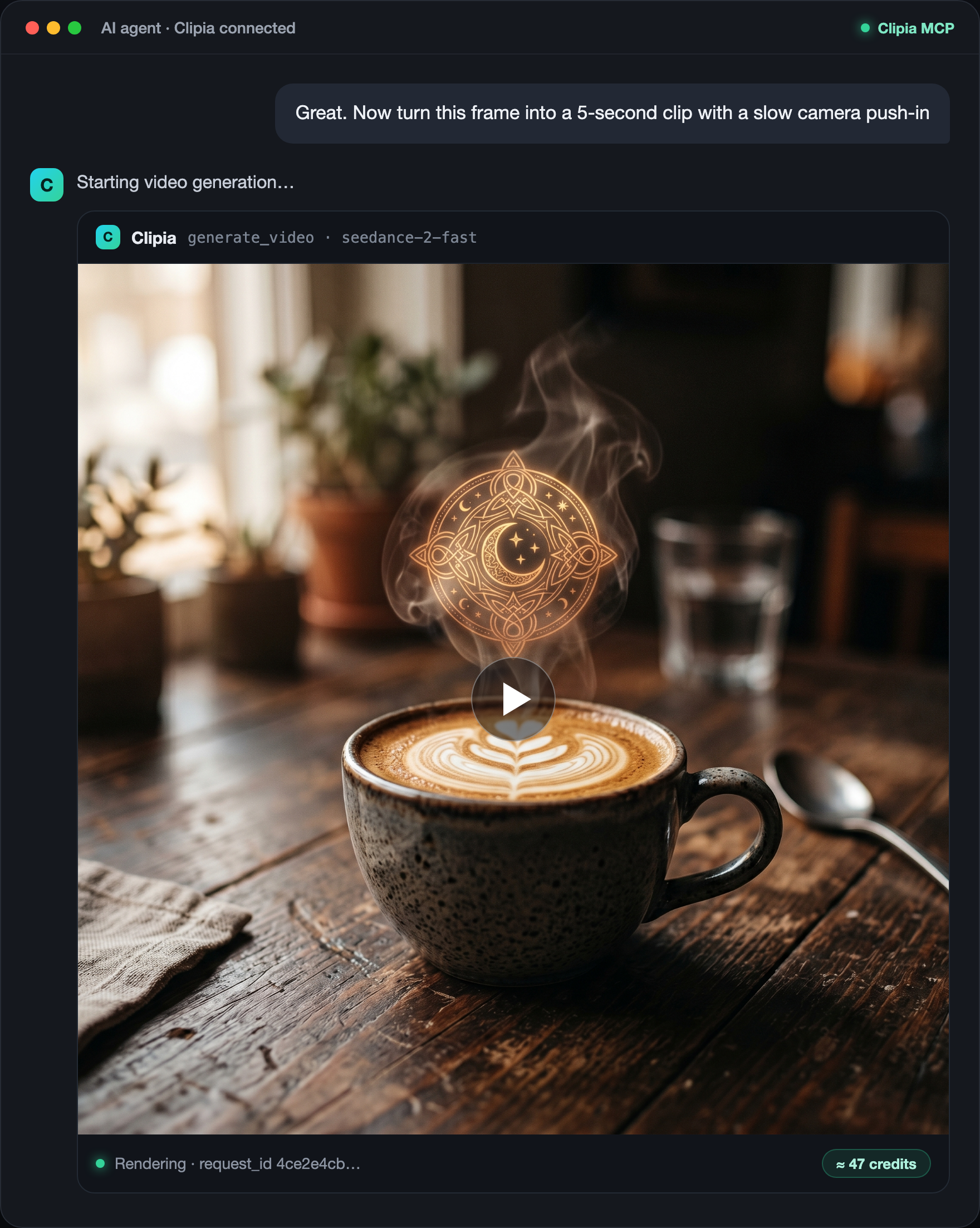
generate_video and returns a clip. The cost in credits is shown up front, before any charge.Transparent pricing and a sandbox for debugging
Every call returns its cost in credits — the agent knows the price before anything is charged. An image on Nano Banana 2 costs 3 credits; video generations cost a few dozen credits depending on model and length. Cost is computed deterministically from the model and parameters, reserved on submit and finally charged on success. No billing surprises. The current balance is always available via get_balance.
Before wiring up a live key, it's wise to verify your parsing and handling. That's what sandbox keys with the clipia_test_ prefix are for. A call with such a key instantly returns a correct mock result: no real generation runs, no credits are spent. You debug response parsing, polling, webhook handling and agent behavior at no cost. It's especially handy in CI — tests run the sandbox key and don't burn credits on every run.
How it compares
For developers, the closest reference points are Provider and Replicate. The most visible player with an MCP server for generation is Higgsfield. Here's how Clipia MCP differs across the axes that matter:
| Clipia MCP | Higgsfield MCP | Provider / Replicate | |
|---|---|---|---|
| MCP server | yes | yes | no native MCP |
| Connect to Claude Code | one command with a key | OAuth via browser | via custom wrapper |
| Headless / CI-ready | yes | no (browser OAuth) | yes (REST) |
| Tool context footprint | 8 compact tools | 30+, ~12K tokens | n/a |
| Sandbox mode (no charge) | clipia_test_* keys | no | limited |
| Cost shown before charge | every response | after the fact | usually |
| Inline preview in chat | yes (vision loop) | links | n/a |
| Prompt template library | search_templates, 3,500+ | no | no |
| Russian bank cards / RUB | yes | no | no |
The most practical difference for terminal- and CI-bound developers is the absence of mandatory browser OAuth. An OAuth flow forces you to open a browser and click "allow" — fine on a laptop, a hard stop on a GUI-less server or CI runner. A header-based key works anywhere.
To be fair about the boundary: in the claude.ai web app (Custom Connectors) Clipia connects via OAuth — it's supported, but the fastest path for Clipia MCP is built for Claude Code, Cursor and Desktop.
Pricing and billing for Russian developers
Billing is in credits from your Clipia account, the same credits as in the app. For developers in Russia and the CIS who otherwise juggle foreign payment processors to use tools like Provider or Replicate, the difference is concrete: Clipia accepts Russian bank cards and bills in RUB, with a Russian-language UI and support. Plans run from Basic (240 credits/month) to Ultima (2,900 credits/month); the exact per-generation cost in credits is always returned before the charge.
Who it's for
Clipia MCP is built for developers who embed media generation into agentic pipelines — marketing automation, content engines, product prototypes — and for designers and content teams who generate images and video right from a Claude or Cursor chat without switching to a separate tool.
Two typical scenarios:
- A creative factory from the terminal. "Generate 5 first-frame variants for an ad, dark studio, 9:16, then turn the best one into a 5-second video with a slow camera push-in" — the agent generates a batch, picks the best by preview, takes its
image_urland builds the video. The whole loop in one conversation. - Assets while you code. "I need three background images for landing sections, 16:9, dark theme" — the agent generates them, grabs the CDN links and, if it has filesystem access, drops them into folders. You never left the editor.
"We wanted the agent to do more than write code — to create the media that goes with it, in the same conversation, with no wrappers and no context switching. The MCP server is exactly that: you describe the task in words, the model calls generation itself, sees the result and refines it. And it all runs in RUB with Russian card payments — something developers here rarely get from foreign platforms."
— Maxim Zakharov, founder of Clipia.ai
Get started now
- Create an API key at
clipia.aiin the Developer Console (and aclipia_test_sandbox key next to it for debugging). - Run the single connect command in Claude Code (or add the server to your Cursor config — see above).
- Tell the agent what to generate.
Full developer docs live at clipia.ai/developers: REST reference, OpenAPI spec, webhooks, limits and errors. The MCP landing with configs for every popular client is at clipia.ai/mcp.
About Clipia.ai
Clipia.ai is a Russian AI image and video generation platform founded in 2024 by Maxim Zakharov. It provides access to 60+ neural-network models through a single interface with a Russian-language UI and Russian card payments, plus a text assistant on top LLMs, a public REST API, SDKs (npm clipia-ai, PyPI clipia) and an MCP server. Website: clipia.ai. Developer docs: clipia.ai/developers.
FAQ
What is Clipia MCP and why would I use it?
Clipia MCP is a remote server using the Model Context Protocol that connects Claude Code, Cursor and other AI agents to image- and video-generation models. The agent calls a tool and gets finished media right in its working context — no app switching, no manual API requests.
How do I connect Clipia MCP to Claude Code?
Create an API key in the Developer Console at clipia.ai, then run: claude mcp add --transport http clipia https://mcp.clipia.ai/mcp --header "Authorization: Bearer your_key". Restart Claude Code and the tools appear automatically. The whole thing takes about two minutes.
Can I use Clipia MCP in CI/CD and headless environments?
Yes. Auth works with a Bearer key and no browser OAuth, so the server runs fully in automated pipelines. To test without spending credits, use clipia_test_ sandbox keys — they return correct mock responses with no real generation.
How much does generation via MCP cost, and are there hidden charges?
Every tool call returns its cost in credits before the actual charge. An image on Nano Banana 2 is 3 credits; video is a few dozen credits depending on model and length. The balance is available via get_balance. There are no surprise charges.
How is Clipia MCP different from Higgsfield MCP?
Three key differences: a key-based connection with no browser OAuth (works headless and in CI); 8 tools instead of 30+ (smaller context footprint); and Russian bank card payments. Clipia also returns cost before charging and offers a sandbox mode for development.
Is Clipia MCP a Provider alternative?
Functionally, yes: a REST API, an MCP server, SDKs for Python and JavaScript, and support for many image and video models. The difference is that Clipia operates in Russian jurisdiction (Russian card payments in RUB), with a Russian-language UI and support, plus a text assistant on top LLMs in the same account.
Which models are available through Clipia MCP?
All models in the Clipia catalog — 60+ neural networks for images and video: Nano Banana 2, Nano Banana Pro, Imagen 4 Ultra, Seedance, Seedream and others. The current list with credit prices comes from list_models, and search across 3,500+ ready prompts comes from search_templates.
How does claude.ai show the generated result?
In the claude.ai web app, a generation appears in an interactive card: live status, the finished image or video, and a button to open the full-resolution original. In Claude Code and Cursor the result arrives as an inline preview in the response stream.