
AI for events and event planners
Prepare a decor concept, poster illustration or short clip. Compare the idea with the actual venue.
Example concept clipAn illustrative event concept, not an event report or an accurate venue plan. Geometry, dimensions and details may change.
What you can prepare
Choose one task, then review the output and its limitations.
Venue decor idea
Describe atmosphere and decor using a venue photo. Check capacity and access routes against plans and measurements.
Poster illustration
Create a visual starting point. Add and review dates, addresses and names during final layout.
Event video concept
Animate a selected image to discuss an idea. This is not an accurate walkthrough of the venue.
Event decor concepts
An illustrative selection of decor, lighting and table-setting ideas. These are not verified pairs of one source and its result: layout and angle may differ.
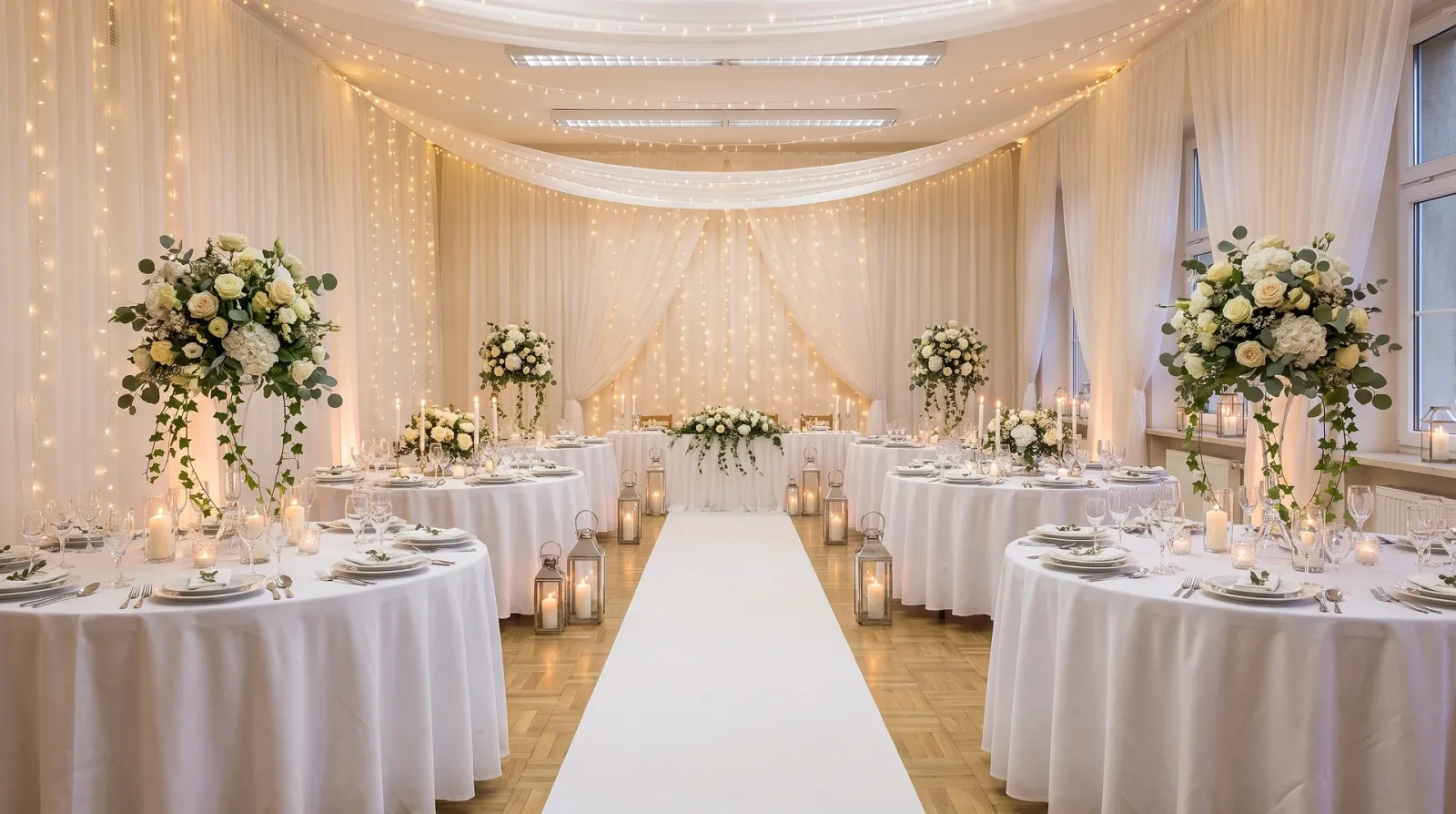 Visual referenceIllustrative example
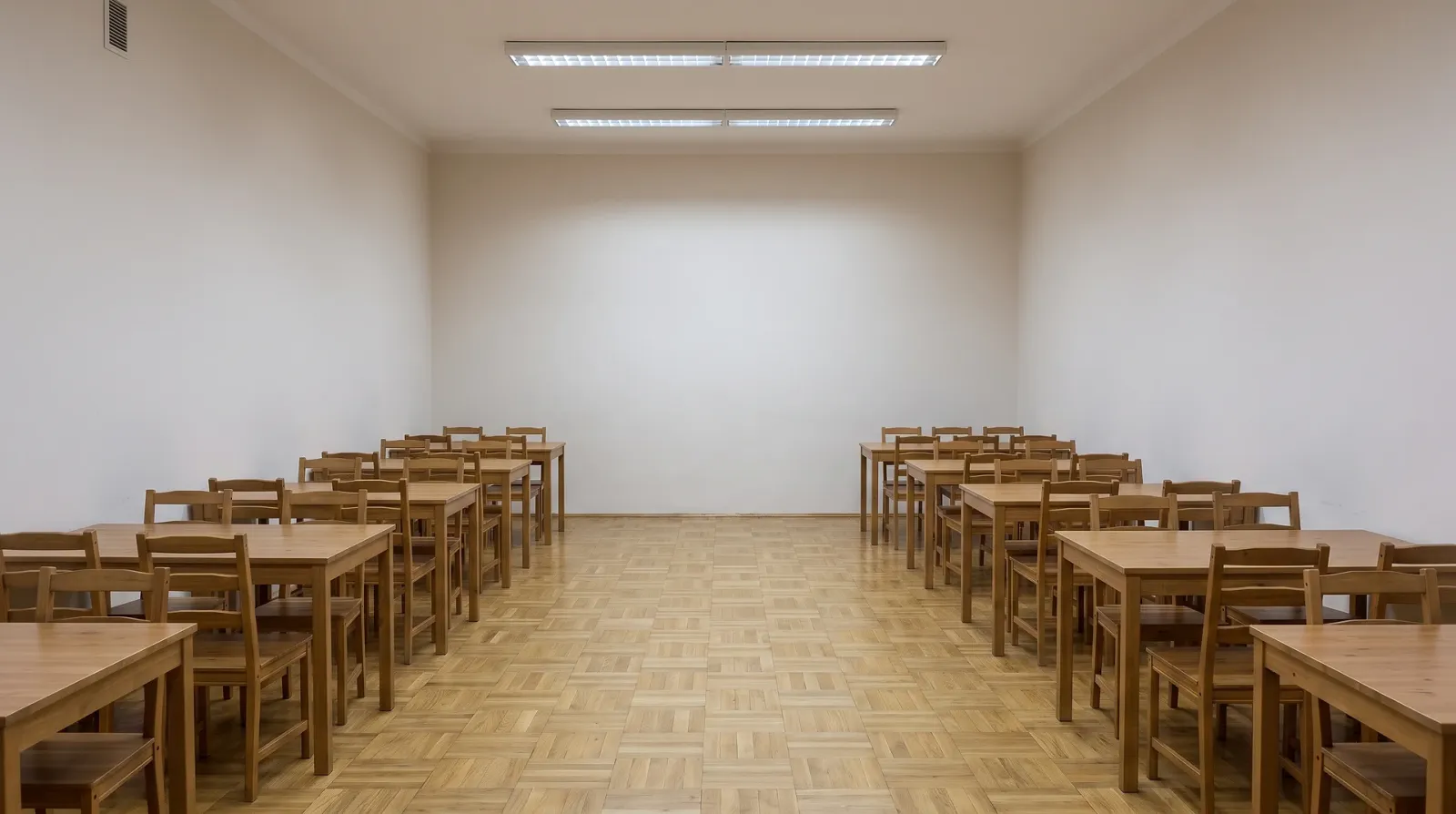
Not just venue styling
Images help discuss a visual direction. Invitations, print layouts and seating plans need separate layout and checking.


How to style an event with AI: three steps
Start generation after reviewing settings and cost; the output needs your review.
- 01
Describe the event
Specify the format, palette and mood. Add a venue photo you have permission to use.
- 02
Choose settings
Choose a model and available aspect ratio. Review the cost before generation.
- 03
Compare the concept with the venue
Check geometry, text and decor. Confirm the actual arrangement and installation feasibility with contractors.
Conditions and limitations
An illustrative event concept, not an event report or an accurate venue plan. Geometry, dimensions and details may change.
Paid subscriptions: $10–$115 per month. See tariffs
This is the subscription price range, not the cost of one generation. Credit usage depends on the model and settings; review the cost before starting.
Data-processing conditions are described in the privacy policy. Read the policy
AI for events and event planners
Prepare a decor concept, poster illustration or short clip. Compare the idea with the actual venue.
Event visual direction
Describe the event format, palette and mood. Images help discuss decor, lighting and composition, but do not establish cost, equipment availability or installation deadlines.
Venue decor and actual geometry
Explore decor ideas using a venue photo. Compare windows, columns, access routes and angle with the source: preservation is not guaranteed. Check capacity and dimensions against plans and measurements.
Posters and invitations
An illustration can provide a starting point for a poster or invitation. Check dates, addresses, names and seating plans separately and add them during final layout. Print readiness requires a layout check.
Concept clip and decor installation
Animate a selected scene to discuss atmosphere. This is a concept clip, not an event report or accurate venue walkthrough. Agree on final decor and implementation with contractors.
Frequently asked questions
About venue styling, posters, concepts and working with a venue photo
Step 1: upload a venue photo showing walls, windows and key reference points. Step 2: describe the event format, palette, decor and lighting. Step 3: generate a variation and compare it with the source, checking geometry and details. Present it as a styling concept; confirm dimensions, capacity and the actual arrangement with suppliers using the venue plan.
AI helps prepare venue-styling concepts and images for event materials. Variations can be discussed with the client before purchasing and installation. An image does not replace a venue plan, budget or decorator's work: verify dimensions and practical feasibility separately.
You can prepare illustrations and visual starting points for posters or invitations from an event description. Choose proportions, generate variations and review the composition. Add and check exact dates, names, addresses and seating plans in the final layout; print readiness requires a separate check.
Layout and dimensions are not guaranteed to stay unchanged: generation may alter windows, columns, perspective and proportions. Compare the image with the original photo and do not use it for measurements. Check the actual arrangement, walkways and capacity against the venue plan and real measurements.
A generated visual illustrates the atmosphere, palette and decor idea, not an exact future installation. Shapes, dimensions and item counts may differ from the venue and selected equipment. Confirm furniture, materials, budget and installation feasibility with suppliers, and label the image as a concept.
Yes, present the image as a styling concept or visual reference, not a photograph of a completed event. Before sending it, compare the venue with the source photo and explain possible geometry and detail changes. Confirm the actual arrangement, decor and cost with the client and suppliers using the venue plan.
A photo or description can be used to generate a short atmospheric announcement video. Choose available settings, check the cost and review the processed result. Photo animation is not documentary footage or an accurate venue walkthrough: check its motion and details, and make its conceptual nature clear.
It depends on your plan: Basic is for personal, non-commercial use, Standard covers publishing on websites, social media and in ads, while Pro and Ultima include an extended commercial license. You must also hold the necessary rights to source material, brands and identifiable people.
Generation uses Clipia account credits. Cost depends on the model and settings; review it before starting. Paid subscription and pack conditions are listed on the pricing page.
Prepare an event concept
Start with one task. Review settings and cost, then check the output before publishing.