What Is an MCP Server? Meaning, Architecture, and a Real Example
An MCP server is a program that exposes tools, data, and prompt templates to AI applications through the Model Context Protocol (MCP) — an open standard introduced by Anthropic in November 2024 and adopted across the AI industry in 2025. Instead of writing custom glue code for every assistant-to-service integration, you run one MCP server, and any MCP-compatible client — Claude, Cursor, Codex-style coding agents, custom apps — can discover and call its capabilities. This guide explains what an MCP server means in practice, how it works under the hood, how it differs from a plain REST API, and walks through a real production server you can connect in one command.
What Is an MCP Server? Meaning and Definition
The MCP server meaning is easiest to grasp through the "USB-C for AI" analogy that stuck with the developer community: the Model Context Protocol standardizes the plug between AI models and the outside world, the way USB-C standardized cables. An MCP server is the socket on the service side. It declares, in a machine-readable form, three kinds of capabilities:
- Tools — actions the AI can perform: run a query, create a file, generate a video, send a message. Each tool has a name, a description, and a typed JSON schema for its arguments.
- Resources — data the AI can read: files, database rows, documents, API responses.
- Prompts — reusable prompt templates the server offers to the client.
The client (an AI application such as Claude Code or Cursor) connects to the server, asks "what can you do?" via a standard tools/list request, and from that moment the model can call any declared tool with validated, structured arguments. No screen-scraping, no prompt-injected cURL commands, no per-integration custom code.
A short history for context: Anthropic published MCP as an open specification on November 25, 2024, together with SDKs and a first wave of reference servers. Through 2025 the protocol crossed vendor lines — OpenAI added MCP support to its agent tooling in March 2025, Google confirmed support for Gemini shortly after — and public registries grew to thousands of community and official servers. By 2026, "does it have an MCP server?" has become a standard question to ask about any service you want your agents to use.
Why it matters:
- One integration instead of N×M. Before MCP, every AI app needed custom connectors for every service. With MCP, a service ships one server; every compatible client gets it "for the price of one config line".
- Typed contracts. Tool arguments are JSON Schema — the model knows exactly what parameters exist, which are required, and what values are allowed.
- Vendor neutrality. MCP is open and model-agnostic: the same server works with different assistants and agent frameworks.
- Agent autonomy. Multi-step workflows (plan → generate → verify → assemble) become possible because the agent can chain tool calls without a human copy-pasting between systems.
How an MCP Server Works
Under the hood, MCP is JSON-RPC 2.0 messages exchanged between three roles:
- Host — the AI application the user interacts with (Claude Desktop, Claude Code, an IDE).
- Client — the protocol connector inside the host; one client per server connection.
- Server — your program that actually implements the tools.
The lifecycle of a session
Every session starts with an initialize handshake where the two sides agree on a protocol version and exchange capabilities. Then the client typically requests tools/list, and the model receives the catalog. When the model decides to act, the client sends tools/call:
{
  "jsonrpc": "2.0",
  "id": 42,
  "method": "tools/call",
  "params": {
    "name": "generate_image",
    "arguments": {
      "model": "nano-banana-2",
      "prompt": "isometric illustration of a coffee shop, warm palette"
    }
  }
}
The server validates arguments against the tool's schema, does the work, and returns a result message — text, structured JSON, or media content blocks the host can render inline.
Transports: local and remote
MCP defines two standard transports:
- stdio — the client launches the server as a local child process and talks over stdin/stdout. Ideal for filesystem access, local databases, developer tooling.
- Streamable HTTP — the server is a web service; the client sends HTTP POST requests and can receive streamed responses. This is how remote MCP servers work: nothing to install, authentication by API key or OAuth, one server shared by thousands of users. (The 2025-03-26 revision of the spec introduced Streamable HTTP, replacing the older HTTP+SSE transport; the 2025-06-18 revision added an OAuth 2.1-based authorization framework.)
A practical consequence worth knowing: stateless remote clients re-send the protocol handshake (initialize, tools/list, ping) far more often than you would expect. A production server has to treat this protocol chatter separately from real work — for example, apply rate limits only to tools/call — or legitimate agents start receiving spurious 429 errors. This is exactly the class of bugs teams hit when moving MCP servers from demos to production.
MCP Server vs REST API vs Function Calling
The three approaches solve the same problem — connecting a model to external capabilities — at different levels of standardization:
| Criterion | MCP server | Plain REST API | Native function calling |
|---|---|---|---|
| Discovery | Built-in (tools/list) | Manual — read the docs | Defined per request by the developer |
| Who writes the integration | Service ships it once | Every consumer writes their own | Every app developer, for every model |
| Works across AI apps | Yes — any MCP client | Only with custom glue code | Locked to one model vendor's format |
| Typed arguments | JSON Schema, validated by protocol | Depends on the API | JSON Schema, but wiring is manual |
| Streaming and media results | Standardized content blocks | Ad hoc | Ad hoc |
| Best for | Reusable agent capabilities | Traditional software clients | Single-app, single-model features |
The short version: function calling is a mechanism inside one model API, REST is a service interface for programmers, and an MCP server is a reusable adapter that turns any service into a capability every agent understands.
A Real Production Example: a Media-Generation MCP Server
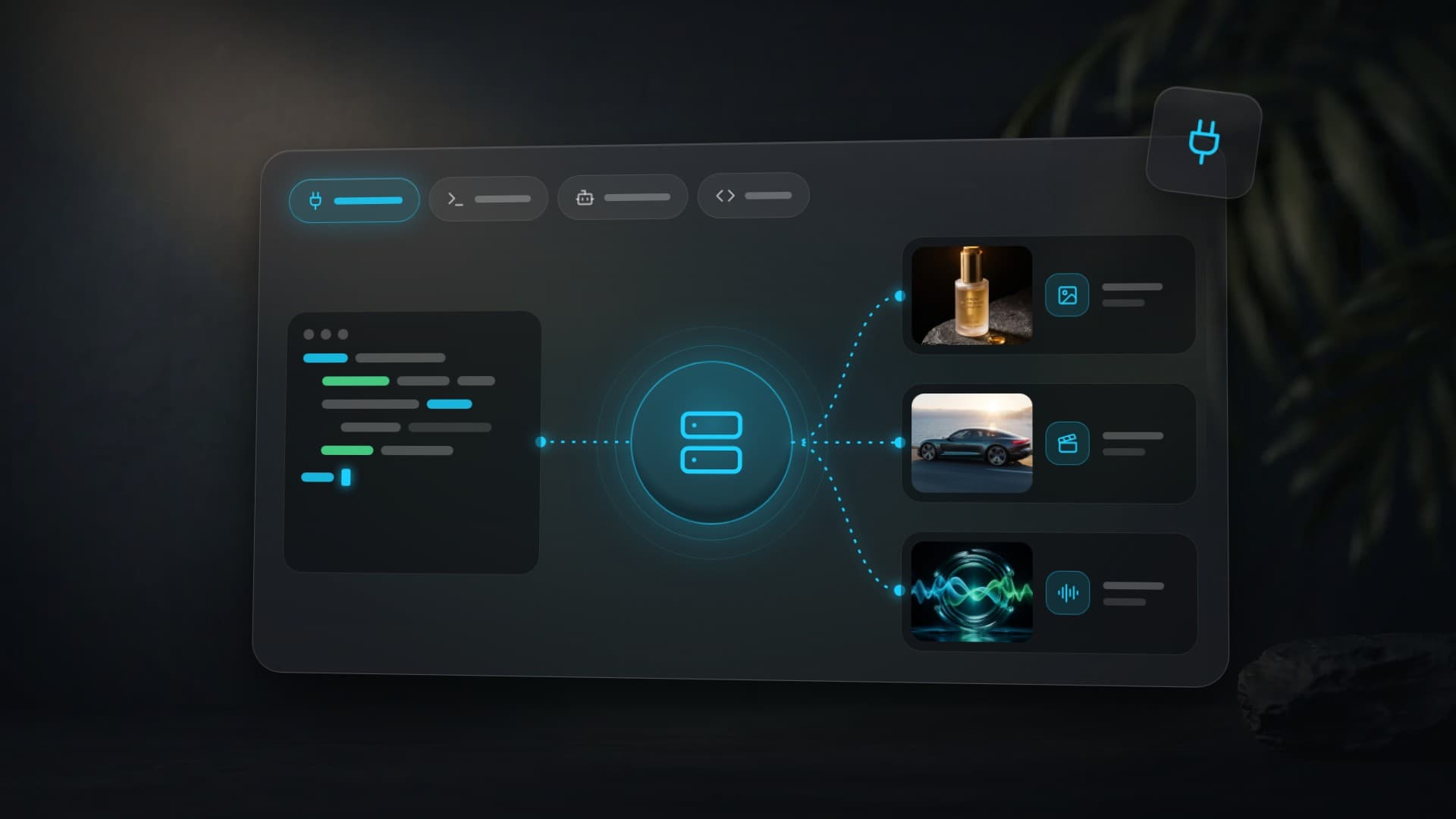
Abstract definitions only get you so far, so here is a live one. Clipia's remote MCP server at https://mcp.clipia.ai/mcp exposes AI image, video, audio, and music generation as MCP tools — 14 tools in its server card, including:
generate_image/generate_video/generate_audio/generate_music— submit a generation on any of 60+ models;list_modelsandget_model— a machine-readable model catalog with capabilities and per-generation cost in credits;wait_generationandget_generation— polling and result retrieval;generate_scenarioandcompose_video— an agent-first pipeline: the model writes a scene plan from a brief, generates each scene, adds a voice-over, and assembles the final clip in one conversation;search_templatesandget_balance— a prompt-template library and account state.
The result of a generate_video call is a normal video file. This clip, for instance, is what a single tool call with the prompt below returns:
A woman slowly turns her head to the right, gentle wind catches her hair, she smiles softly, warm golden hour lighting, shallow depth of field, cinematic film grain, ambient sounds of a summer eveningAuthentication is a Bearer API key (clipia_*). There is also a sandbox mode: keys prefixed clipia_test_ return sample results without spending credits, so you can wire up and test an agent before running real generations. That pattern — sandbox keys plus a machine-readable catalog — is worth copying in any MCP server you build: agents, unlike humans, will happily burn budget on malformed calls while they explore.
How to Connect an MCP Server
Connecting a remote MCP server is a one-liner in most clients. Using the server above as the example:
Step 1. Get an API key
For Clipia — the developer console issues keys; the same page shows usage logs, so you can watch your agent's calls live.
Step 2. Add the server to your client
Claude Code (CLI):
claude mcp add --transport http clipia https://mcp.clipia.ai/mcp \
  --header "Authorization: Bearer clipia_YOUR_KEY"
Cursor (~/.cursor/mcp.json):
{
  "mcpServers": {
    "clipia": {
      "url": "https://mcp.clipia.ai/mcp",
      "headers": { "Authorization": "Bearer clipia_YOUR_KEY" }
    }
  }
}
Codex CLI (~/.codex/config.toml):
[mcp_servers.clipia]
url = "https://mcp.clipia.ai/mcp"
bearer_token_env_var = "CLIPIA_API_KEY"
Step 3. Ask the agent to do something real
From this point the tools are part of the model's vocabulary. A prompt like this is enough to trigger a full pipeline:
Create a 20-second vertical promo for a specialty coffee shop: write a 3-scene scenario, generate the scenes in a warm cinematic style, add an energetic voice-over, and assemble the final video.
The agent will call generate_scenario, then generate_video per scene, generate_audio for the voice-over, and compose_video to stitch the result — no manual steps in between.
Running an MCP Server in Production: What Breaks First
Demos of MCP servers take an afternoon; production takes longer, and the failure modes are specific to how agents behave. Three lessons that generalize to any server you might build or operate:
1. Rate-limit the work, not the protocol
Stateless remote clients re-initialize on almost every turn: each user message can produce an initialize, a tools/list, and a few ping messages before a single real call happens. If your rate limiter counts raw requests, an agent doing three generations a minute looks like a client doing thirty requests a minute — and starts receiving 429 responses it did nothing to deserve. The fix is to classify messages and count only tools/call against quotas, letting protocol chatter pass. Clipia's server shipped exactly this change after watching real agent traffic: billable and non-billable messages are separated at the gateway level.
2. Design for retries, because agents retry
When a tool call fails, an agent does not shrug and move on — it retries, often immediately and with the same arguments. That makes idempotency and deduplication mandatory: if the first call actually started a paid generation, a naive retry starts a second one. But deduplication has its own trap — if a claim is taken before all preconditions are checked and is not released on failure, the retry then collides with the ghost of the failed attempt and gets a false "duplicate request" error. Reserve resources first, claim the dedup key last, and always release it on failure.
3. Error messages are part of the interface
Humans read error pages; agents parse error codes and change strategy based on them. A security sanitizer that collapses unfamiliar strings into a generic error makes the server look broken to an agent: instead of "insufficient credits — top up or switch to a cheaper model", it sees "internal error" and retries a call that can never succeed. Production MCP servers need an explicit allowlist of safe, machine-readable error codes that survive sanitization — the agent's recovery logic depends on them.
Security deserves its own paragraph: an MCP server that accepts URLs (reference images, webhooks, media inputs) must validate them server-side against internal networks — DNS-rebinding and private-range tricks are the classic way to turn a helpful tool into an internal port scanner. And every media URL a server fetches on a user's behalf should pass the same guard. None of this is MCP-specific in theory; in practice, agents' speed and persistence turn each of these gaps into an incident faster than human users ever would.
Common Types of MCP Servers
The ecosystem grew rapidly through 2025–2026; a few recurring categories cover most real usage:
- Developer tooling — filesystem, git, GitHub/GitLab, terminals, CI: the backbone of coding agents.
- Data access — PostgreSQL, ClickHouse, search indexes, internal knowledge bases exposed as resources.
- SaaS bridges — issue trackers, CRMs, messengers, design tools: the agent reads and writes where the team already works.
- Browsers and scraping — controlled web access with the messy parts (rendering, sessions) hidden behind tools.
- Media generation — image, video, and audio models behind typed tools, as in the example above; the newest category and the one where agent-driven pipelines (brief → finished clip) add the most leverage.
More on AI Generation and Agents
- Clipia launches an MCP server: generate images and video right from your AI agent — the launch story with more connection examples.
- AI presentation maker: how to turn a brief into slides — the presentation pipeline available through the same protocol.
- AI Video Generation: Complete Guide to Models & Modes — what the underlying video models can and cannot do.
Frequently Asked Questions
What does MCP stand for?
Model Context Protocol — an open standard for connecting AI applications to external tools and data. Anthropic released it on November 25, 2024; major AI vendors added support during 2025.
What does "MCP server" mean in one sentence?
An MCP server is a program that publishes tools, data resources, and prompt templates in a standard format so that any compatible AI agent can discover and use them without custom integration code.
Is an MCP server the same thing as an API?
No. A REST API is an interface for programmers: a human reads the docs and writes client code. An MCP server is an interface for AI agents: the client discovers tools automatically via tools/list, argument schemas are enforced by the protocol, and the same server works in every MCP-compatible app. Many MCP servers are thin adapters on top of an existing REST API.
What is the difference between a local and a remote MCP server?
A local server runs as a child process on your machine over the stdio transport — best for filesystem and dev-tool access. A remote server is a web service over Streamable HTTP: nothing to install, authenticated by API key or OAuth, shared by many users. Media-generation servers are typically remote because the heavy compute lives server-side anyway.
Is MCP only for Claude?
No. The protocol is open and vendor-neutral. Claude apps, Cursor, Codex-style coding agents, and a growing list of frameworks act as MCP clients; the same server serves them all. That universality is the main reason to expose a service as an MCP server rather than as N proprietary plugins.
Do I need to write code to use an MCP server?
To use one — no: you add a URL (plus an API key for remote servers) to your client's settings, and the agent takes it from there. Writing code is only required to build your own server, and official SDKs in TypeScript, Python, and other languages handle the protocol layer for you.
Try it yourself on Clipia
60+ models for video and image generation. One account, transparent pricing.