30 Prompts to Animate a Photo, by Scenario and Model
Portraits, family, pets, old photos, products and Reels: copy-ready prompts, prices in credits and which model keeps the face
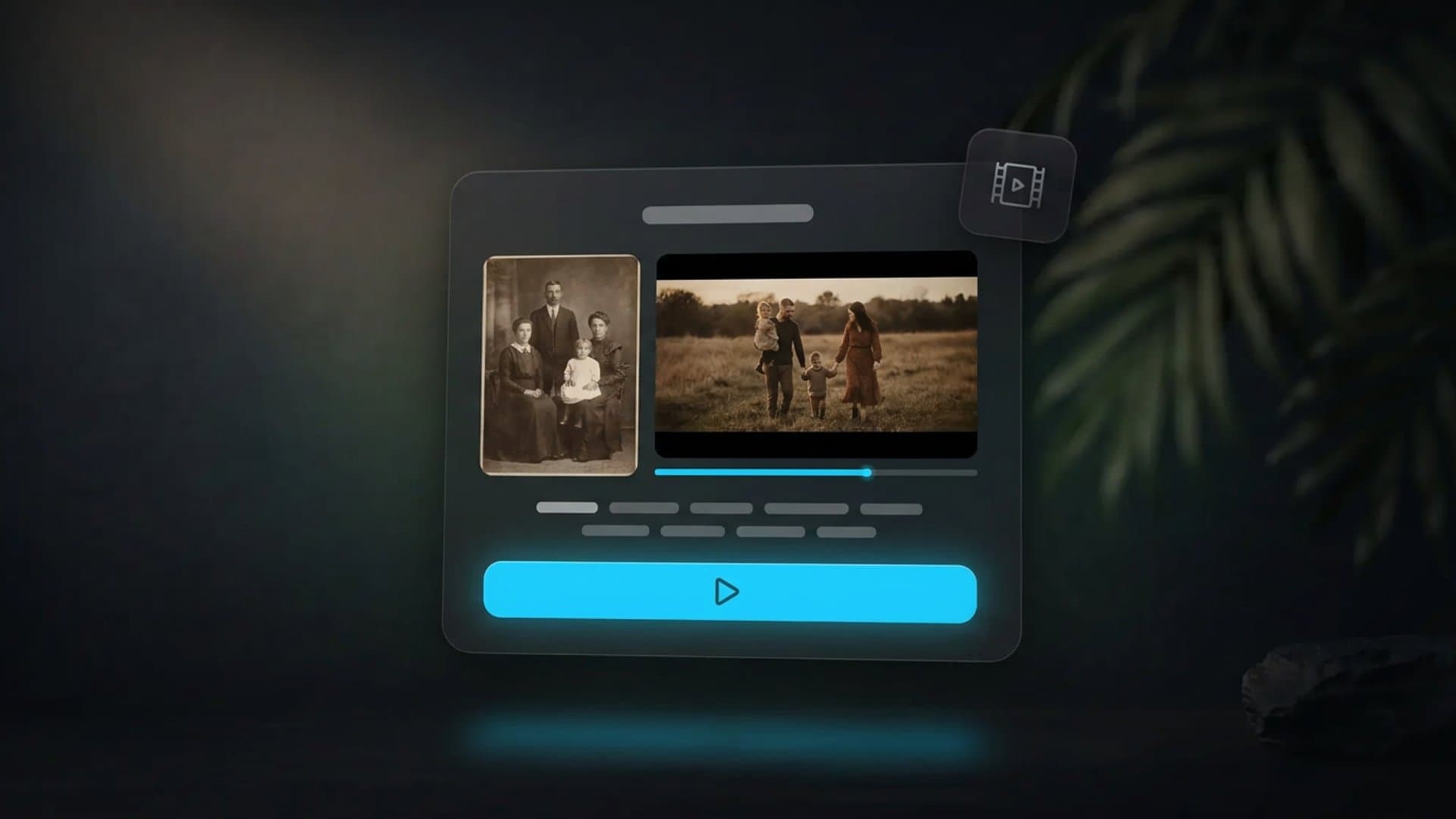
A prompt to animate a photo describes motion, not a picture: what the subject does, how the camera behaves and what must stay still. The photo has already fixed the face, the light and the composition, so long descriptions of appearance only get in the way. Below are 30 copy-ready prompts by scenario: portraits, family photos, kids, pets, old photos, products, food, landscapes and AI art. Each comes with what you will get, why the wording works and which model to pick, with prices in credits as of October 2026.
Quick answer
A working photo-animation prompt has four parts: subject motion + camera behaviour + what not to touch + atmosphere and sound. One or two sentences, one main action per 5–6 second clip. The fewer movements you ask for, the fewer artifacts you get: a model keeps the face and background intact when it does not have to repaint half the frame.
Pick the model by scenario and budget. Portraits and family photos: Kling 3, 5 seconds in 1080p for 44 credits. Quick idea checks: Grok Imagine Video 1.5, 5 seconds in 720p for 9 credits with sound included. Products: Hailuo 2.3, 6 seconds in 768P for 17 credits. Cheapest start: HeyGen Video, 5 seconds in 768p for 5 credits. Prices were taken on 29 October 2026 from the Clipia cost calculator; new accounts get 5 credits on sign-up.
Every prompt can go straight into the Photo to Video tool: upload the photo, pick a model, paste the text. If you need a step-by-step walkthrough of the interface, it is in the guide on how to animate a photo; this article is prompts only.
How a photo-animation prompt differs from a regular one
In text-to-video the prompt carries everything: subject, place, light, style. In image-to-video half the work is already done by the photo. The model takes the photo as the first frame and builds the next ones, so describing appearance and setting is unnecessary and sometimes harmful: when the text contradicts the picture, the model starts "fixing" the photo to match the text, and the face drifts.
Hence the structure every prompt below follows:
- Subject motion. One main action and one small detail: "slowly turns her head and smiles", "lifts the cup and takes a sip". Verb + direction + pace.
- Camera. Static, slow push-in, slow pull-back, slow pan. For photos a slow camera is almost always better: a fast move forces the model to invent what the photo never showed.
- What not to touch. "Background stays still", "composition unchanged", "clothes and hair unchanged". This part removes most artifacts.
- Atmosphere and sound. Light, wind, particles in the air. Sound only for models that generate it: Grok Imagine Video 1.5, Veo 3.1, Seedance 2.0, HeyGen Video, and Kling 3 as a paid add-on.
A template you can fill with any photo:
[Subject] [one action in present tense], [a second small motion detail]. Camera [static / slow push-in / slow pull-back]. Background and composition unchanged, face and clothes preserved. [Light, air, mood]. Sound: [ambient noises, or "no speech, no music"].
Which model to choose for each scenario
Nine models in the Clipia catalog can turn a photo into video. For this collection we kept seven: they cover every scenario below and differ in price by a factor of nine. Prices are as of 29 October 2026 for one clip at the base duration.
| Model | Clip and price | Sound | Best for |
|---|---|---|---|
| Kling 3 | 5 s 1080p — 44 credits, 720p — 36 | Paid add-on: 5 s 1080p with sound — 65 credits | Portraits, family, precise camera control |
| Hailuo 2.3 | 6 s 768P — 17 credits, 1080P — 29 | No | Products, food, short loops for listings |
| Grok Imagine Video 1.5 | 5 s 720p — 9 credits, 480p — 5 | Included | Drafts, Reels, prompt testing |
| Wan 3.0 | 5 s 720p — 32 credits, 480p — 16 | No | Landscapes, cities, long clips up to 30 s |
| Seedance 2.0 | 5 s 720p — 57 credits | Included | Scenes with several movements, staging |
| HeyGen Video | 5 s 768p — 5 credits, 1080p — 35 | Included | Cheapest option for portraits and selfies |
| Veo 3.1 Fast | 8 s 1080p — 24 credits, Lite 720p — 11 | Included | Photos with a spoken line, atmospheric scenes |
A practical routine: test the prompt on Grok Imagine Video 1.5 or HeyGen Video for 5–9 credits, then render the final on Kling 3 or Hailuo 2.3. That way, checking all 30 prompts from this article costs 150–270 credits, about as much as one or two 5-second Seedance 2.0 clips in 1080p (143 credits each).
30 prompts to animate a photo, by scenario
The prompts are grouped by photo type. Within each group they go from the calmest option to the more complex one. Duration is 5–6 seconds everywhere unless stated otherwise.
Portraits and selfies
1. A living gaze. The base prompt for any portrait; start your photo check here.
The woman in the photo slowly blinks, turns her head slightly toward the camera and starts to smile softly. Camera static. Background, hair and clothes unchanged. Soft daylight, a faint movement of hair in the air. No speech, no music.
What you get: 5 seconds of a "breathing" portrait where only the eyes, head and corners of the mouth move. Why it works: two micro-movements and a ban on background changes keep the model from repainting the face. On Kling 3 this is the most stable scenario; HeyGen Video for 5 credits gives a similar result for social media.
2. Portrait with a push-in. For covers and intros that need a cinematic feel.
The man looks slightly to the side, then shifts his gaze straight into the lens. Camera pushes in very slowly on the face. Depth of field narrows, the background blurs gently. Expression calm, clothes and light preserved. No speech.
What you get: a slow push-in with a gaze shift, like a series title sequence. Why it works: a push-in is the only camera move that never requires inventing the edges of the frame. The line about background blur tells the model it may change the periphery, but not the face.
3. Laughter. A stronger emotion than a smile, still without hands or body turns.
The woman starts laughing: she closes her eyes, tilts her head back a little and looks at the camera again. Shoulders move slightly with the laugh. Camera static. Background and clothes unchanged. Warm evening light.
What you get: natural laughter over 5 seconds, returning to the starting pose. Why it works: the action is written as three phases with an end point, the look into the camera, so the clip does not cut off mid-gesture. Kling 3 in 1080p holds the face best here.
4. Selfie with wind and a line. For models with sound: Veo 3.1 or Grok Imagine Video 1.5.
The guy in the selfie smiles, wind ruffles his hair, he fixes it with his other hand and says to the camera: "Alright, let's go?" Camera shakes slightly like handheld footage. The background, a waterfront, stays in place. Sound: wind, distant seagulls, a calm close voice.
What you get: 5–8 seconds of a "live" selfie with a short line and street noise. Why it works: a quoted line and a separate "Sound:" clause separate speech from ambience; otherwise sound-capable models tend to lay music over the voice. On Veo 3.1 Fast in 1080p this clip costs 24 credits.
Family photos
5. Group shot, everyone alive. The main difficulty with groups: the model animates one person and freezes the rest.
Each person in the family photo makes one small movement: someone blinks, someone smiles wider, the child in the centre tilts their head slightly. Everyone stays in place. Camera static. Background, clothes and lighting unchanged. No speech.
What you get: the whole group comes to life with no reshuffling and no vanishing hands. Why it works: "each person makes one movement" spreads the model's attention, while "stays in place" forbids moving people around the frame. For groups of 4–6 use Kling 3 in 1080p, otherwise small faces smear.
6. A hug. Contact between two people is a risk, but a simple gesture justifies it.
The mother and daughter in the photo turn to each other and hug, the mother kisses the daughter on the top of her head. Slow, gentle movement. Camera static. Background unchanged, hands natural, clothes preserved. Warm home lighting.
What you get: one warm gesture over 5 seconds. Why it works: the action is a single movement toward one point, not a chain of gestures. The word "slow" reduces the number of frames with overlapping hands, where models fail most often.
7. A celebration photo. A scene with props: cake, candles, glasses.
The family at the table raises their glasses and clinks them, candles flicker on the cake in the background. People smile and exchange glances. Camera pulls back slowly to reveal the table. Faces and clothes preserved. Sound: clinking glasses, quiet laughter, no music.
What you get: 5–6 seconds of a dinner toast. Why it works: there is one main action and it is the same for everyone, so the model keeps the group in sync. A pull-back is acceptable here: the table and tablecloth are easy to extend, unlike faces. With sound, use Seedance 2.0 or Veo 3.1; without sound, Hailuo 2.3 for 17 credits.
Kids
8. A child laughing. Models repaint children's faces more readily than adults', so the prompt carries more restrictions.
The child in the photo laughs out loud, squeezes their eyes shut and leans forward a little. Facial features, age and hairstyle are preserved exactly. Camera static. Background unchanged. Bright daylight.
What you get: natural child's laughter without the face "ageing". Why it works: explicitly asking to keep the age and features is not a formality; without it, models often add two or three years to a child within 5 seconds.
9. Soap bubbles. Adding motion around the subject rather than on it.
The girl in the photo smiles and follows with her eyes the soap bubbles that slowly drift across the frame from left to right. One bubble pops near her face. Camera static. Background, clothes and light unchanged.
What you get: a light fairy-tale clip where the main motion is the bubbles and the child only moves her gaze. Why it works: added objects are easier to animate than facial expressions, and they pull the viewer's attention away from small inaccuracies in the face. Wan 3.0 and Hailuo 2.3 handle it well.
Pets
10. A cat turning its head. Fur is a model's honesty test on textures.
The cat in the photo slowly turns its head toward the camera, squints and yawns. Ears twitch slightly. Camera static. Fur keeps its texture and colouring, background unchanged. Soft window light.
What you get: 5 seconds of a lazy cat with a yawn in the middle. Why it works: a yawn is one large, recognisable movement that models know well. The line about fur texture stops the animal from turning into plastic.
11. A dog wagging its tail. Movement of the hindquarters is a common failure without an explicit instruction.
The dog in the photo wags its tail happily, tilts its head to one side and opens its mouth slightly as if smiling. Paws stay in place. Camera static. Coat colour and background unchanged. Sound: soft whining, rustling grass.
What you get: a "smiling" dog with an active tail. Why it works: "paws stay in place" solves the main problem: models love sending the dog running, and it loses its shape at once. Sound is useful on Grok Imagine Video 1.5, 9 credits in 720p.
12. A pet and the wind. External motion instead of complex anatomy.
A fluffy dog sits still, wind moves its fur and ears, eyes blink slowly. A couple of dry leaves fly past. Camera pushes in almost imperceptibly. Background and pose unchanged.
What you get: a calm autumn frame, almost a cinemagraph. Why it works: anatomy is not involved at all; the model animates only fur and leaves, and such scenes rarely fail even on budget models like Hailuo 2.3 Fast for 11 credits.
Old and archival photos
Scans and album prints have stricter rules: grain, scratches and the black-and-white palette must survive, otherwise the clip stops being "that photo". Restoration is a separate topic; here, prompts only.
13. A portrait from the album.
The woman in the black-and-white photograph slowly blinks and smiles almost imperceptibly, her gaze directed into the lens. Camera static. Film grain, black-and-white palette, scratches and vignette preserved. Background, hair and clothes unchanged. No colour, no speech.
What you get: a revived archival print in the spirit of the early "living portraits". Why it works: the double ban, "no colour" and "grain preserved", matters; otherwise the model quietly colourises the photo and cleans the noise, and you get a modern imitation of age.
14. A 1950s group photo.
People in the old group photograph exchange glances and smile, one man adjusts his hat. Everyone stays in place. Camera pushes in slowly toward the centre of the group. Sepia, soft contrast and grain preserved, period clothes and hairstyles unchanged.
What you get: 5–6 seconds of revived memories focused on the centre of the frame. Why it works: one person gets a gesture, the rest only expressions; this holds the composition, and the push-in forgives the softness of an archival scan. Best on Kling 3 in 1080p: small faces in a group photo need resolution.
15. Grandparents' wedding photo.
The newlyweds in the old photograph turn to each other and exchange a look, the bride adjusts her veil almost imperceptibly. Camera static. Black-and-white palette, grain and slightly faded edges preserved. Faces unchanged, no colour, no speech.
What you get: one tender movement that does not argue with the era of the photo. Why it works: a veil is light fabric, its motion comes easily to models and looks convincing; the rest of the scene stays static.
Weddings and celebrations
16. A kiss in a wedding photo.
The bride and groom in the photo look at each other, smile and kiss slowly. The veil and the hem of the dress sway slightly in the wind. Camera pulls back slowly. The background, a garden, unchanged, warm sunset light. Sound: light wind, distant voices of guests.
What you get: a 5-second frame for a wedding video invitation or a story. Why it works: the two faces coming together is written as one smooth movement with a clear ending; the fabric adds extra "live" motion at no risk.
17. Birthday confetti.
The birthday person in the photo blows out the candles on the cake, colourful confetti flies up around them and slowly falls. People nearby clap. Camera static. Faces and clothes preserved. Sound: a short puff of breath, clapping, cheerful voices, no music.
What you get: a festive clip with an "event" in the middle. Why it works: blowing out candles is one action with a visible result, the flames go out, and confetti keeps the model busy with simple particle physics. Seedance 2.0 handles a scene with several movements most coherently.
Products and still life
Product clips have one rule: the item does not change by a pixel, not its shape, logo or colour. All motion goes into the camera, light and environment. A step-by-step breakdown of formats for listings is in the article on how to make AI videos; below, the prompts.
18. Orbit around a bottle.
A perfume bottle stands on a mirrored surface. Camera slowly arcs around it by 30 degrees, highlights on the glass shift smoothly. Shape, label and liquid colour unchanged. Studio light, dark background, a light haze at the bottom of the frame.
What you get: a 6-second "commercial" orbit with living highlights. Why it works: the arc is limited; within 30 degrees the model never has to invent the unseen side of the bottle. Hailuo 2.3 in 768P for 17 credits is the working standard for such listings.
19. Sneaker with particles.
The sneaker in the photo slowly rotates by 45 degrees, fine dust particles rise around it and hang in a beam of light. Camera pushes in almost imperceptibly. Shape, lacing, logo and colours preserved exactly. Hard side light.
What you get: a dynamic frame for a marketplace listing or a feed ad. Why it works: rotation is limited by an angle, and the logo is named separately; these are the spots where models most often draw from imagination.
20. Skincare and water drops.
A jar of cream stands still, a few drops of water slowly run down its surface, monstera leaves sway gently in the background. Camera static. Label, shape and colour unchanged. Fresh morning light.
What you get: a calm "fresh" clip without a single movement of the product itself. Why it works: all animation is moved to drops and leaves, objects that are simple for the model. This prompt rarely fails even on Hailuo 2.3 Fast.
21. Clothing on a mannequin or model.
The dress in the photo sways in a light breeze, the hem and sleeves move gently, the model shifts her weight slightly from one foot to the other. Camera pulls back slowly from a medium shot to a wide one. Cut, colour and print of the dress unchanged, face preserved.
What you get: 5 seconds of a "live" lookbook. Why it works: fabric is video models' favourite material, and the model's micro-movement does not touch the face or hands. If the print is intricate, use Kling 3 in 1080p: at 720p a fine pattern starts to swim.
Food and drinks
22. Steam over a cup.
Steam slowly rises over the cup of coffee in the photo, faint ripples spread across the surface of the drink. Camera pushes in slowly. Cup, table and background unchanged. Warm morning light from a window.
What you get: a cinemagraph for a menu, a café story or a cover. Why it works: steam and ripples are movements that do not require changing the shape of any object. A low-cost option is Grok Imagine Video 1.5: 9 credits in 720p or 5 in 480p.
23. A dish and sauce.
Sauce slowly pours onto the plate of pasta from above, a hand with a spoon appears from the edge of the frame and disappears. Light steam above the plate. Camera static, top-down view. Plate, table and setting unchanged. Sound: sizzling, quiet clink of dishes.
What you get: 5–6 seconds of a "restaurant" frame with one action. Why it works: the hand enters the frame and leaves; it is easier for a model to show a gesture partially than to hold hand anatomy for all 5 seconds. Sound: Seedance 2.0 or Veo 3.1 Lite for 11 credits in 720p.
Landscapes, cities, travel
24. Clouds and water.
Clouds drift slowly over the mountain lake, fine ripples spread across the water, grass in the foreground moves in the wind. Camera pans slowly from left to right. Mountains and shoreline unchanged. No speech, no music.
What you get: 5–10 seconds of a calm landscape for an intro or a background. Why it works: three layers of motion at different speeds, clouds, water, grass, create depth without risking the composition. For long clips up to 30 seconds take Wan 3.0; 5 seconds in 720p cost 32 credits.
25. A city street in the evening.
On the evening street from the photo cars drive slowly along the road, their headlights leave soft light trails, signs flicker, a few pedestrians walk along the pavement. Camera pushes in almost imperceptibly. Buildings and perspective unchanged. Sound: city hum, distant horns.
What you get: a living postcard for a travel blog. Why it works: motion is tied to understandable objects, cars, pedestrians, light, and the architecture is explicitly "frozen". Pedestrians are described as few: a crowd is a sure way to get artifacts.
26. A travel photo with a person.
The woman on the viewing platform turns to the camera, smiles and spreads her arms, wind ruffles her scarf. Camera pulls back slowly, revealing the city panorama behind her. Face and clothes preserved, panorama unchanged.
What you get: 5 seconds of "I'm here" for stories and Reels. Why it works: an arm gesture is risky, but here it is large and unambiguous, and the pull-back distracts the model from the hands. Test on Grok Imagine Video 1.5 first, then render the final on Kling 3.
Art, illustration and AI-generated images
27. A fantasy portrait. Generated images animate more easily than photos: no film noise and no complex light.
The elf in the illustration slowly opens her eyes, her hair and cloak sway in a magical wind, small glowing particles flare and fade around her palm. Camera pushes in slowly. Style, colours and costume details unchanged.
What you get: a "living" cover for a channel or a character card. Why it works: particles and fabric give plenty of motion without altering facial features; asking to keep the style stops the model from sliding into photorealism. For AI art there is also Midjourney Image to Video for 36 credits: it keeps the look of the artwork, but has no sound.
28. A watercolour landscape.
The watercolour landscape comes alive: water in the river flows slowly, tree crowns sway, clouds drift across the sky. Brush strokes and paper texture preserved. Camera static. Colours unchanged, no realistic details added.
What you get: an animated illustration for a presentation or an intro. Why it works: the separate line about strokes and paper keeps the model within the watercolour technique; without it, it paints realistic foliage over the drawing.
For Reels and Shorts: the hook movement
Vertical clips live or die in the first two seconds. So in these prompts the action starts immediately, not halfway through.
29. A sharp turn to the camera.
The woman stands with her back to the camera and immediately, from the very first frame, looks back over her shoulder into the lens, her hair following the movement of her head. Camera static, vertical frame. Background and clothes unchanged. Sound: a short rustle of fabric.
What you get: a two-second hook and three seconds of held eye contact. Why it works: "from the very first frame" removes the typical pause at the start where the subject stands still for a second. Suitable only for photos where a profile or the back of the head is visible; otherwise the model has to invent a face.
30. A light transition.
The frame starts in half-darkness, then light quickly floods the scene as if curtains were opened, the subject squints and smiles. Camera pushes in slowly. Composition and face unchanged, vertical format. Sound: the rustle of curtains, morning birds.
What you get: a ready opening for a "morning / new day / launch" clip. Why it works: a change of lighting is a cheap event for the model that reads as an editing device. For vertical video choose 9:16 in the settings, not in the prompt text.
How to adapt a prompt to the model
Different models read the same words differently. A few adjustments that save credits:
- Kling 3 understands cinematography terms well: "push-in", "pull-back", "pan", "shot size". Write the camera first. Sound is a separate option and it changes the price: 5 seconds in 1080p cost 44 credits without sound and 65 with it, so leave the option off for silent scenarios.
- Hailuo 2.3 likes short prompts: one action, one line about the camera. It does not need long atmosphere descriptions; its strength is products and short loops.
- Grok Imagine Video 1.5 and Veo 3.1 generate sound, so the "Sound:" line is mandatory even when you want silence: write "no speech, no music".
- Wan 3.0 handles clips up to 30 seconds; for those, describe motion that can last: clouds, water, light. Facial expressions fall apart over 30 seconds on any model.
- Seedance 2.0 copes with two or three simultaneous movements but costs 57 credits for 5 seconds in 720p. Use it for scenes, not for single portraits.
- HeyGen Video is the option for talking portraits and selfies at 5 credits. For a voiced portrait with a spoken line, see the tool roundup in the article on the best lip sync AI: there are separate models for lip synchronisation.
Common mistakes
- Describing appearance. "A beautiful girl with blue eyes" on a photo of a brown-eyed woman makes the model argue with the picture. Describe the motion, not the person.
- Several actions at once. "Turns, waves, walks to the camera and laughs" is four movements in 5 seconds. You get a mess. One main action and one detail.
- A fast camera. "A quick 360-degree orbit" requires drawing everything the photo never showed. For a photo, slow moves and limited angles only.
- No restrictions. Without "background unchanged" the model assumes it may rebuild the scene. Add that line every time.
- A poor source. No model fixes a blurry, dark or heavily compressed photo: it honestly multiplies the source artifacts across every frame. Start with a sharp photo where the subject takes up a meaningful part of the frame.
How we checked
The collection was assembled on 29 October 2026. The list of models and their capabilities, image-to-video, sound, durations and resolutions, was checked against the Clipia catalog on that date. Every price in the article was taken from the Clipia cost calculator for specific parameters: model, duration, resolution; we did not use "from N credits". The prompt structure is based on the official prompting guides from Kling, xAI and Google Veo and on the published tests in our photo-animation guide, where part of the wording has already been tried on real photos. Clips for all 30 prompts were not generated for this article: these are templates worth testing on a cheap model before the final render.
FAQ
Can I write the prompt in my own language?
English is the safest choice: the official docs of these models are written for English prompts. The 30 prompts above are in English and work with the models in the Clipia catalog. If a model reacts poorly to a rare word, replace it with a simpler one: "pans" with "turns sideways", "shot size" with "framing".
How much does it cost to animate one photo?
As of 29 October 2026 the cheapest option is HeyGen Video: 5 seconds in 768p for 5 credits. The most expensive in this collection at 720p is Seedance 2.0: 5 seconds for 57 credits. The working middle is Kling 3: 5 seconds in 1080p for 44 credits, and Hailuo 2.3: 6 seconds in 768P for 17 credits. New accounts get 5 welcome credits on sign-up, enough for one test clip.
Which model keeps the face best?
In our tests for portraits and group photos, Kling 3 in 1080p is the most stable: the face does not drift on a head turn or a smile. For quick drafts use Grok Imagine Video 1.5 or HeyGen Video, and render the final on Kling 3.
How do I add sound to an animated photo?
Choose a model with sound included, Grok Imagine Video 1.5, Veo 3.1, Seedance 2.0 or HeyGen Video, and describe the sound in a separate line of the prompt. On Kling 3 sound is a paid option: 5 seconds in 1080p cost 65 credits instead of 44.
Can I animate an old black-and-white photo without colourising it?
Yes, if you write explicitly "no colour, grain and black-and-white palette preserved". Without that instruction, models often colourise the photo and remove the noise, and you get a modern imitation rather than a revived archival photo.
Do I need to specify duration and format in the prompt?
No. Duration, resolution and aspect ratio are chosen in the generation settings. The model ignores those numbers in the prompt text, but duration determines how many actions to ask for: one for 5 seconds, two for 10.
Pick a photo, copy the matching prompt and launch your first clip in the Photo to Video tool: start with a cheap model, then render the final where the face holds best.
Sources
- Kling AI — official API documentation, Image to Video section
- xAI Docs — Video generations (Grok Imagine Video)
- Google AI for Developers — Generate videos with Veo (image-to-video and prompting guidance)
- MiniMax — Hailuo AI Video, official model page
- Alibaba — Wan, official video model page
- ByteDance Seed — Seedance, official model page
Try it yourself on Clipia
60+ models for video and image generation. One account, transparent pricing.