How to Earn with AI in 2026: A Creator's Guide
Real niches, numbers from practice, and affiliate programs
You make money with AI content in 2026 by selling it as a service and earning recurring affiliate commission on top. The six proven paths: AI video for brands ($30-500 per clip), UGC avatars, marketplace product photos ($5-15 each), themed social content, teaching, and AI-service affiliate programs. The most predictable income combines client work — cash now — with an affiliate program like Clipia.ai's, which pays recurring commission from 11% to 30%. You produce the content itself on Clipia.ai — video and images from one account with card payments — and get paid per project or per referral. Realistic range: $50-200 as a side hustle, $1,000-3,000/month for systematic creators — not a guaranteed figure, but an achievable one. Below: every niche with prices, a 7-day launch plan, and the legal side.
How to Make Money with AI in 2026 (Short Version)
- Earning with AI in 2026 isn't «buy a course and become a millionaire». It's one of six clear niches: AI video on demand, UGC avatars, marketplace product photos, social content, education, and affiliate programs.
- The starting threshold is low: an AI tool subscription from $10/month, a laptop, and 2-3 weeks to learn. Courses and mentors aren't required.
- The most predictable income comes from combining AI content for clients with the affiliate program of an AI service. The first gives you money now. The second builds recurring income in 2-3 months.
- The Clipia.ai affiliate program commission rate scales from 11% (Starter) to 30% (Legend, L1+L2). Eligible paid subscriptions and top-ups earn commission under the current terms shown in the partner dashboard.
- Income isn't «guaranteed $1,000/month» — it depends on audience quality and retention. A realistic range: $50-200 as a side hustle, $1,000-3,000 for systematic creators.
What Does Earning with AI Actually Mean in 2026?
Over the past year, the economy around generative neural networks has matured fast. AI used to be a toy for geeks. Now it's a tool people pay for — regularly. Brands, marketplace sellers, small businesses, influencers, and education platforms all pay.
For creators, this opens three types of income: one-time (per project), recurring (per subscription), and passive (per referral).
Who Actually Pays for AI Content?
Who actually needs your AI skills:
- Small and mid-sized businesses — social ads, websites, presentations, product photos. They don't want to pay an agency $5,000 for a shoot. They'll pay you $500-1,000 for a package of AI visuals.
- Marketplace sellers — Amazon, Etsy, regional platforms. They need 5-10 product angles monthly, budget around $5-15 per photo, volume of dozens of SKUs.
- Bloggers and influencers — intros, viral clips, YouTube thumbnails. Budget $30-150 per video, regular orders.
- Education segment — course creators, schools, tutors. They pay for cover art, ad creatives, and talking-head videos.
- B2B teams — startups, freelance consultants, product marketers. They pay for concept videos and pitch deck visuals.
These five segments are the realistic targets to close in 2026 — each has a clear pain and a clear budget.
How Big Is the AI Content Market?
The AI content market grew roughly 4x in 2025. Marketplace sellers now use AI photography in nearly one-third of new listings. Social video budgets shifted toward «lots of short content» — perfect for AI generation.
The key point: the market isn't saturated yet. Being a good AI creator is easier today than being a good SMM person three years ago. Competition exists, but there's room.
6 Working Niches for Earning with AI in 2026

We picked these six niches by one criterion: in each, you can start with nothing more than an AI tool subscription and land your first client in 7-30 days.
1. AI Video for Brands and Bloggers
The hottest niche of 2026. Brands are moving from classic shoots to hybrids — «footage + AI» — or pure AI video. We covered this in detail in the complete AI video guide.
What it looks like: 5-15 second ad spots for Reels, Shorts, TikTok. Podcast intros. YouTube animation. Stock video for presentations.
Money: $30-500 per clip depending on complexity. Monthly volume: 10-30 videos solo. A small studio with 3-5 creators hits $5-15K/month in revenue.
2. UGC Avatars and Talking Heads
UGC means user-generated content. Brands want «a regular person endorsing the product», but filming real people is expensive. AI handles it: lip-sync model, voice, drawn avatar. Works well for course ads, beauty, supplements.
Money: $50-300 per 15-30 second clip. Repeatable at scale — clients order in batches of 10-20 creatives for A/B testing.
3. Marketplace Product Photos and Catalogs
A seller doesn't need a $1,000 photographer. They need «5 clean photos with white background plus one lifestyle shot». An AI tool closes this in 10 minutes.
Money: $5-15 per photo. One seller with 50 SKUs = $250-700 per month, recurring budget. Finding 5-10 such clients in 2 months is realistic.
4. Themed Content for Social Media
AI Telegram channels, Twitter/X threads, niche newsletters — all growing. Each needs daily posts, covers, video clips. Many channel owners are willing to pay an SMM with an AI stack $800-2,500/month for full management.
It's «a salary», but stable: one channel = consistent income, plus portfolio and reputation for the next client.
5. Teaching and AI Production Courses
Once you have 6 months of practice and a portfolio — start selling your knowledge. Not «a $3,000 course on becoming an AI producer», but specific practical workshops: «how to make an ad spot in one day», «how to set up prompts for product photos».
Pricing: $80-400 per 1-2 day intensive. Since you're already sharing expertise — this is a bonus channel on top of client work.
6. AI Service Affiliate Programs
The most underrated niche. You tell your audience about an AI tool you actually use. They register through your referral link and pay. The service shares a percentage of every payment with you.
The key difference from direct projects — commission recurs. One referral on a subscription pays you every month with no extra work. After 6-12 months, you earn even when you don't post content.
We'll cover this niche in detail next, because it's typically misunderstood and that's why most creators leave money on the table.
Why Is AI Video the Fastest Way to Earn?
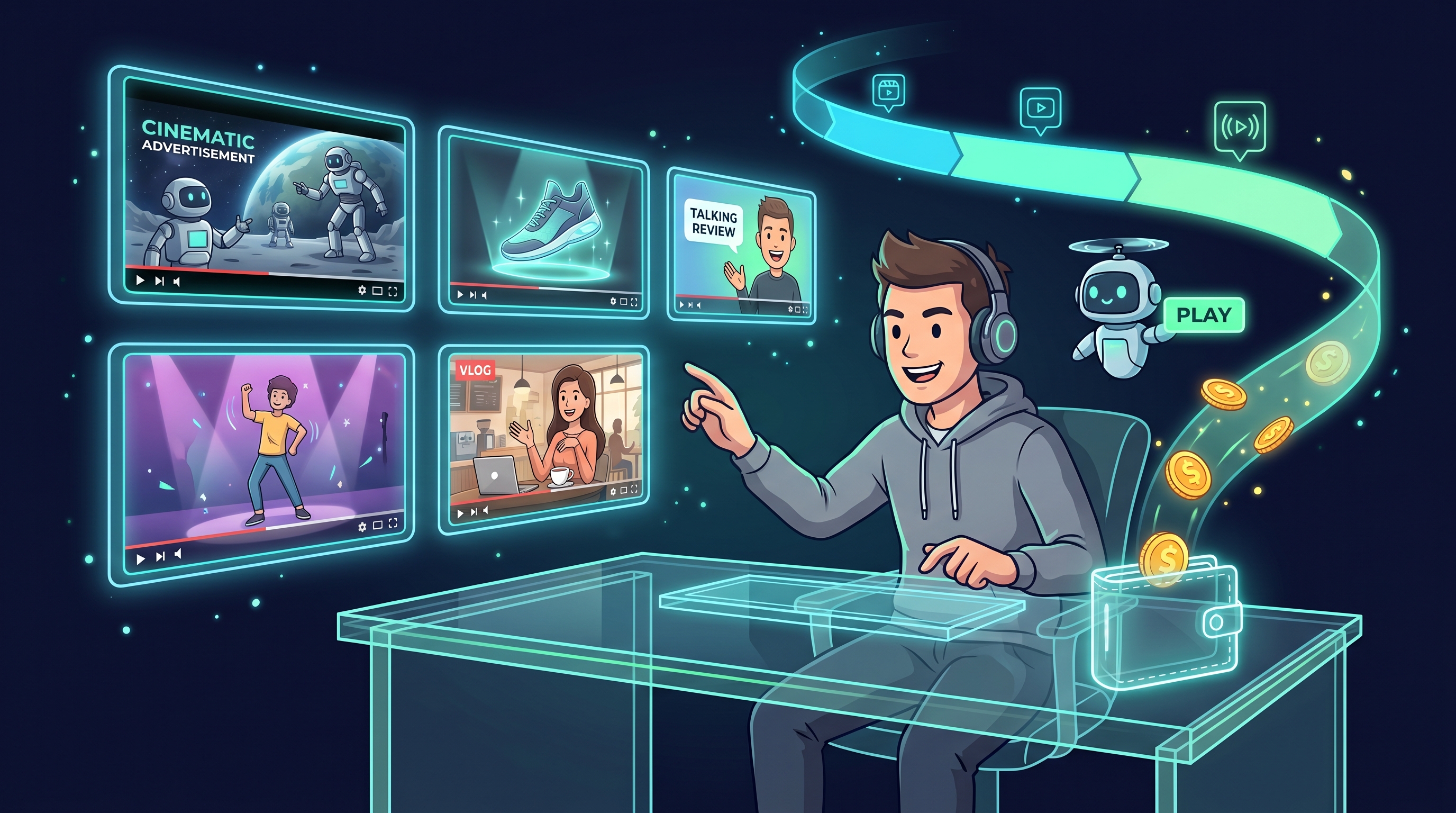
If you need to start earning fast — pick AI video. Demand is rising, competition is thin, and the per-project rate is higher than for images.
Who Buys AI Video and How Much Do They Pay?
Realistic price grid by segment:
- Small business: $80-250 per 10-15 second ad. They order in packs of 3-5.
- Bloggers: $30-100 per intro or short clip. Regular orders, 5-15 per month from one client.
- Startups: $400-1,200 per concept video for landing or pitch. Fewer orders, higher rate.
- Marketplace sellers: $15-50 per product card animation. High volume, low rate, recurring budgets.
A realistic 3-month goal — $1,500-2,500/month working 1-2 hours per day. After 6 months of systematic work — $4,500-7,500/month.
What Tools Do You Need to Start?
Minimum viable kit:
- An AI video subscription with multiple models. It helps to have models with different specializations: one for cinematic shots, another for motion, a third for image-to-video animation.
- An AI image generator subscription — for references and covers.
- A simple video editor — CapCut or DaVinci Resolve. Both have public tiers without watermarks for commercial use.
- A portfolio page on Twitter, Behance, or Instagram with examples — that's where orders will come from.
If you're just starting — create your first image or video and evaluate the tool before going deeper. Then move on to the video creation page and try the “Text to video” and “Image to video” tabs with available models. Results appear in “My tasks”.
One practical shortcut: Clipia.ai bundles multiple video and image models under a single subscription with card payments, so you don't juggle several accounts. And once you're producing in volume for several clients, you can automate generation through the Clipia.ai API and MCP server — wire it into your own scripts or an AI agent so drafts render without manual clicks.
How Do AI Affiliate Programs Work?
An affiliate program of an AI service is a contract. You bring paying customers, the service shares a percentage of their payments. The more customers and the longer they stay — the higher your income.
How to Tell a Real Program from Hype
The market is full of «affiliate programs» promising «50% on every sale». In practice, the conditions don't work: one-time commission, paid in 60-90 days, $300 minimum withdrawal, hidden reasons to void payments.
Signs of a legitimate program:
- Public partner agreement with concrete terms. If the agreement is «on request» or «sent after registration» — bad sign.
- Commission applies to recurring payments, not just the first. That's what makes it «passive income» — without it, the program is a regular CPA deal.
- Reasonable withdrawal minimum, accessible to a typical partner. If the threshold is too high — that's a way to avoid paying smaller affiliates.
- Documented refund policy when a referral charges back. If it's not documented — they'll invent something at the moment you need to get paid.
- Anti-fraud system. Counterintuitively, this is a positive sign: it means the service filters fake registrations and your real commission won't diverge from what's promised.
What Payments Count Toward Commission?
Different programs handle this differently. A minimally acceptable program counts subscriptions and top-ups. A good program counts top-ups and every subscription renewal, not just the first payment.
Bad terms: «commission only on the first payment», «only on subscriptions above $X», «only on customers from specific traffic sources». These conditions make income unpredictable.
How to Calculate Your Expected Affiliate Income
Simple formula:
monthly_income = audience × conversion × average_payment × commission_rate
Example: you have 5,000 followers on a niche AI Twitter account. Realistic conversion to paying customers across the lifetime — 2%, so 100 people. They subscribe to a mid-tier plan, say $19/month. The affiliate rate is 12%. Your income: 100 × $19 × 0.12 = $228/month.
The key is not to confuse «total audience» with «audience that actually needs an AI tool». 5,000 followers on an AI-focused account = 100 paying. 5,000 followers on a generic lifestyle account — 5-10 paying at most.
Clipia.ai Affiliate Program: A Full Breakdown
Now — our own case. We launched the partner program in April 2026 after six months of fraud-protection and payout-system tuning. Here's how it works with concrete numbers — as an example of what to look for in any AI service affiliate program.
5 Partner Tiers — From Starter to Legend
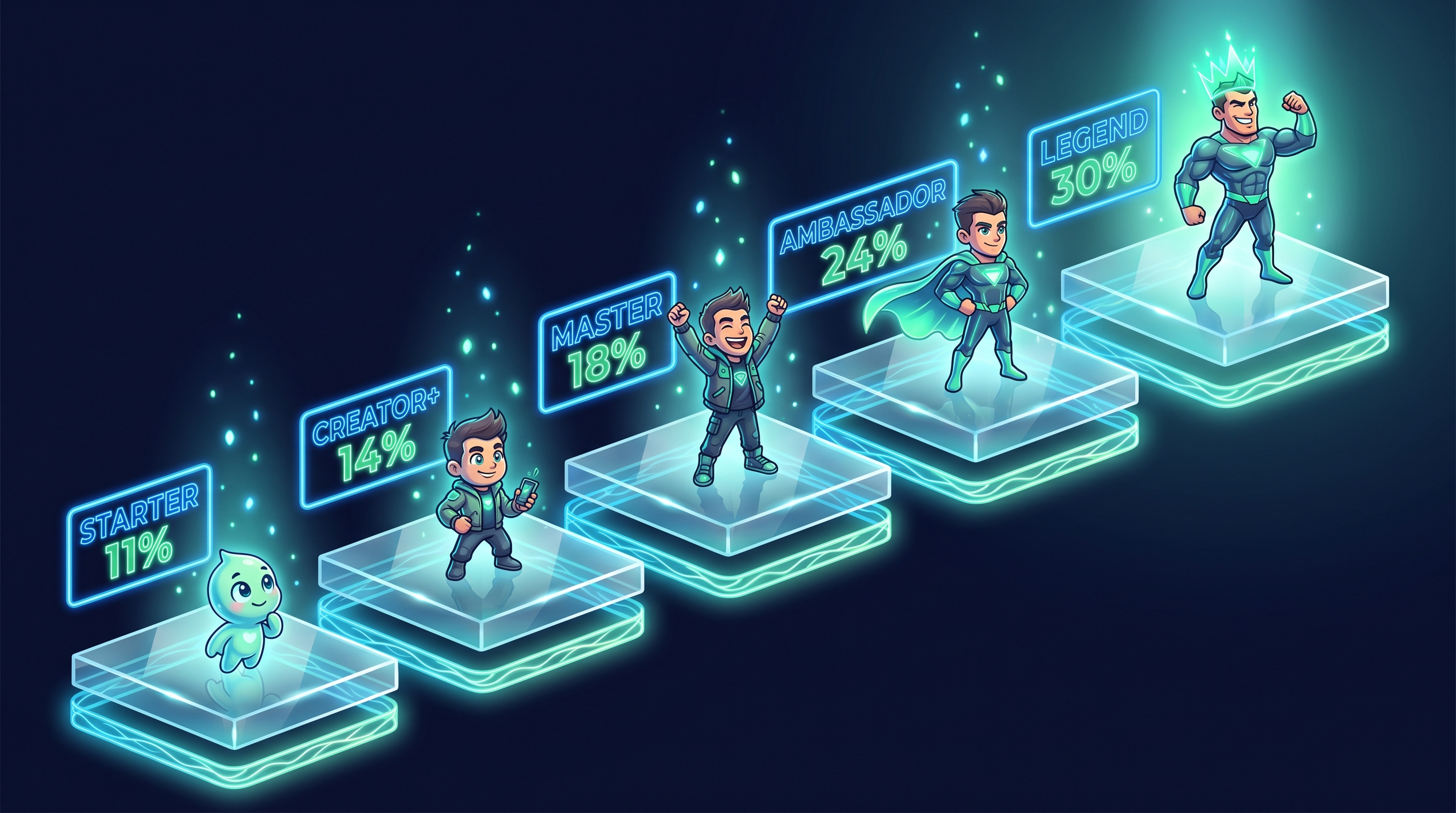
Tiers and rates:
- Starter (0-9 active paying referrals): 10% L1 + 1% L2 = 11% total.
- Creator+ (10-29): 12% L1 + 2% L2 = 14%.
- Master (30-99): 15% L1 + 3% L2 = 18%.
- Ambassador (100-249): 20% L1 + 4% L2 = 24%.
- Legend (250+): 25% L1 + 5% L2 = 30%.
L1 is the commission on direct referrals — people who came through your link. L2 is from the referrals of your L1 partners. So you earn from both the people you brought and the people they brought. That's what makes it a two-tier program.
Tier downgrade isn't immediate. If one of your L1 referrals cancels — you have a 30-day grace period before recalculation. Already-earned commissions don't change when your tier is recalculated.
Calculator: What 5K / 50K / 500K Audiences Earn
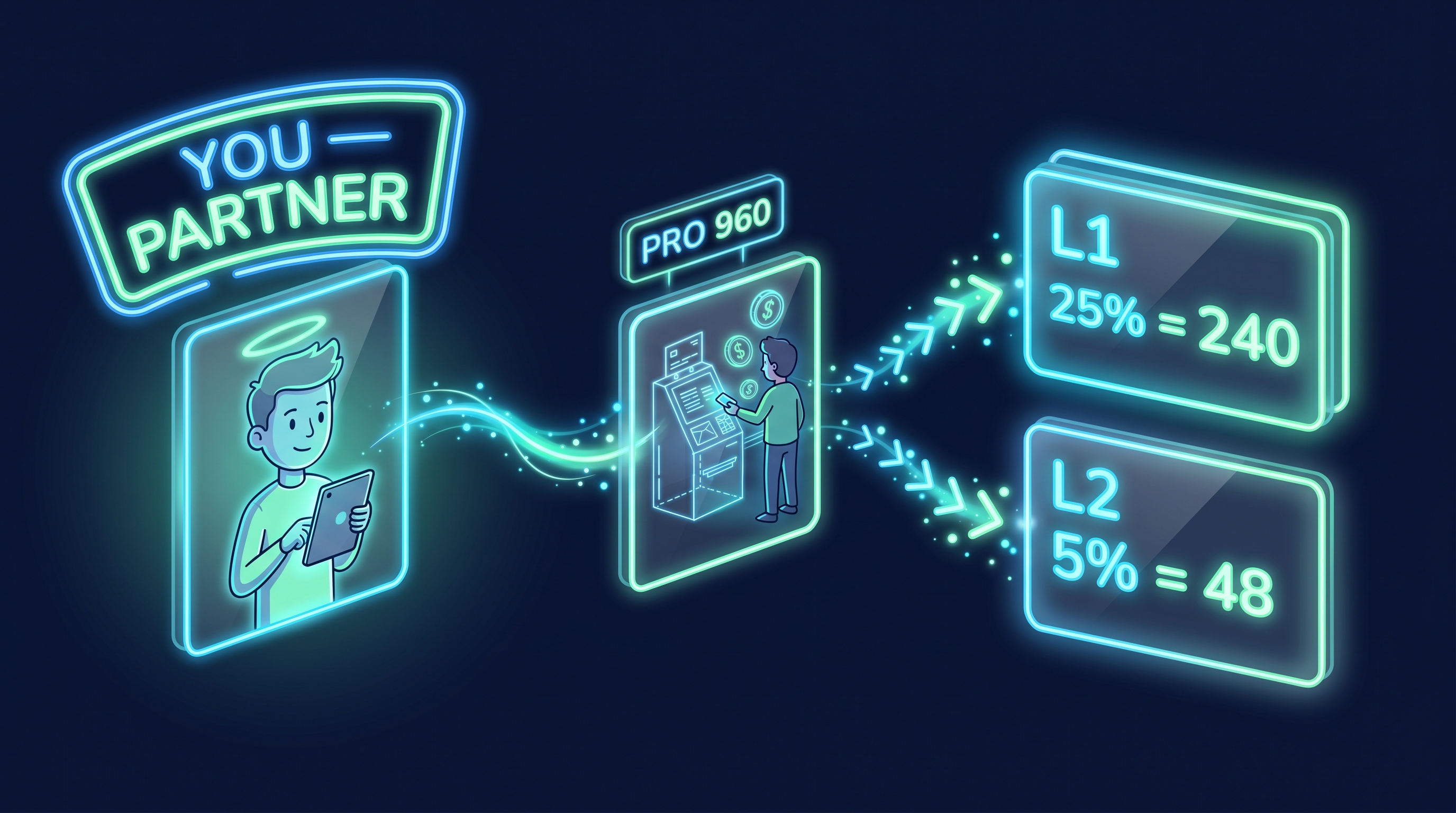
Three calculation scenarios by audience size:
- 5,000 followers in a niche AI-focused channel. 2% conversion = 100 paying. Standard plan (480 credits / $19). At Creator+, your L1 commission of 12% = 5,760 credits monthly. That's roughly $230/month.
- 50,000 followers on a mid-size YouTube or newsletter. 1.3% conversion = 650 paying. Pro plan (960 credits / $39). At Ambassador, your L1 commission of 20% = 124,800 credits. That's roughly $5,000/month.
- 500,000 followers on a major influencer channel. 0.5% conversion = 2,500 paying. Pro plan. At Legend, L1 25% = 600,000 credits. That's roughly $24,400/month.
These numbers are a guideline, not a promise. Real income depends on retention (some referrals will cancel within 1-3 months) and audience quality (a focused niche audience converts 3-5x better than a general one). If you want to plug in your own numbers — the Clipia.ai partner page has an interactive calculator with sliders.
When Does the First Payout Arrive?
Commission accrues immediately after a successful referral payment, but goes through a 14-day confirmation. This matches the legal refund window — if a referral cancels within two weeks, the commission is automatically voided.
After 14 days the commission is available for withdrawal. The minimum to transfer to your own Clipia balance (for generations) is 50 credits. For cash withdrawal via USDT, card, or wire — from $5 equivalent.
If you're an active partner and want larger payouts — accumulate in credits and transfer in big chunks once a month or per quarter. This minimizes payment processor fees.
What Doesn't Count: HARD and SOFT Flags
We're upfront about what our system flags as «not legitimate» activity. You should know this in advance to avoid building a strategy on something that won't work.
HARD flag — commission doesn't accrue at all:
- Matching device fingerprint between partner and referral. If you register through your own link from the same device — it's caught automatically. Self-referral doesn't work.
SOFT flags — commission accrues, but the invite is in admin audit:
- Same IP address between partner and referral within 24 hours (e.g., home network, coworking, corporate office).
- Email similarity (Gmail aliases like
vasya.petrov+clipia@gmail.comandvasyapetrov@gmail.comcount as one address). - Disposable domains (mailinator, 10minutemail, and similar) — commission flows but invite is audited.
Additional limits:
- If a referral payment is refunded, the commission is automatically voided. If money has already been paid out — it goes to manual financial review.
- Daily cap of 5,000 credits per partner. Protection against sudden spikes.
An honest affiliate passes all these filters with no issues — they exist to filter arbitrage and fake registrations, not legitimate partners.
How to Level Up Faster
Tier is calculated by the count of active paying referrals, not total registrations. This shifts the strategy:
- One paying referral is more valuable than ten «registered and forgot».
- It's better to show real use of the AI service (tutorials, case studies, model comparisons) than «partner program ads».
- The referral link lives 30 days in localStorage and cookies. Even if someone clicks, leaves, and returns a week later, the registration counts toward you.
Activating the partner program is a one-click action in the partner dashboard. After activation you get a personal link, QR code generator, earnings reports, and payout history.
7-Day Launch Plan for a Creator
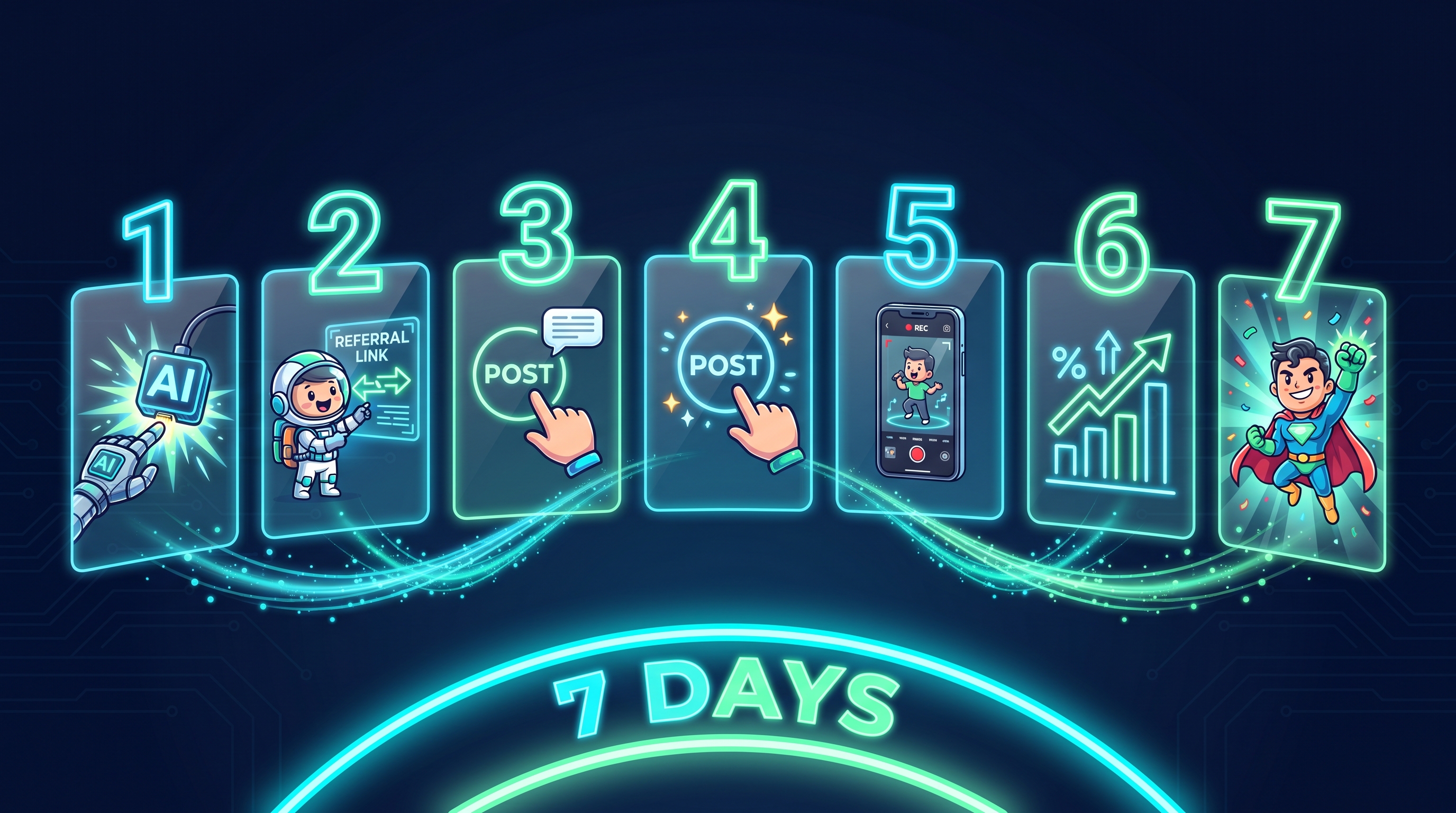
This plan is for someone with an existing small audience (1,000-10,000 followers) who wants to deploy a working scheme in a week and get the first registrations.
Day 1-2: Account and Link Setup
- Sign up on Clipia.ai. Activate the program in the partner dashboard.
- Copy your partner link. Make a short version through any URL shortener (bit.ly, t.me/+, etc.) for cleaner appearance in posts.
- Generate a QR code in the partner dashboard. 512×512 for social, 2048×2048 for print and video covers.
- Generate 5-7 sample AI videos and AI images for upcoming posts. Use the video creation page and image generation page — completion time depends on the model, settings and queue. Check the price on the launch button first.
Day 3-4: First Content
- Publish 1 review post: «I'm testing an AI tool for a month, here's what came out». Show 3-5 of your examples. No fluff.
- Publish 1 tutorial post: «How to make X in 2 minutes with AI». A concrete workflow with prompts.
- Publish 1 comparison post: «With AI vs without AI», «Image-to-video vs live shot». Comparisons get the highest CTR.
- Each post gets the referral link. Not at the start (looks spammy), but at the end as a call-to-action.
Day 5-7: Launch and Measure
- Make 1 video review for Reels or Shorts at 30-60 seconds. Show the generation process for one result with screen recording.
- Open the «Earnings» section in the partner dashboard. Check registrations from your link daily.
- On day 7, count: how many clicks, how many registrations, how many paid subscriptions and top-ups. A realistic range for a 5-10K follower channel — 50-150 clicks and 5-15 registrations per week.
- If conversion is low — add more demo videos to posts. Numbers usually grow when the audience sees real results, not «try it yourself».
By the end of the first month you'll understand how your audience reacts to AI topics and which formats convert. From that point on, double down on what works.
What Are the Legal Rules for AI Income?
Unpopular topic, but critical. If you build serious income and don't sort out the legal side — you risk fines and account freezes.
Tax status depends on the work and jurisdiction
Check your country’s rules, tax residence and contracts. There is no universal income threshold or business status that suits every creator. Keep contracts and payment records and discuss registration, reporting and withholding responsibilities with a local accountant.
If Russian rules apply, consult the Federal Tax Service guidance on personal income tax and professional income tax eligibility. Activity and contract restrictions mean that a status suitable for client work does not automatically cover every kind of affiliate arrangement.
Ad Disclosure and AI Labeling on YouTube/Reels
Before publishing branded content, check the disclosure requirements for the particular placement and jurisdiction. Separately, review the platform’s current AI-content rules: requirements depend on the material and whether viewers could mistake it for a real recording.
An affiliate link does not remove disclosure obligations. Check the rules that apply to your audience and placement. For the United States, the FTC guidance on endorsements and affiliate marketing says the commission relationship should be disclosed clearly and conspicuously near the recommendation; a bare “affiliate link” label may not explain that relationship adequately.
Who Owns the Copyright on AI Content?
The legal status of AI content is still forming. In practice:
- Use of a generated image or video depends on the service, model and plan terms. Check Clipia’s terms and your rights to uploaded materials before commercial delivery.
- A prompt like «in the style of famous artist X» or «celebrity Y's face» creates a legal grey zone. Safer to use style descriptions, not names.
- An AI voice with the intonation of a real person without their consent is a potential risk. Use either synthetic voices or licensed ones.
Frequently Asked Questions
How do you make money with AI content in 2026?
There are six proven ways: (1) AI video for brands and bloggers — $30-500 per clip; (2) UGC avatars and talking heads — $50-300 per clip; (3) marketplace product photos — $5-15 each; (4) themed social-media content — $800-2,500/month per channel; (5) teaching AI production — $80-400 per workshop; (6) AI-service affiliate programs that pay recurring commission (the Clipia.ai program scales from 11% to 30%). The most reliable income combines client work — cash now — with an affiliate program that builds recurring income over 2-3 months. You produce the content itself on a tool like Clipia.ai and get paid per project or per referral. Realistic range: $50-200 as a side hustle, $1,000-3,000/month for systematic creators.
How much can I realistically earn from AI content from scratch?
Realistic ranges by level: side hustle with 0-5 clients — $50-200/month at start; systematic work with 10-15 clients — $1,500-4,000/month within 3-6 months; a small studio with 3-5 creators — $10,000-25,000/month in revenue within a year. An affiliate program on top adds 10-30% to income. These are realistic ranges with systematic 1-2 hours of daily work, not «guarantees».
What's better: AI content for clients or an affiliate program?
At the start — direct client work, because that's fast money in the first month. Within 6-12 months the affiliate program catches up: one paying referral pays you every month with no new work. The ideal strategy is combining: client work covers your runway, affiliates build residual income. A creator with 50 active L1 referrals on a Pro plan on Clipia.ai earns roughly $200-500/month passively — even in months they didn't work.
How does a creator with 1,000 followers reach steady income through AI?
1,000 followers is small for ads, but enough for affiliates if the audience is focused. On a warm niche audience, conversion to paying is 3-5%, so 30-50 people. At a $19 average plan and Creator+ 12%, that's $70-115/month in affiliate commissions. Plus 1-2 client orders monthly at $80-400. Total $200-550 — solid side income. To scale, first grow the audience through regular AI tutorial content.
Can I combine AI freelance and an affiliate program?
Yes, and you should. Client work gives cash flow now, the affiliate program gives recurring income in 2-3 months. The key is to not turn the affiliate program into spam. The best scheme: do client work, document case studies along the way, post them to your channel, drop the referral link at the end. Your audience sees real results, not «buy a course». This converts 3-5x higher than channels with no case studies.
Do I need to register a business entity for AI income?
The answer depends on your jurisdiction, contracts and activity. Check the current registration, reporting and tax rules before taking regular orders; a fixed monthly income figure is not a universal legal threshold. A local accountant can help choose the suitable status.
What Should You Do Today?
Earning with AI in 2026 isn't «spotting a trend and catching a wave». The trend is here, the train isn't leaving, but calm systematic work pays much more than «trying to jump in».
Minimum for today: make your first generation to understand how the tool works. Look at current pricing and the partner program terms. If you already have an audience — activate the program in the partner dashboard and publish your first review post. If you don't — start with freelance orders, and within 2-3 months you'll move to your own content.
The one thing not to miss this year: not working with AI at all. In 12 months, these tools will be standard for everyone. The advantage goes to people who figure things out in the first wave.
Read Next
Try it yourself on Clipia
60+ models for video and image generation. One account, transparent pricing.