The AI assistant now creates presentations
Ask the assistant to build a presentation: it prepares the structure, designs the slides and returns editable PPTX, PDF and PNG previews.
Presentation creation is now available right inside the AI Assistant. Describe the topic, audience and slide count — the assistant builds the structure, designs the slides in our visual style and returns ready-to-use files. No more assembling every slide by hand.
The video above shows the real in-app flow: a single chat request turns into a finished deck you can flip through and download.
What is new
- Presentations from chat: a plain request becomes a slide structure and rendering starts automatically.
- Output files: editable PPTX, share-ready PDF and PNG previews for a quick check.
- Flexible structure: 3 to 20 slides — cover, sections, bullets, stats, images and a closing slide.
- Two visual themes: dark clipia-dark for branded pitches and clean-light for printing and projectors.
- For AI agents: the same flow is available through the MCP tool
generate_presentation.
How the assistant builds a deck
A short brief is enough. The assistant plans the structure itself: it picks slide types, writes headlines and bullets, arranges accents and stats — and starts rendering. Optionally it adds illustrations generated by our own models.

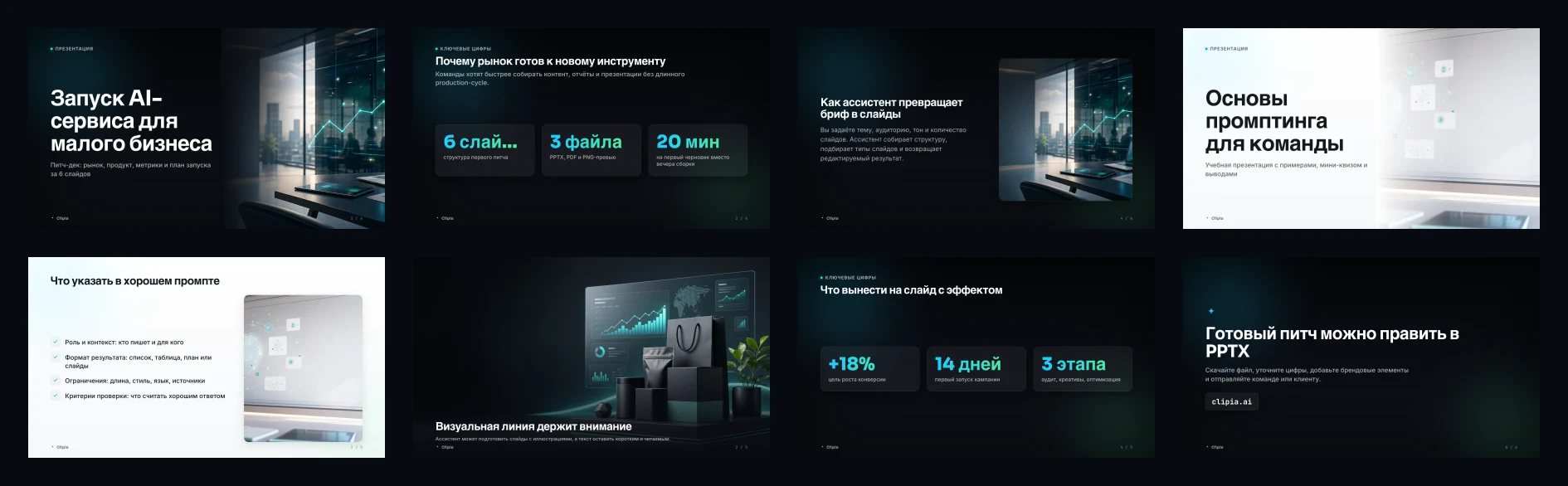
Real slides
Every slide follows one visual line: clean typography, cyan accents, covers, sections, stat blocks and closing screens with a call to action.
How to try it
Open the AI Assistant, describe the topic, audience, language, slide count and presentation style — and get a ready deck. A detailed walkthrough with use cases and prompt examples is in the blog guide.