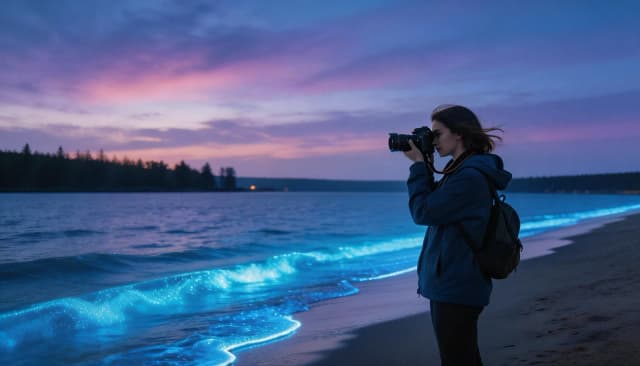
ByteDance's flagship image generation model. Precise interactive reference-based editing, dense infographics, realistic portraits and native in-frame text across languages. Output up to 2K
Close-up editorial portrait of a middle-aged fisherman with weathered skin, deep wrinkles and kind grey eyes, wearing a wool sweater, soft window side-light, natural skin texture, 85mm f/1.4, photorealistic

Basic for fast drafts and iteration, High for final images with maximum detail
A fast mode for drafts, composition scouting and high-volume iteration. All editing and in-frame text capabilities — at a lower cost.
Maximum 2K resolution for final images — detailed portraits, dense infographics and crisp text for print and presentations.
Comparison of Basic and High modes
| Parameter | Basic · 1K | High · 2K |
|---|---|---|
| Output resolution | 1K (~1024px) | 2K (up to 2048px) |
| Reference images | Up to 10 | Up to 10 |
| In-frame text | 10+ languages | 10+ languages |
| Editing (I2I) | Precision + layers | Precision + layers |
| Aspect ratios | 7 options | 7 options |
| Output formats | PNG, JPEG | PNG, JPEG |
| Generation time | ~15–20 sec | ~20–25 sec |
| Cost | 4 credits | 8 credits |
ByteDance positions Seedream 5.0 Pro as a model that "understands design" — control at every level
The model follows your prompt closely — composition, style and fine details stay under your control. Predictable results where mistakes are obvious: design, layouts, presentations.

Point, lasso and region edits without a full regeneration: swap colors by HEX, materials and backgrounds. The model separates an image into 10+ independent layers with auto-inpaint behind the subject.

Natural skin with visible texture, correct light and anatomy without the "plastic" look. Great for avatars, covers and editorial shots.

Native text rendering in more than 10 languages: signage, posters, packaging and infographics — readable letters, not "alien" glyphs.

One of the model's flagship scenarios — complex information visualization: schematics, charts and multi-block layouts with clean typography from a single prompt.

Editing and multi-image fusion across ten input images: combine objects from different photos, keep a character in a new scene, transfer style.

From prompt to result in 5 steps
Open the image generation page and select Seedream 5.0 Pro from the model catalog.
Write a detailed prompt — subject, style, lighting, in-frame text. For editing, upload up to 10 reference images.
Choose the aspect ratio (7 options) and quality mode: Basic (1K, fast) or High (2K, maximum detail).
Hit Create — the result arrives in about 15–25 seconds.
Save the image in original quality or use it as a reference for the next iteration.
Real Seedream 5.0 Pro generations on Clipia — unretouched
Signage, posters and menus with readable Cyrillic — where most models produce distorted letters.

Replace the background and environment while preserving the object, its shape and lighting — the edit is described in plain text.

Tasks where every detail and readable text matter
Schematics, charts and multi-block layouts with clean typography — for reports, presentations and educational materials.
Swap the background, environment and materials on a product photo while keeping the product itself — fast product shots without a studio.
Realistic faces with natural skin and light — for social media, covers and personalized content.
Playbills, covers and ad creatives with headlines right in the image — no touch-up in a graphics editor needed.
The best way to work with Seedream 5.0 Pro
Clear per-generation cost in credits — Basic from 4, High from 8. No subscription and no hidden fees.
Full control through an intuitive UI — aspect ratio, quality mode, reference upload and reference-based editing.
Automatic failover, queue management and CDN delivery — generations complete reliably with no downtime.
Answers about Seedream 5.0 Pro on Clipia
Seedream 5.0 Pro is ByteDance's flagship image generation model (released July 8, 2026). It creates images from text and edits by reference, with a focus on controllable generation, precise interactive editing, dense infographics and in-frame text across more than 10 languages.
Pro is stronger at editing precision, layer separation and prompt following; output up to 2K, up to 10 references, one image per request. Lite targets speed and volume: up to 14 references and 4K output (an upscale from 2K, not native 4K), plus sequential generation.
Pro's native maximum is 2K (up to 2048 px per side, around 2.7K on the long side at 16:9). Pro has no native 4K: 4K is available in the Lite version and is produced by upscaling from 2K. For precise layouts and print, 2K is usually enough.
In editing mode Pro accepts up to 10 reference images per request. You can combine objects from different photos, keep a character in a new scene and transfer style.
Yes. Seedream 5.0 Pro natively renders text in more than 10 languages, including non-Latin scripts. Signage, posters, packaging and infographics come out with readable letters. For complex typography, put the exact text in quotes in the prompt.
Edits are applied locally — by point, lasso or region, without a full regeneration. Color-by-HEX, material and background swaps are available. The model separates the image into 10+ independent layers with auto-inpaint behind the subject.
Basic (1K) is 4 credits per image, High (2K) is 8 credits. Pay per generation, no subscription.