Picture to Dance
Picture to dance turns a photo into a dancing video: upload a picture of a person, pick a ready dance with a button or add your own clip of 3 to 30 seconds, and Kling Motion Control makes the person repeat the moves. New users get 5 welcome credits at sign-up, and the price in credits is shown on the button before you start.
What is picture to dance?
Picture to dance is motion transfer applied to a dance: the AI takes the moves from a dance clip and makes the person in your photo repeat them. Clipia.ai runs it on the Motion control tab with Kling 3.0 Motion Control and Kling 2.6 Motion Control by Kuaishou. On this page the form already has a ready K-pop dance: a button puts its clip into the Motion video field, so you only need a photo of one person showing the head, shoulders and torso. You can also upload your own dance clip of 3 to 30 seconds with one person in the frame. The result is as long as the dance clip.
What you can do with picture to dance
A dancing video from your photo
Pick a ready dance and the person in your picture repeats it, from the first move to the last.
Your own choreography
Upload a clip of your dance or any dance you have the rights to, and the AI transfers it to the photo.
A dance trend for social media
The ready dance is a vertical clip, handy for Reels, Shorts and TikTok.
A greeting or a party clip
Make a friend or colleague dance for a birthday or a team event, with their consent to use the photo.
One dance, different people
Apply the same dance to several photos, for example to show a group or different outfits in one rhythm.
How to do it
Upload a photo of the person
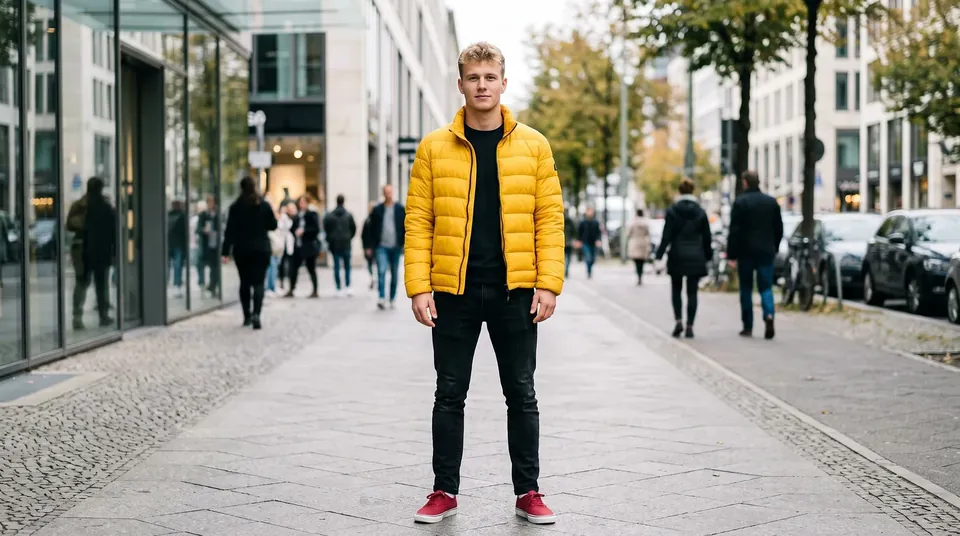
One person, with the head, shoulders and torso in the frame; the short side of the photo at least 300 px.
Pick a dance
Click a ready dance above the Motion video field or upload your own clip of 3 to 30 seconds, up to 20 MB.
Set up the result
Choose the model and quality. Keep the As in the video orientation for dances longer than 10 seconds.
Start the generation
The price in credits is shown on the button before you start and depends on the clip length. Click Transfer motion.
Tips for better results
- A full-length photo with arms and legs visible works best: a dance moves the whole body.
- Pick a photo where the pose is close to the first pose of the dance — this reduces distortion.
- The photo and the dance clip should each show one person.
- If the face matters most, choose Kling 3.0 Motion Control; to save credits, choose Kling 2.6 Motion Control.
Extra direction examples for a dance
Dance studio
Background: a dance studio with mirrors, soft daylight
Club
Background: a dance floor with colored lights and light haze
Rooftop
Background: a city rooftop at sunset, warm light
Beach
Background: a sandy beach at golden hour, a light breeze moves the clothes
Stage
Background: a concert stage with spotlights behind the dancer
Which AI models make a picture dance
Both models take the dance from the clip, ready or your own. The price is per second of the clip and is shown on the button before you start.
Kling 3.0 Motion Control
Best faceKuaishou
Accurate motion and facial transfer
video 3–30 s · 720p / 1080p
- Your hero repeats the motion from your video
- Motion video from 3 to 30 s
Kling 2.6 Motion Control
BudgetKuaishou
Budget motion transfer
video 3–30 s · 720p / 1080p
- The motion from the video moves to your hero photo
- Motion video from 3 to 30 s
How much does picture to dance cost?
The price in credits is shown on the button before you start and depends on the dance clip length and quality. Plans start from $10 per month. New users get 5 welcome credits at sign-up.
Frequently asked questions
How much does picture to dance cost and what do I get at sign-up?
New users get 5 welcome credits at sign-up, and plans start from $10 per month. The price in credits is shown on the button before you start and depends on the dance clip length and quality.
Can I make a picture dance without signing up?
No, generation is available after sign-up: the account holds your credits and keeps your clips. Without an account you can open the studio, pick a dance and look at the settings; when you choose a photo, the studio asks you to sign in. You can sign in with email or with a Google or Yandex account.
Does Clipia add a watermark to the dance video?
No. Clipia does not add its own watermark: the clip downloads in its original quality.
Which photo works for picture to dance?
A photo of one person up to 10 MB with a short side of at least 300 pixels. The head, shoulders and torso must be visible; a full-length shot with nothing blocking the body works best for a dance.
How long will the dance video be?
As long as the dance clip: from 3 to 30 seconds. The ready dance lasts about 11 seconds.
Can I choose my own dance?
Yes. Upload your clip in the Motion video field instead of a ready dance: 3 to 30 seconds, up to 20 MB, one person in the frame. Only use videos you have the rights to.
Which AI makes a photo dance?
Kling 3.0 Motion Control and Kling 2.6 Motion Control by Kuaishou. The first transfers motion and facial expression more precisely, the second costs less.
Why does As in the photo not work with a ready dance?
The As in the photo orientation takes clips of up to 10 seconds, and the ready dance is longer. Keep As in the video: the person then turns the way the dancer does.
Will the dance video have music?
Motion transfer models do not create new sound. If you need music, add it when you edit the clip.